HoneyBook Alternatives (2026): True Costs, Export Limits, and 8 Tools Compared
July 2, 2026
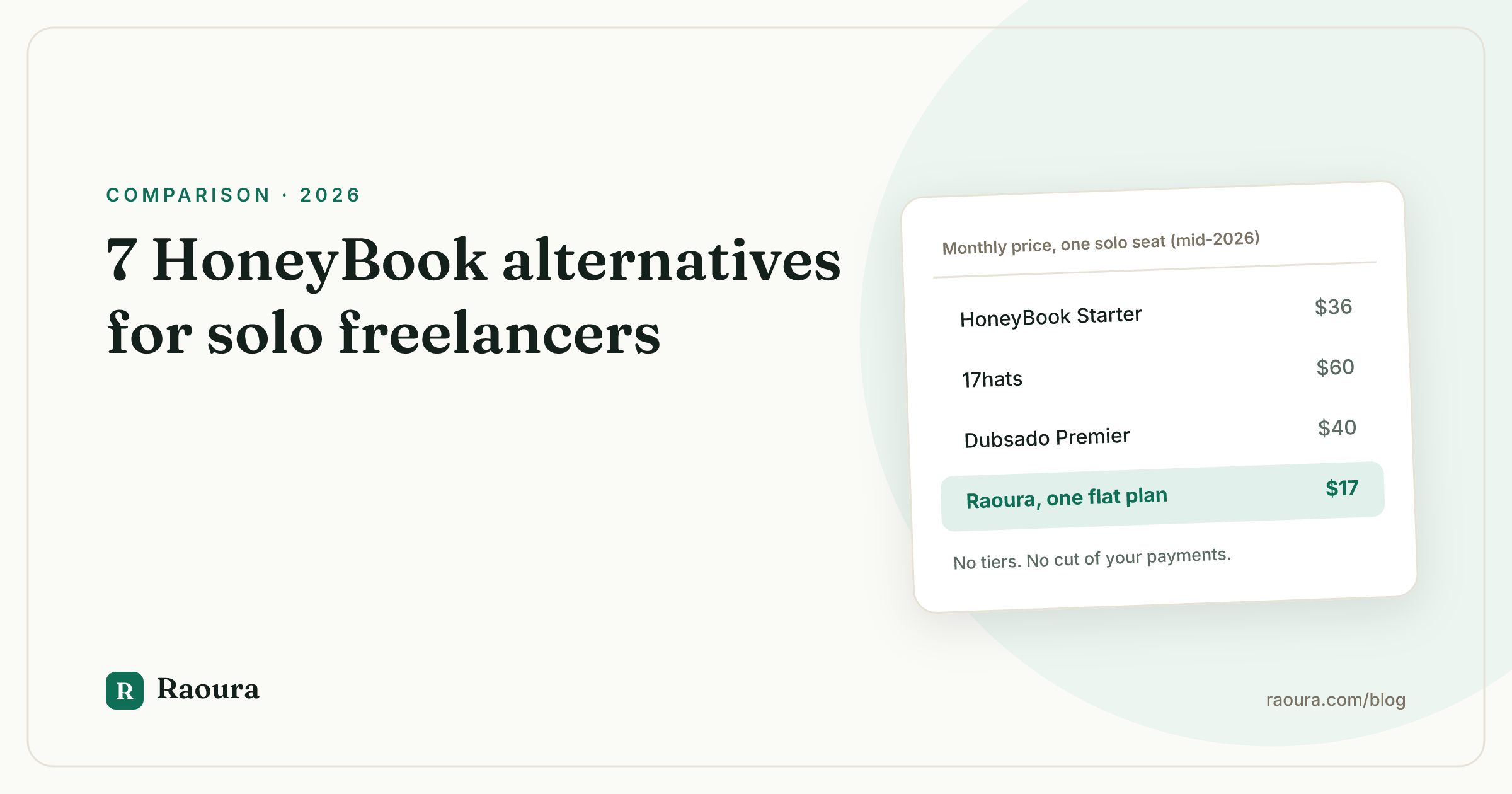
Most "HoneyBook alternatives" articles compare monthly sticker prices, list some features, and call it a day. That math is wrong for anyone who actually invoices clients, because payment processing fees are usually 3 to 6 times bigger than the subscription. A $17 tool with your own Stripe account and a $29 tool with a marked-up embedded processor are hundreds of dollars apart per year, in the direction the sticker price does not tell you.
So this guide does four things the ranking pages skip: it computes fee-inclusive annual costs at a realistic revenue level, documents what HoneyBook actually lets you export when you leave, explains how to switch without breaking contracts and payment plans that are mid-flight, and flags which tools work outside the US. Every price is linked to a vendor pricing page or help doc and was checked in July 2026. One of the eight tools, Raoura, is our own product (disclosure: Raoura is our product), and it gets the same rubric and the same three-cons treatment as everyone else.
Why freelancers are leaving HoneyBook in 2026#
On February 4, 2025, HoneyBook repriced every plan. The official framing was that new AI features justified higher rates. Here is what the numbers did, per HoneyBook's own pricing-change notice and coverage at Fstoppers:
| Plan | Old monthly price | New monthly price | Increase |
|---|---|---|---|
| Starter | $19 | $36 | +89% |
| Essentials | $35 | $59 | +69% |
| Premium | $79 | $129 | +63% |
Existing members did not get grandfathered pricing. They got a temporary 20% discount off the new rates for one year, after which they pay full freight. That removal of legacy pricing, more than the hike itself, is what generated the anger.
Threads on r/WeddingPhotography with titles to the effect of "okay, what's better than HoneyBook" filled up with photographers comparing escape routes, and the recurring complaints were consistent: paying roughly double for bundled AI nobody asked for, and no way to keep the plan they signed up under.
Two other grievances predate the hike.
HoneyBook acts as its own payment processor, and its Trustpilot reviews and BBB complaints include recurring reports of funds held during disputes or account reviews, sometimes for up to 90 days per HoneyBook's own dispute documentation.
And until May 2026, HoneyBook simply did not work outside the US and Canada. It launched in the UK and Australia on May 21, 2026, which helps freelancers in those four countries and nobody else.
The 30-second answer#
If you only read one section, read this one.
- Photographer: Pixieset (Suite from $28/mo, galleries included) or Tave, now VSCO Workspace (Solo at $22.49/mo). Both are built around shoots and galleries in a way generalist CRMs are not.
- Solo designer, consultant, or copywriter: Raoura at $17/mo flat (disclosed above: our product) or Moxie Pro at $20/mo on annual billing. Both use your own Stripe account, so no fee markup.
- Automation power user: Dubsado Premier at $525/yr. The workflow builder is the deepest here, and setup time is the price you pay for it.
- Small team: Bonsai, per-seat from $9/user/mo on annual billing, scales cleanly to a few people.
- Stay on HoneyBook if you are in the US, Canada, UK, or Australia, you lean hard on its scheduler and automations, and $348/yr on annual Starter billing is worth not migrating.
| Tool | Best for | Solo price/mo (annual billing) | Works outside US | Uses your own Stripe | Free trial |
|---|---|---|---|---|---|
| [Raoura](https://raoura.com) | Solo freelancers, simplicity | $17 flat | Yes (Stripe Connect countries) | Yes | 14 days, no card |
| [Moxie](https://www.withmoxie.com/pricing) | Solos who want extras (time tracking, scheduling) | $10 Starter / $20 Pro | Yes | Yes | 14 days |
| [Dubsado](https://www.dubsado.com/pricing) | Automation tinkerers | ~$28 ($335/yr) / ~$44 Premier | Yes | Yes (or Square/PayPal) | Free plan + 21-day full trial |
| [Bonsai](https://www.hellobonsai.com/pricing) | Freelancers becoming teams | $9 to $49 per user | Yes (FX fees apply) | Partly (1% platform fee to bypass Bonsai Payments) | Yes |
| [17hats](https://www.17hats.com/pricing) | Established service businesses | $50 ($600/yr) | US-focused | Yes (or Square) | 7 days |
| [Bloom](https://bloom.io/pricing) | Budget-conscious creatives | $17 Standard (12-month promo) | Yes (25+ countries) | Yes (or Square) | Yes |
| [Pixieset](https://pixieset.com/pricing-suite/) | Photographers | $28 Suite | Yes | Yes (or PayPal/Pixieset Payments) | Free plan |
| [SuiteDash](https://suitedash.com/pricing/) | White-label client portals | $15 ($180/yr) | Yes | Yes | 14 days |
| [HoneyBook](https://www.honeybook.com/pricing) (reference) | Deep ecosystem users | $29 Starter | US, CA, UK, AU only | No (embedded processor) | Yes |
All prices as of July 2026. Now the math that changes the ranking.
What switching really costs: true annual cost at $60k revenue#
Here is the methodology. Assume a solo freelancer grossing $60,000 a year through the tool: $42,000 paid by card (24 payments averaging $1,750) and $18,000 by bank transfer (12 payments averaging $1,500). That card-heavy split is typical because clients default to cards unless you push bank transfer.
Two fee schedules matter:
- Stripe standard US rates: 2.9% + $0.30 per card transaction, and 0.8% capped at $5 for ACH, per stripe.com/pricing and Stripe's ACH pricing doc. Every tool that connects your own Stripe account inherits these.
- HoneyBook's embedded rates: 2.9% + $0.25 per cardholder-entered card payment, 3.4% + $0.09 for card-on-file payments, and 1.5% for ACH with no cap, per HoneyBook's transaction fee help doc.
On our split: Stripe standard card fees are $1,225 (2.9% of $42,000 plus 24 x $0.30) and ACH fees are $60 (12 payments, each hitting the $5 cap). HoneyBook's card fees are $1,224, essentially identical, but its uncapped 1.5% ACH costs $270, which is $210 more than Stripe for the same bank transfers. All amounts as of July 2026.
| Tool | Plan needed | Subscription/yr | Card fees on $42k | Bank fees on $18k | True year total |
|---|---|---|---|---|---|
| [SuiteDash](https://suitedash.com/pricing/) | Start, annual | $180 | $1,225 | $60 | **$1,465** |
| [Raoura](https://raoura.com) | Flat plan | $204 | $1,225 | $60 | **$1,489** |
| [Bloom](https://bloom.io/pricing) | Standard, promo annual | $204 | $1,225 | $60 | **$1,489** |
| [Moxie](https://www.withmoxie.com/pricing) | Pro, annual | $240 | $1,225 | $72* | **$1,537** |
| [Bonsai](https://www.hellobonsai.com/pricing) | Essentials, annual | $228 | $1,225 | $180** | **$1,633** |
| [Pixieset](https://pixieset.com/pricing-suite/) | Suite, from $28/mo | $336 | $1,225 | $78*** | **$1,639** |
| [Dubsado](https://www.dubsado.com/pricing) | Premier, annual | $525 | $1,225 | $60 | **$1,810** |
| [HoneyBook](https://www.honeybook.com/pricing) | Starter, annual | $348 | $1,224 | $270 | **$1,842** |
| [17hats](https://www.17hats.com/pricing) | Yearly | $600 | $1,225 | $60 | **$1,885** |
\ Moxie adds $1 per ACH charge for Plaid verification on top of Stripe's fee. \\ Bonsai Payments charges 1.0% on ACH with a $1 minimum and no cap. \\\ Pixieset Payments charges 0.8% + $1.50 on bank transfers, capped at $6.50.
On the same $60,000 of revenue, the cheapest setup in this comparison costs $1,465 a year all-in and the most expensive costs $1,885, a $420 spread that subscription price alone does not predict.
Two honest caveats.
First, HoneyBook gets worse if your clients use autopay: card-on-file payments run at 3.4% + $0.09, which pushes card fees on $42,000 to about $1,430 and the true total past $2,000.
Second, 17hats is currently running a first-year promo at $300, which drops its first-year total to $1,585; the table uses the regular renewal price, because that is what you pay in year two.
The 8 best HoneyBook alternatives, tested#
1. Dubsado#
Who it fits: the freelancer who wants to automate the entire client journey and enjoys building systems. After its "3.0" repricing, Dubsado costs $335/yr on Starter and $525/yr on Premier as of July 2026, with a free plan to start and a 21-day full-featured trial, no card required. Workflows, scheduling, and Zapier are Premier-only, so budget for the $525 tier if automation is why you came. Payments run through your own Stripe, Square, or PayPal account at standard processor rates, no markup.
Pros: the most flexible workflow and form builder in this category; unlimited clients and projects on every plan; payments through your own processor, so no fund-hold risk from the CRM itself.
Cons: setup is genuinely long, commonly estimated at 15 to 25 hours, and an entire cottage industry of paid Dubsado setup specialists exists for a reason; the interface feels dated next to newer tools; the annual-first pricing after the reprice is a meaningful jump from the old $200/$400 era.
User sentiment: Dubsado holds a 4.3/5 on G2, where a recurring theme is "fantastic product if you're willing to invest time in learning it," paired with complaints that the learning curve is steep and help articles lag.
2. Bonsai#
Who it fits: freelancers who expect to add a subcontractor or employee, since everything is per-seat. Bonsai's tiers run $9 (Basic), $19 (Essentials), $29 (Premium), and $49 (Elite) per user per month on annual billing as of July 2026, roughly 40% more if you pay monthly. Payments default to Bonsai Payments: 2.9% + $0.30 on cards and 1.0% on ACH with no cap. Connecting your own Stripe instead adds a 1% platform fee where Bonsai Payments is available, which quietly penalizes the bring-your-own-processor route.
Pros: broadest feature set on this list (proposals, contracts, time tracking, expenses, tax estimates); clean templates; scales to a small team without switching tools.
Cons: the per-seat, per-tier model plus paid add-ons (tax features moved to a roughly $100/yr add-on) makes real cost hard to predict; that 1% platform fee on outside processors; recent Trustpilot reviews report 7 to 10 day payout delays and slow support responses.
User sentiment: 4.3/5 on G2, with praise for consolidation and pointed complaints about fees and held funds.
3. Moxie#
Who it fits: solo freelancers who want more than invoicing (time tracking, meeting scheduler, sales pipeline) without per-seat pricing games. Moxie costs $10/mo Starter, $20/mo Pro, or $32/mo Teams on annual billing as of July 2026 ($12/$25/$40 monthly), with a 14-day trial. Payments go through your own Stripe account with no Moxie markup; the only extra is $1 per ACH transaction for Plaid bank verification.
Pros: exceptional value at $10 to $20/mo for a feature set this wide; your own Stripe means standard rates and your money in your account; support has a genuinely strong reputation.
Cons: the white-label client portal and workflow automations require Pro, so the $10 headline price is not the realistic price for HoneyBook refugees; the breadth means some modules (accounting, pipeline) are shallower than dedicated tools; teams cap at five members, so it is a dead end for a growing agency.
User sentiment: Moxie's Trustpilot reviews skew strongly positive, with customer support named repeatedly as the standout ("some of the best I've experienced from a SaaS," per one reviewer).
4. 17hats#
Who it fits: established US service businesses, especially wedding and event pros, that want everything in one login and will actually use the automations. 17hats sells one all-inclusive plan: $60/mo, $600/yr, or $800 for two years as of July 2026, with a 7-day trial and a current first-year promo ($300/yr) aimed squarely at HoneyBook switchers. Payments run through your own Stripe or Square account at standard rates. Watch the add-ons: bank connection is $5/mo, and extra users and brands cost more.
Pros: deep, interconnected automations (a lead capture form can trigger a quote, contract, invoice, and email chain); own-processor payments; The Knot and WeddingWire lead integrations.
Cons: at $600/yr renewal it is the most expensive tool on this list once fees are counted; the interface is widely described as dated; the 7-day trial is too short to evaluate a system this interconnected.
User sentiment: 4.6/5 on G2 and 4.4/5 on Capterra, with the steep learning curve and dated UI as the consensus complaints.
5. Bloom#
Who it fits: budget-conscious creatives, particularly photographers who want galleries bundled in. Bloom's plans are Starter at $7/mo, Standard at $17/mo, and Plus at $33/mo on current 12-month promotional pricing as of July 2026 (regular rates are double: $14/$34/$66). Payments connect to your own Stripe or Square; Standard and Plus add no Bloom fee, but Starter tacks on a 1.5% Bloom fee on cards and ACH, which makes Starter a false economy for anyone invoicing real amounts.
Pros: genuinely pretty client-facing pages; client galleries and a website builder included, which can replace a separate gallery subscription; instant-booking forms with payment collection are well done.
Cons: the promo pricing doubles at renewal unless the promotion persists, so verify before you commit; invoicing is tied to projects, which frustrates retainer and ongoing-services freelancers; support responsiveness gets mixed reports.
User sentiment: 4.5/5 on G2, heavy on photographers praising the design, with critical reviews centering on invoicing rigidity and support.
6. Raoura (disclosure: Raoura is our product)#
Who it fits: solo designers, consultants, copywriters, and developers who want clients, projects, proposals, e-sign contracts, invoicing with deposits, and a client portal, and want to be done configuring in an afternoon. Raoura is one flat plan at $17/mo ($204/yr) as of July 2026, with a 14-day trial that does not ask for a card. Payments run through your own Stripe account via Stripe Connect at Stripe's standard rates: we take no cut and never touch your funds, so there is no platform that can freeze your payout.

Done configuring in an afternoon is a checkable claim: setup is four steps, and the last one is connecting your own Stripe.
Pros: flat, predictable pricing with zero payment markup; multi-currency invoicing works anywhere Stripe supports your country; simple enough that there is no setup-consultant industry around it.
Cons: no team seats, so it is genuinely solo-only; no meeting scheduling, so you keep Cal.com if you need that; no automated importer from HoneyBook yet, so migration is CSV upload plus manual re-entry of templates; and it is a young product, which means a shorter template library and no long review history for you to check.
User sentiment: as a new product we do not have a meaningful volume of G2 or Trustpilot reviews to cite, and we would rather say that plainly than quote ourselves.
7. Pixieset (for photographers)#
Who it fits: photographers, full stop. Pixieset started as client galleries and grew Studio Manager (booking, contracts, invoicing) around them. Studio Manager has a free tier with paid plans from about $10/mo, and the Suite bundle, which adds galleries, website, and store, starts at $28/mo as of July 2026. Payments run through your own Stripe or PayPal, or through Pixieset Payments, which adds no Pixieset commission on invoices; bank transfers cost 0.8% + $1.50 capped at $6.50.
Pros: gallery delivery is the best in class and included; the free tier is a real evaluation path; no commission on Studio Manager invoices regardless of plan.
Cons: useless outside photography, since everything assumes shoots and galleries; the CRM side is thinner than Dubsado or 17hats for complex multi-stage projects; per-app pricing gets confusing fast if you do not take the Suite.
User sentiment: 4.9/5 on G2, with the recurring criticisms being cost at higher tiers and a weaker mobile experience for the photographer's side.
8. SuiteDash#
Who it fits: freelancers and micro-agencies that want a fully white-labeled client portal (your domain, your logo, even a branded mobile app) and are willing to build it. SuiteDash costs $19/mo Start, $49/mo Thrive, $99/mo Pinnacle, or $180/$480/$960 per year as of July 2026, all with unlimited users, which is unheard of at this price. Payments connect to your own Stripe, PayPal, or Braintree at standard rates.
Pros: unlimited users on every plan; the deepest white-labeling in this comparison; huge feature surface (CRM, portal, projects, invoicing, email marketing, file sharing) for the money.
Cons: the learning curve is the number one complaint by a wide margin, and initial setup takes weeks, not hours; the interface is dense and dated; it is overkill if all you need is proposals, contracts, and invoices.
User sentiment: on G2, reviewers repeatedly describe being overwhelmed at first and winning later: "steep learning curve" is the most-mentioned con, value for money the most-mentioned pro.
What you can (and cannot) take with you#
This is the section HoneyBook's marketing does not write. Based on HoneyBook's help center as of July 2026, here is the export reality:
| Your data | Exports from HoneyBook? | How |
|---|---|---|
| Contacts | Yes | [CSV download](https://help.honeybook.com/en/articles/2650752-download-and-export-your-contacts-list-from-honeybook) with name, email, phone, address, notes |
| Invoices and payment history | Partially | [Reports export to CSV](https://help.honeybook.com/en/articles/2209117-understanding-honeybook-reports) for payment records; individual invoices save as PDF one at a time |
| Signed contracts | PDF by hand | Open each contract and download the PDF; no bulk export documented |
| Templates (emails, proposals, brochures) | No | No export exists; rebuild by copy-paste |
| Automations | No | No export; re-create logic manually in the new tool |
| Email threads | No | Client communication in HoneyBook stays in HoneyBook; no documented export |
| Files | Per-file | Download from each project individually |
| Questionnaire responses | No structured export | View and save per client; no documented CSV of responses |
The one-sentence version: HoneyBook lets you export a contacts CSV and payment reports, and everything else leaves as hand-saved PDFs or not at all.
Import reality on the other side varies by destination. Generalist freelancer tools (Raoura, Moxie, Bonsai, Bloom) accept the contacts CSV directly, but templates, automations, and questionnaires must be rebuilt by hand everywhere, so budget an afternoon per template category. Dubsado and 17hats both court switchers with migration help (Dubsado offers a form migration service, and 17hats has onboarding docs for moving clients over), which takes the sting out of the rebuild but not the calendar time. Photographer tools like Pixieset and Tave import contacts cleanly, but your gallery and shoot history starts fresh.
How to switch without breaking in-flight projects#
The biggest switching risk is not data, it is money in motion: a client three payments into a five-payment plan, on a contract signed inside HoneyBook. Do not try to move those. Run an overlap instead.
- Flip HoneyBook to monthly billing. You are leaving, so stop prepaying a year. Monthly Starter is $36 as of July 2026.
- Let active payment plans finish in HoneyBook. A mid-plan client who suddenly gets re-invoiced from a new system is a confused client and a possible missed payment. In-flight plans drain out where they started.
- Download every signed contract as PDF now, not on cancellation day, and store them in your own cloud storage. Same for any files attached to active projects.
- Point all new leads at the new tool from day one. New proposal, new contract, new invoice, all in the new system. From this moment HoneyBook is in run-off.
- Cancel HoneyBook when the pipeline drains. For most solo freelancers that is when the last payment plan completes, typically one to two billing cycles.
- Budget about two months of overlap: roughly $72 to $118 (two months of HoneyBook Starter at $36, or Essentials at $59, alongside your new subscription). It is the cheapest insurance in this article.
Who should just stay on HoneyBook#
An honest guide has to say this: some people should not switch. Stay if any of these are true:
- You book most of your work through HoneyBook's scheduler and rely on session types, availability windows, and booking-triggered automations. No tool on this list replicates that combination without assembly.
- You have years of refined automations that fire correctly and save you real hours weekly. The rebuild cost can exceed several years of subscription savings.
- You actually use the AI features that came with the 2025 repricing. You are getting what you pay for.
- Your billing is card-heavy. The fee gap versus Stripe-based tools is modest; the pain concentrates on uncapped 1.5% ACH and card-on-file autopay.
Annual Starter at $29/mo is a defensible price for software that runs your whole booking flow. If that is you, stay, and steer clients toward card payments with autopay off.
If price is the only thing that matters to you, we ran the numbers separately on the cheapest HoneyBook alternative.
Frequently asked questions
What happens to my active contracts and payment plans if I cancel HoneyBook?
Signed contracts remain legally binding between you and your client; cancellation does not void them. But you lose access to the documents and any unfinished payment plans stop processing. Download every signed contract PDF before canceling, and let in-flight payment plans finish before you close the account. That is why a one-to-two-month paid overlap is the standard playbook.
What data can I export from HoneyBook?
Contacts export as a CSV with names, emails, phone numbers, addresses, and notes, per HoneyBook's help center, and payment records export via Reports. Contracts and invoices save as individual PDFs. Templates, automations, email threads, and questionnaire responses have no documented export as of July 2026.
Do payment processing fees differ between HoneyBook and its alternatives?
Yes, and it matters more than the subscription. HoneyBook charges 2.9% + $0.25 on cards, 3.4% + $0.09 on card-on-file, and an uncapped 1.5% on ACH. Tools using your own Stripe pay 2.9% + $0.30 on cards and 0.8% capped at $5 on ACH. On $18,000 of bank transfers, that is $270 versus $60.
Which HoneyBook alternatives work outside the US?
HoneyBook itself now covers the US, Canada, and, since May 2026, the UK and Australia. Everywhere else, choose a tool that connects your own processor: Raoura, Moxie, Dubsado, Bloom, Pixieset, and SuiteDash all work wherever Stripe (or Square/PayPal) supports your country. Bonsai operates internationally but adds a 2.5% FX fee on cross-currency payments.
Can I turn off HoneyBook's AI features?
You can ignore most AI features, but you cannot unbundle them from the price. The February 2025 repricing folded AI into every tier, so there is no cheaper AI-free plan. That bundling, not the AI itself, is the substance of the complaint: solo freelancers who wanted invoices and contracts are funding features they never open.
Is there a free HoneyBook alternative?
Dubsado offers a free plan with a client cap, Pixieset has a genuinely usable free tier, and 17hats has a limited free CRM with four invoices per quarter. For real client volume, free tiers run out fast; the honest budget floor is Moxie Starter at $10/mo or Bloom Standard at $17/mo on annual billing, as of July 2026.
Will my clients notice the switch?
Briefly, yes: new invoice emails come from a new domain, and the portal looks different. Minimize friction by finishing in-flight payment plans in HoneyBook, sending a one-line heads-up email before the first invoice from the new system, and using a tool with a clean client portal. Payments through your own Stripe show your business name on statements, which most clients find clearer, not stranger.
Run your client work in one place
Send a proposal, get it signed, invoice, and get paid, with a branded portal your clients will actually use. One flat plan at $17/month, and we never take a cut of your payments.
Try Raoura free for 14 daysNo credit card required. Set up in minutes.
Keep reading
Is Upwork Worth It in 2026? A Break-Even Test for Your Situation
Upwork is worth it when its fee costs less than finding the client yourself, and that is true far more often for a first project than for a repeat client. Here is the break-even math with 2026 numbers: the 0 to 15% fee, Connects, the shrinking client base, and when to wait out the 24-month rule instead of paying to leave.
The Virtual Assistant Contract: 24 Clauses, Scored Against Every Template Ranking for This Search
We scored the four pages that publish actual virtual assistant contract text against 24 clauses a VA agreement needs. Twenty-four of 96 possible slots were filled. The best single template managed 7 out of 24. Twelve clauses appear in none of them, including every clause about the thing that makes VA work different from other freelance work: you are holding your client's passwords and running their inbox. One popular template also tells you a contract fixes your independent contractor status, then mandates client-set 9 to 5 weekday hours in the same document. Here is the clause-by-clause version, with the classification test the DOL is actually applying in 2026, the data protection terms nobody drafts, and the retainer mechanics that decide whether unused hours roll over.
Stripe vs PayPal for Freelancers: Every Fee Verified (2026)
Every page ranking for this comparison either prints in-person retail rates, contradicts itself, or skips the numbers freelancers actually pay. We read the current Stripe and PayPal pricing pages line by line, ran a $3,000 invoice through every rail, and found a $1,764 per year gap between the cheapest setup and the default one.