Expenses and profit
See what you actually made
Track expenses, mark them billable, and get real profit, not just revenue, with a tax-season pack ready when you need it.
Revenue is a vanity number. Between software subscriptions, a subcontractor here, and the odd stock photo or travel cost, the figure that actually matters is what is left. Most freelancers only find out at tax time, digging through a shoebox of receipts and a year of bank statements to guess at their real income. By then it is too late to do anything about it.
How it works
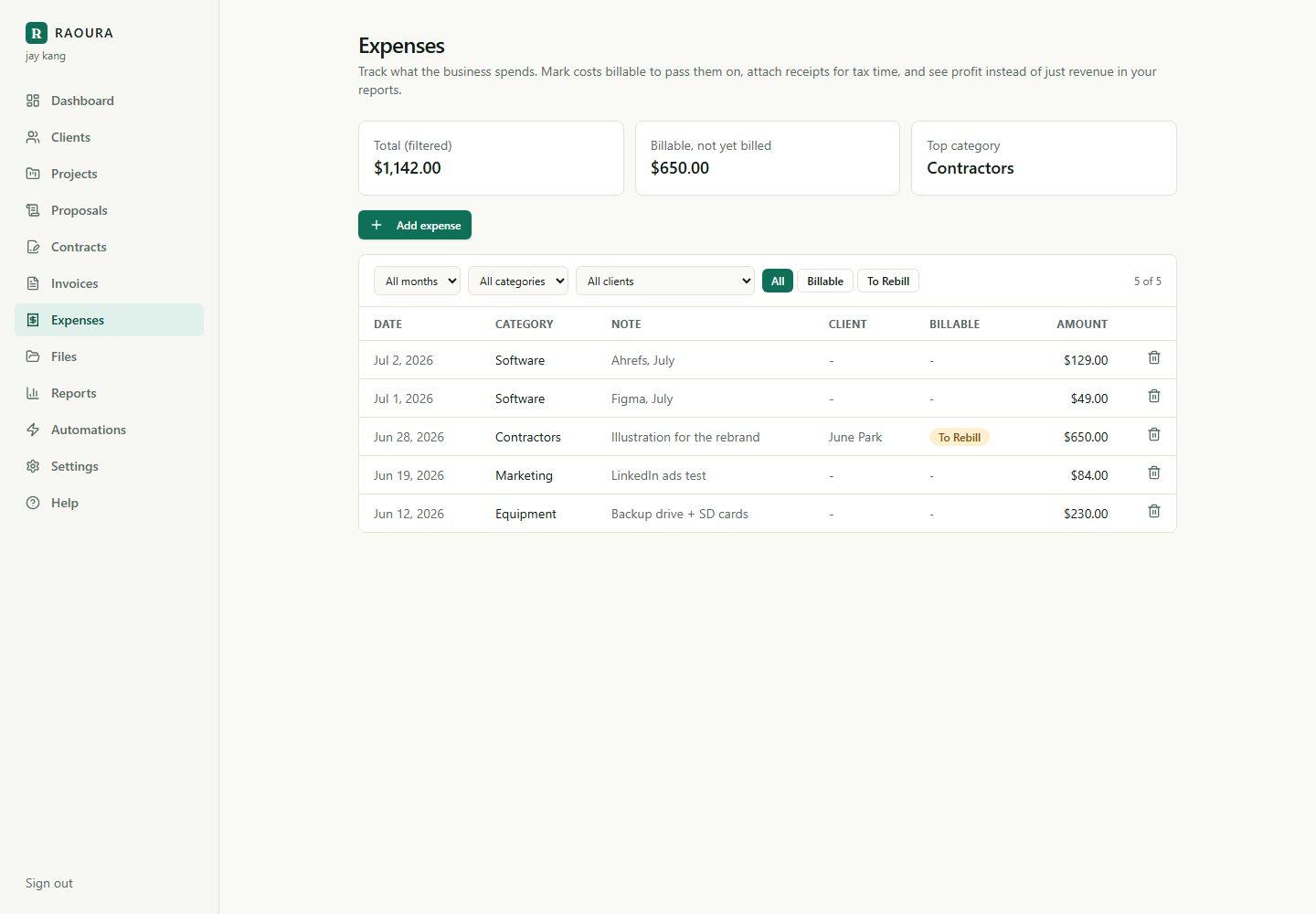
Log an expense in seconds
Add an amount, pick a category, and attach a receipt. It takes a few seconds and everything lives next to the client work it belongs to.
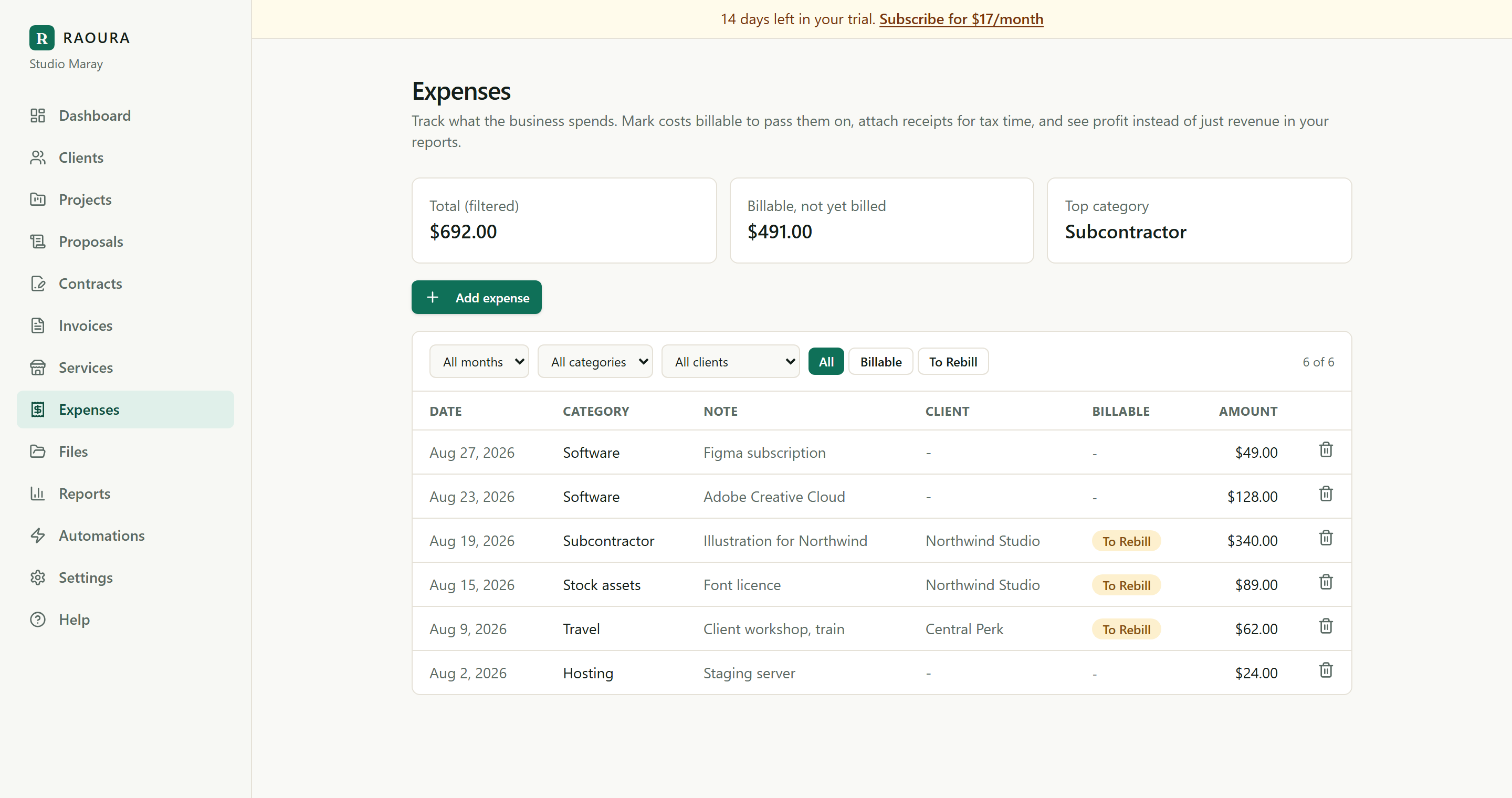
Rebill anything that is the client's
Mark an expense as billable and add it straight to an invoice, so costs that belong to the client do not quietly come out of your margin.
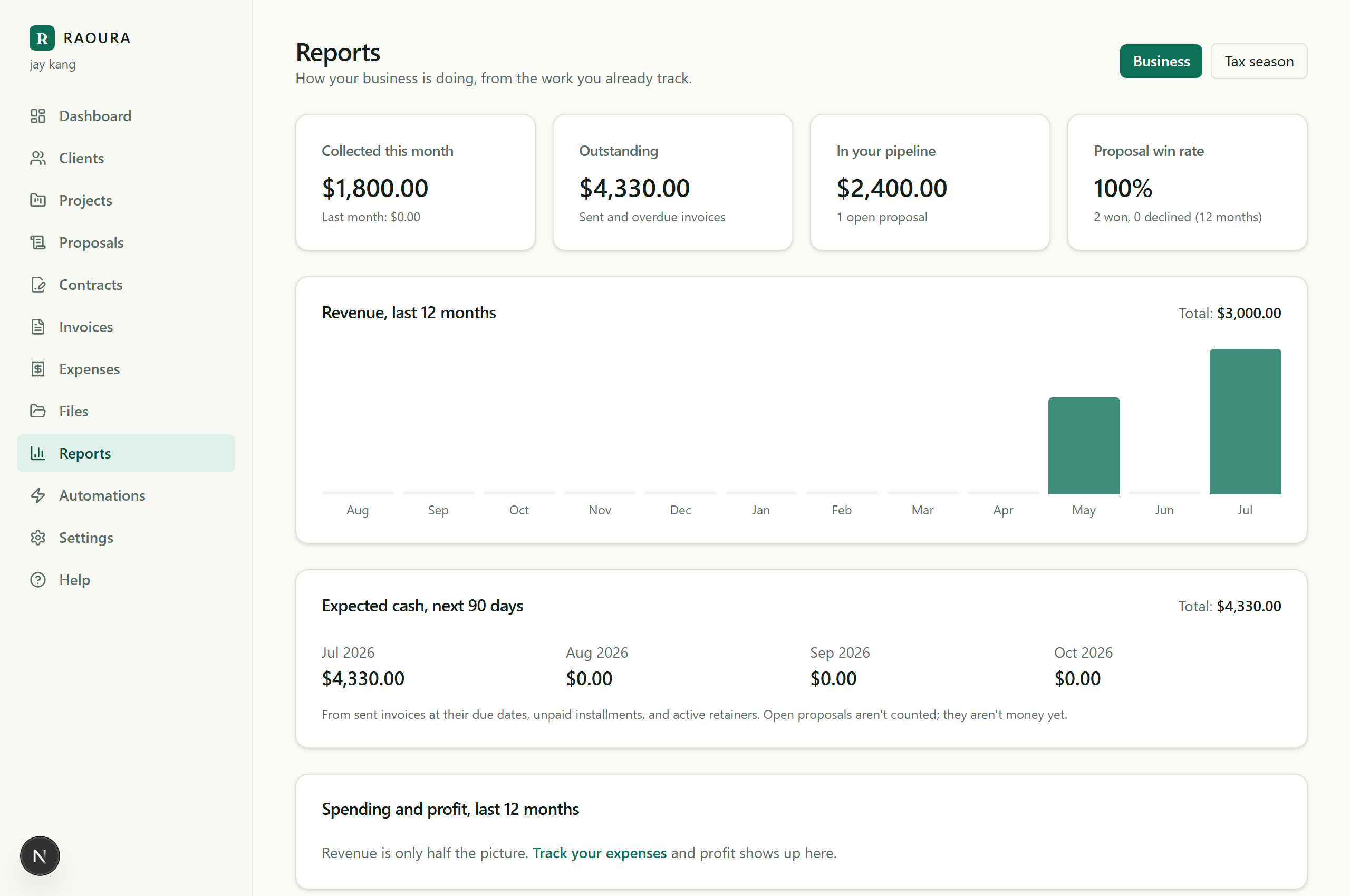
See what you actually kept
The business report puts revenue, spending, and profit side by side, so the number you run your life on is a fact rather than a guess.
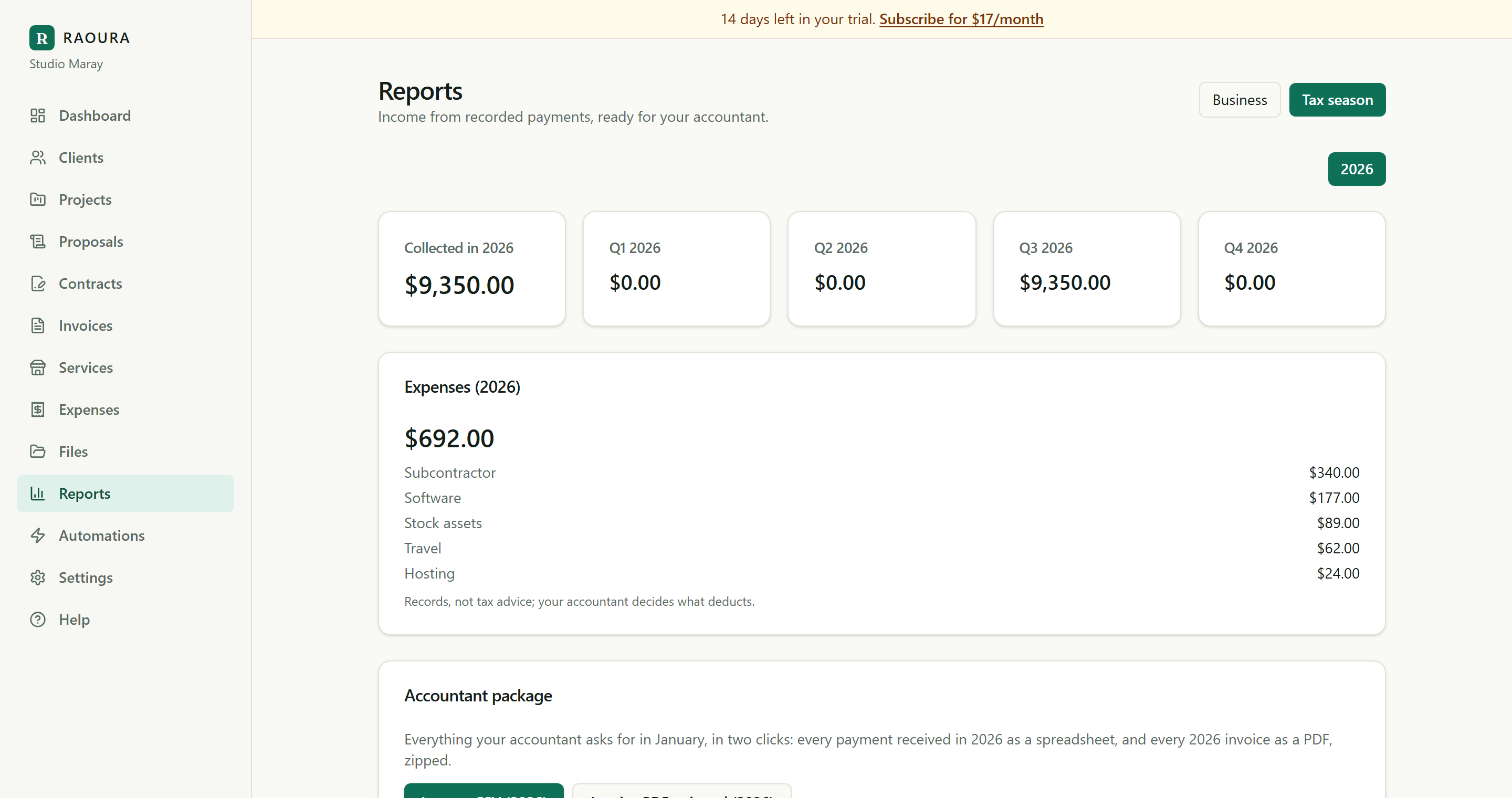
Hand tax season to your accountant
A tax pack groups income and expenses by category and exports in a click, so filing is a hand-off instead of a weekend of receipts.
Receipts stored with each expense
Attach a photo or PDF receipt to any expense and keep them all in one place, so you are never hunting at tax time.
Billable expenses
Flag a cost to pass through and drop it onto the right invoice, with the client's name already attached.
Real profit reporting
Revenue minus expenses, in plain sight, so you always know where you actually stand this month and this year.
A tax-season pack
Income and expenses grouped by category and packaged for tax time, so filing is a hand-off, not an archaeology dig.
Tied to the client and project
Attach a cost to the job it belongs to, so you can see which clients are quietly expensive and price the next one properly.
Everything exports
Take your income, expenses, and invoice PDFs out whenever you want. It is your data, and it leaves in a format your accountant can open.
Because you do not need double-entry bookkeeping, a chart of accounts, or a bank-feed setup to run a business of one. That software is built for finance teams and priced like it. Raoura gives you the two numbers that matter, what you brought in and what you kept, and a clean pack your accountant can work from. It sits next to your invoices, not in a separate app you dread opening.
Frequently asked questions
Does this replace my accountant?
No. It gives you and your accountant clean, categorized numbers, so their job is faster and your bill is smaller. It is not tax advice.
Can I attach receipts?
Yes. Add a photo or PDF to any expense and it stays with the record.
Can I bill an expense back to a client?
Yes. Mark it billable and add it to that client's invoice in one step.
Does it connect to my bank?
No, and that is deliberate. There is no bank feed to configure or reconcile. You log what you spend in a few seconds and keep the receipt with it.
Stop guessing at your real income. See your profit as you go, and walk into tax season with everything already sorted.
Start your 14-day free trialNo credit card required.