Change Orders for Freelancers: The Tool Construction Perfected and You Never Got
August 30, 2026
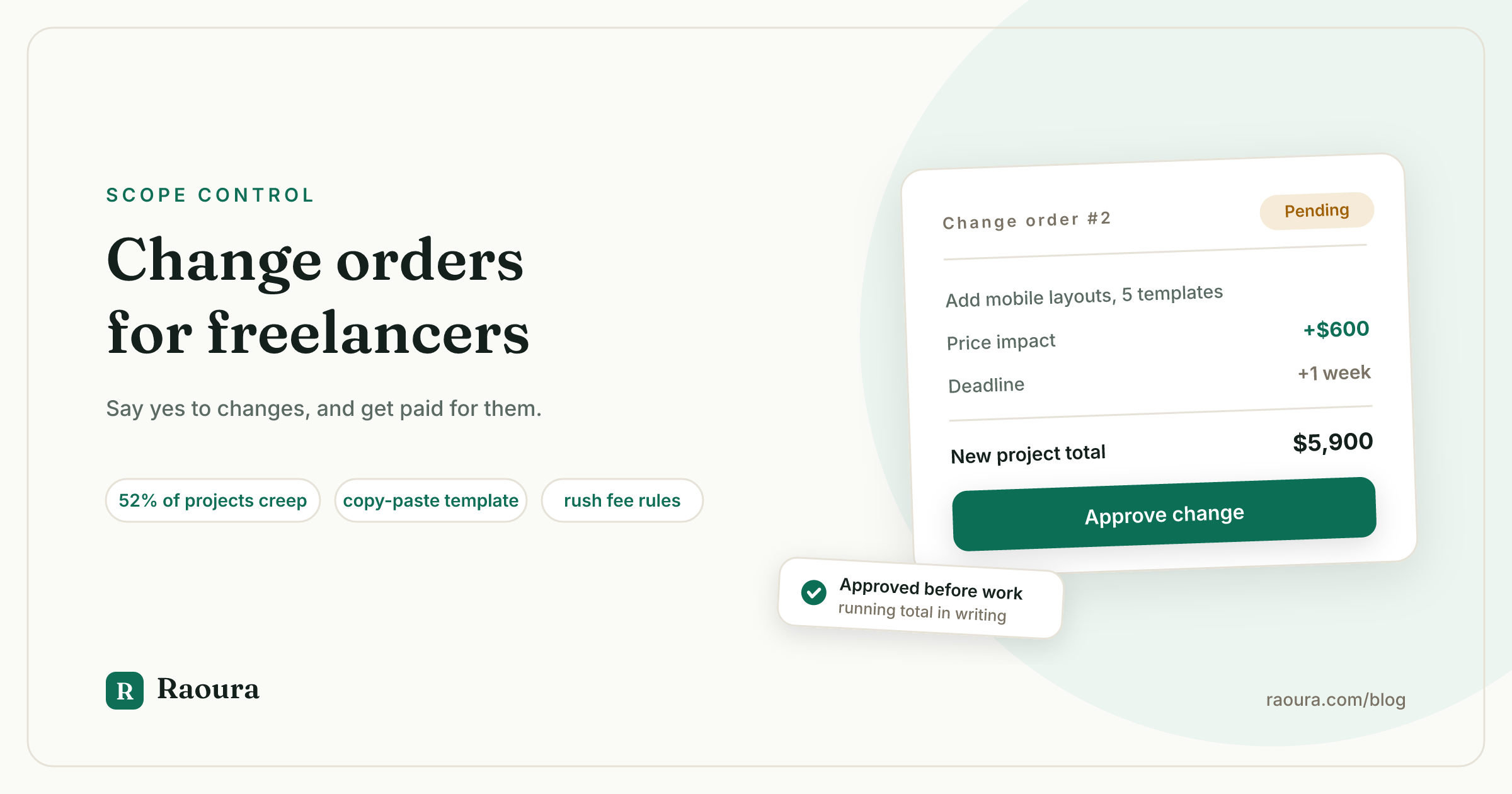
The email arrives on a Tuesday: "This looks great! One thing, can we also get a mobile version? Should be quick for you." And you know the fork in the road by heart. Say no and feel the relationship cool. Say yes and eat the hours. Most advice for this moment gives you scripts for pushing back, and scripts matter. But there is a third option almost no freelancer uses, even though an entire trillion-dollar industry runs on it every day.
Construction solved this problem decades ago. When a homeowner says "actually, can we move that wall?", the contractor does not argue and does not absorb it. They pull out a one-page form: here is the change, here is what it costs, here is what it does to the schedule, sign here. It is called a change order, and it turns "just one more thing" from a boundary dispute into a purchase.
A change order lets you say yes to almost everything, profitably. That reframe is the whole game: the enemy was never the client changing their mind (clients always change their minds), it was unpaid changes. This guide ports the tool to freelance work: what goes in one, the exact template and contract clause, how to price changes including rush fees, whether an email "go ahead" is legally binding, and the awkward cases, like the client who wants the work but not the signature. Verified July 2026.
What a change order is (and is not)#
A change order is a short written amendment to your existing contract that documents one change in three numbers: what changes, what it costs, and what it does to the deadline. That three-part skeleton comes straight from the construction standard: the American Institute of Architects' A201 general conditions define a change order as a written agreement covering the change in the work, the adjustment to the price, and the adjustment to the schedule. Freelancers do not need the AIA's paperwork, but those three lines are exactly right for a logo project or an app build too.
Two distinctions worth keeping crisp:
- A change request is not a change order. The request is the client's ask, and it is not binding on anyone. The change order is the signed answer. Keeping the two separate is what lets you respond to any request with enthusiasm ("happy to!") without having agreed to anything yet.
- You have more power than a subcontractor. Construction contracts include a device called a change directive, where the owner can force work to start before the price is agreed. There is no freelance equivalent. Nobody can direct you to do anything; every change on your projects is optional until priced and approved. Freelancers imported scope creep from agency culture but never imported the protection.
And the number that says this is not a niche problem: 52% of projects experience scope creep, per the Project Management Institute's survey of over 5,000 practitioners, up from 43% five years prior. That is professionally managed projects, with project managers. Your solo projects are not beating that number.
What goes in one: the eight lines#
Adapted from the construction norm (Procore's standard checklist runs six elements; we add two that matter for solos):
| # | Field | Why it is there |
|---|---|---|
| 1 | Change order number (CO #1, #2...) | Numbering signals a routine process, not a one-off confrontation |
| 2 | Date and project name | References the paper trail |
| 3 | Reference to the original agreement | Makes it a legal amendment, not a floating note |
| 4 | What is changing, and what triggered it | One or two sentences, plain language |
| 5 | Price impact | The number, and how it was set (flat quote or hours x rate) |
| 6 | Schedule impact | Even if zero, say zero |
| 7 | Running project total | Original price + all approved COs + this one = new total |
| 8 | Approval line | Signature or explicit written approval, before work starts |
Line 7 is the quiet genius of the construction version, and nobody brings it to freelancing: every change order shows the project's cumulative new price. The client watches $4,800 become $5,400 become $5,900, in writing, with their own approvals next to each step. Sticker shock at the final invoice becomes impossible, because there is no information at the end that they did not have in the middle.
Here is a complete change order you can copy. It fits in an email:
Change Order #2, Meridian site redesign
Date: July 5, 2026. This modifies our agreement dated May 12, 2026.
Change: Add responsive mobile layouts for the five interior page templates (requested July 4).
Price: +$600, flat.
Schedule: Final delivery moves from July 24 to July 31.
Project total: $4,800 original + $500 (CO #1) + $600 (this) = $5,900.
Reply "approved" to this email or sign below, and I'll get started.
Also borrowed from construction and worth adopting: the zero-dollar change order. When the client swaps deliverable A for deliverable B at the same price, write it up anyway with "Price: no change." The scope is now different from the contract, and six months from now, when someone asks why there is no deliverable A, the paper remembers so you don't have to.
The clause your contract needs first#
Change orders work best when your base agreement announces them. One sentence does it:
Changes. Any change to the scope, deliverables, or timeline in this agreement requires a written change order describing the change, its cost, and its schedule impact, approved by both parties before the changed work begins. Work not described in this agreement or an approved change order is not included.
That last sentence is your quiet insurance: it converts every future "but I assumed that was included" into a document lookup instead of a memory contest. If your current contract lacks this, add it to the next one; our clause-by-clause contract guide covers where it fits among the other protective clauses.
Is an email "yes, go ahead" legally binding?#
Generally yes: under the federal ESIGN Act and UETA (adopted in 49 states), electronic approvals carry the same legal weight as ink signatures. Courts have enforced agreements made by email, checkbox, and text message; the legal tests are intent to agree and a kept record. A clear reply of "Approved, $600, new deadline July 31" to a change order email is real evidence of a real agreement.
A proper e-signature flow is stronger still, mostly because it timestamps the approval and removes any argument about who clicked.
What does not hold up is silence: "I sent it and they didn't object" is not approval, and construction's oldest rule applies to you double. As Procore's guidance puts it, never start the work without proof of approval, because working on an assumed yes maximizes both your liability and your odds of not getting paid.
(The usual caveat: this is general information, not legal advice, and if a specific dispute has real money on it, that is contract-lawyer territory.)
How to price a change#
Three models, and when each fits:
- Flat re-quote (default for project pricing). Price the change like a miniature project: the work, plus the disruption. A change that takes four hours but forces you to reopen finished files, re-test, and re-export is not a four-hour change.
- Hours x rate (default if the project is hourly). The change order states the rate, the estimated hours, and the cap.
- Rush multiplier (when the timeline compresses). Industry norms for rush work cluster at +25% for a modestly compressed deadline, +50% for roughly half the normal turnaround or nights-and-weekends work, and +100% for drop-everything requests. Put the multiplier on the change order itself: "Price: $600, includes 50% rush premium for delivery inside 5 days." Clients respect a printed policy far more than an improvised number.
What this replaces is the fake math floating around this topic. You may have seen claims that freelancers lose exactly $7,800 or $15,600 a year to scope creep; those are vendor models dressed as surveys, and no methodologically real study of the number exists. So here is transparent arithmetic instead, and it is worse than the fake stats: if unbilled "quick additions" cost you just three hours a week at $75 an hour, that is $11,700 a year. Change the inputs to yours; the order of magnitude survives.
How to send one without making it weird#
The tone secret is that a change order is a yes, and you should sound like it:
"Great idea, the mobile layouts will make a real difference. Since that's outside our current scope, I've put together a quick change order with the price and the new timeline, takes one reply to approve, and I can start Thursday."
Two habits complete the system.
- Flag changes the moment they appear, not at invoice time. Construction contracts typically give contractors 5 to 10 days to give notice of a change or lose the right to bill it; adopt the spirit and make it same-day. A change order sent within an hour of the request feels like process; the same document three weeks later feels like a grievance.
- Keep a small favor budget. Not everything needs paper: a typo fix or a 10-minute tweak billed formally would cost you more goodwill than it earns. The line most freelancers land on: if it takes real time, changes a deliverable, or moves a date, it gets a CO; below that, it is service. The budget makes the distinction generous instead of arbitrary, and the occasional "no charge for this one, it was quick" lands better precisely because your changes normally have prices.
The hard cases#
The client wants the work but won't sign. This is not a paperwork problem; it is the client telling you they want the work without committing to pay for it. Hold gently: "Totally understand wanting to move fast. The approval takes one reply, and I can't start changed work without it; it protects your budget as much as my schedule." A client who still refuses after that sentence has answered a bigger question for you, and our client red flags guide has the rest of that conversation.
You already did the extra work, unpaid. Retroactive change orders are legally weak (the leverage went out the door with the deliverable) but relationally workable: "As we wrap up, I want to flag that the project grew along the way: the extra template, the second round of revisions, the rush on the final week. I've absorbed those this time. Going forward I'll send a quick change order when something new comes in, so we both always know where the budget stands." You are not billing the past; you are pricing the future.
The changes keep coming, faster than paper. When a project generates five change requests a week, the problem is upstream: the scope was never defined tightly enough to change. Stop, write a consolidated CO that resets scope, price, and timeline in one document, and treat it as the new baseline.
Where the tooling fits#
You can run change orders from your inbox with the template above, and you should start today, not after buying anything. The friction shows up at scale: numbering COs across projects, keeping running totals straight, chasing approvals, remembering what was approved when. (Disclosure: Raoura is our product.)
Raoura handles this shape of work natively: changes go out as small addendum proposals the client approves and pays in their portal, milestones keep the running total visible to both sides, and the AI scope assistant drafts the "what's not included" section of proposals, which is where scope creep is actually born. $17 a month flat, and your payments stay yours.

The running total in practice: every approved change lands as a priced milestone that both you and the client can see, so the final invoice never surprises anyone.
Verified July 2026. The 52% scope creep figure is from PMI's Pulse of the Profession 2018 (5,000+ practitioners surveyed); construction mechanics are drawn from AIA A201/G701 standards and Procore's change order documentation; e-signature law summarized from the ESIGN Act and UETA. Widely circulated dollar figures for freelance scope creep losses are vendor models, not surveys, and are deliberately not cited here.
Frequently asked questions
What is a change order in freelance work?
A short written amendment to an existing contract documenting one change in three parts: what is changing, the price impact, and the schedule impact, approved by the client before the changed work begins. It converts out-of-scope requests into paid, documented work.
What is the difference between a change request and a change order?
The request is the ask (not binding on anyone); the change order is the signed answer (binding on both). You can welcome every request while committing to nothing until the order is approved.
Is a client's email approval of a change order legally binding?
Generally yes, under the ESIGN Act and UETA, a clear written "approved" reply is an enforceable electronic agreement. An e-signature flow adds a timestamp and stronger attribution. Silence is not approval.
Should I write a change order if the change costs nothing?
Yes, a zero-dollar change order, standard practice in construction. It documents that the scope changed even when the price did not, which protects both sides when memories diverge later.
How much should I charge for rush changes?
Common practice: +25% for modest deadline compression, +50% for half the normal turnaround or off-hours work, +100% for same-day or drop-everything requests. State the premium on the change order itself.
What if the client refuses to sign but expects the work?
Do not start. Working on an assumed approval is how unpaid scope creep becomes unpaid receivables. One warm, firm sentence usually resolves it, and a client it does not resolve is showing you the final invoice conversation in advance.
---
Run your client work in one place
Send a proposal, get it signed, invoice, and get paid, with a branded portal your clients will actually use. One flat plan at $17/month, and we never take a cut of your payments.
Try Raoura free for 14 daysNo credit card required. Set up in minutes.
Keep reading
Is Upwork Worth It in 2026? A Break-Even Test for Your Situation
Upwork is worth it when its fee costs less than finding the client yourself, and that is true far more often for a first project than for a repeat client. Here is the break-even math with 2026 numbers: the 0 to 15% fee, Connects, the shrinking client base, and when to wait out the 24-month rule instead of paying to leave.
The Virtual Assistant Contract: 24 Clauses, Scored Against Every Template Ranking for This Search
We scored the four pages that publish actual virtual assistant contract text against 24 clauses a VA agreement needs. Twenty-four of 96 possible slots were filled. The best single template managed 7 out of 24. Twelve clauses appear in none of them, including every clause about the thing that makes VA work different from other freelance work: you are holding your client's passwords and running their inbox. One popular template also tells you a contract fixes your independent contractor status, then mandates client-set 9 to 5 weekday hours in the same document. Here is the clause-by-clause version, with the classification test the DOL is actually applying in 2026, the data protection terms nobody drafts, and the retainer mechanics that decide whether unused hours roll over.
Stripe vs PayPal for Freelancers: Every Fee Verified (2026)
Every page ranking for this comparison either prints in-person retail rates, contradicts itself, or skips the numbers freelancers actually pay. We read the current Stripe and PayPal pricing pages line by line, ran a $3,000 invoice through every rail, and found a $1,764 per year gap between the cheapest setup and the default one.