HoneyBook's Price Increase: A Solo Freelancer's Guide to Deciding Whether to Stay or Switch
July 6, 2026
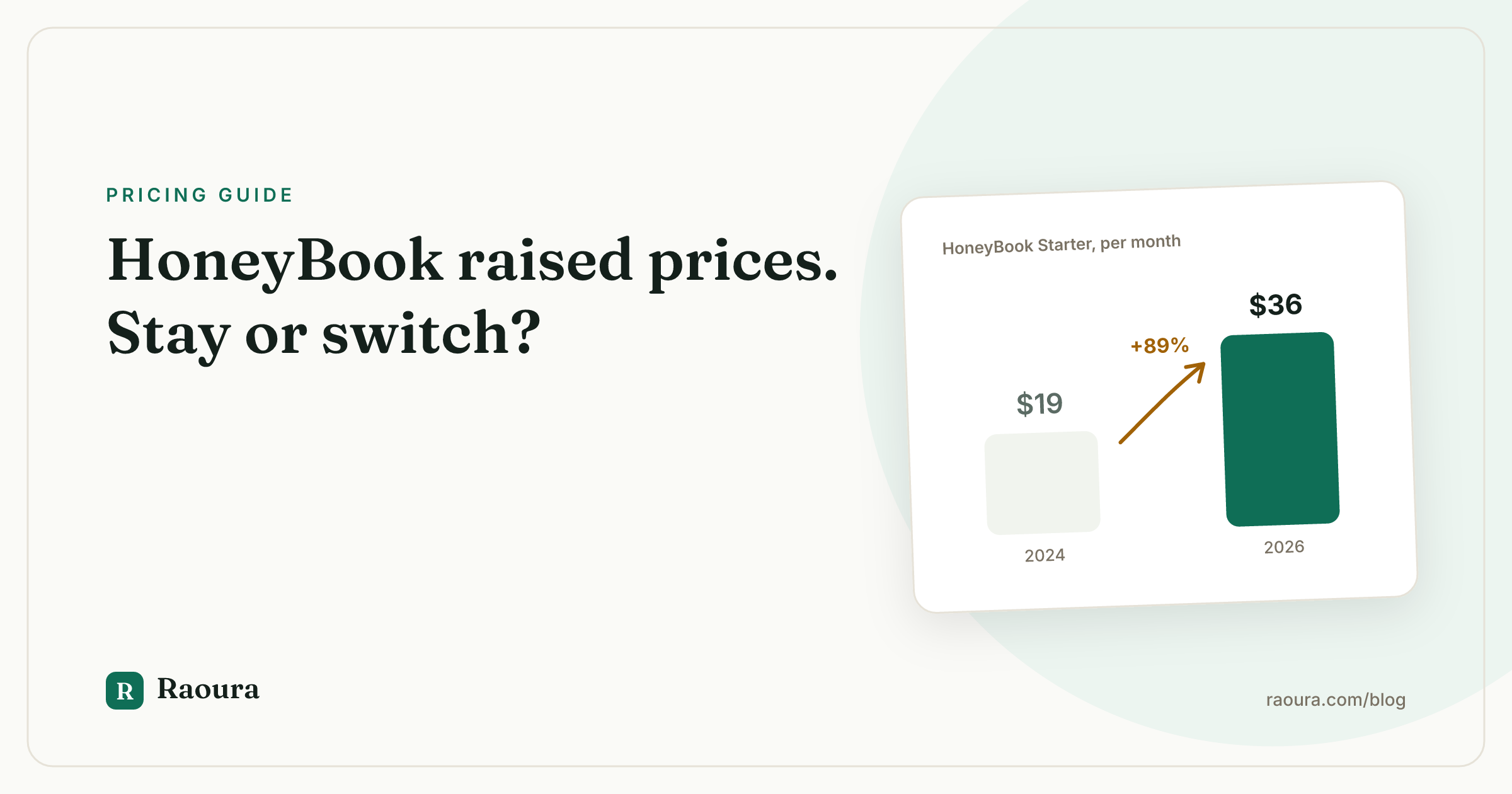
If you got the email in early 2025, you remember the feeling. HoneyBook, the tool you picked partly because it was affordable, announced a price hike that nearly doubled the entry plan. A year and a half later, the new prices are simply the prices, and every solo freelancer on the platform has quietly done the same math: is this still worth it?
This guide is that math, done out loud. What changed, what it actually costs you per year including payment fees, who genuinely should stay, who should switch, and how to switch without losing data or dropping an in-flight project.
One disclosure up front: this is published by Raoura, which makes a competing tool for solo freelancers. The Raoura pitch is confined to one clearly labeled section near the end. Everything else is written to be useful even if you never look at our product.
What actually changed#
In February 2025, HoneyBook restructured its plans and raised prices across the board, positioning the increase around new AI features bundled into every tier. As of mid-2026, the pricing looks like this (HoneyBook pricing page, with a good independent breakdown at taskip.net):
| Plan | Old monthly price | New monthly price | Change |
|---|---|---|---|
| Starter | $19 | $36 | +89% |
| Essentials | lower (varied by billing) | $59 | sharp increase |
| Premium | lower (varied by billing) | $129 | sharp increase |
The Starter jump is the headline number: $19 to $36, an 89% increase. Annual billing discounts soften it somewhat, but the floor for being a HoneyBook customer roughly doubled.
Two other things matter as much as the subscription:
Payment processing fees. HoneyBook charges 2.9% + $0.25 per card transaction and 1.5% for ACH bank transfers as of mid-2026. These are not new, but once the subscription doubled, people started adding them up. More on that below.
Bundled AI features. The price increase came packaged with AI tools (lead responses, email drafting, business analytics) on every plan. Some users like them. Many solos never touch them and resent paying for features they don't need. The reaction threads on the HoneyBook community forum and the recent reviews on Trustpilot capture both camps.
And the constraint that predates all of this: HoneyBook payments only work for businesses based in the US and Canada.
The real annual cost for a typical solo freelancer#
The subscription is the visible cost. The processing fees are the bigger one. Let's run a realistic example.
Say you are a solo freelancer who bills $60,000 a year through the platform across roughly 45 invoices, and you are on Essentials at $59 a month.
Subscription: $59 x 12 = $708 per year (monthly billing; annual billing brings this down, check current rates).
If clients pay by card: 2.9% of $60,000 is $1,740, plus $0.25 x 45 transactions is about $11. Call it $1,751 in card fees.
If clients pay by ACH: 1.5% of $60,000 is $900.
So your realistic all-in cost is:
| Scenario | Subscription | Processing | Total per year |
|---|---|---|---|
| Essentials, all card | $708 | $1,751 | ~$2,459 |
| Essentials, all ACH | $708 | $900 | ~$1,608 |
| Starter ($36/mo), all ACH | $432 | $900 | ~$1,332 |
That is somewhere between 2.2% and 4.1% of your gross income going to the tool that sends your invoices. For comparison, raw Stripe pricing as of mid-2026 is 2.9% + $0.30 for cards (similar) but 0.8% capped at $5 per transaction for ACH (Stripe pricing).
On $60,000 of ACH volume across 45 invoices, Stripe's cap means you would pay at most $225 instead of $900. HoneyBook's 1.5% uncapped ACH fee is where high-earning solos quietly lose the most money.
Run your own numbers before you decide anything. The subscription is a rounding error next to the processing spread if your clients pay by bank transfer.
Who should stay on HoneyBook#
Switching tools has a real cost in hours and dropped balls, so be honest about whether you are in one of these groups:
- Heavy automation users. If you have years of refined smart files, automations, lead forms, and email sequences, and they genuinely run your pipeline hands-off, the $59 a month is buying you real hours. Rebuilding that elsewhere is weeks of work.
- US wedding and event professionals. HoneyBook is effectively an industry standard in that world. Referral workflows, vendor collaboration, and client expectations are all shaped around it. The ecosystem has value beyond the feature list.
- People who actually use the AI features. If the AI lead responder is booking you consults while you shoot, it may pay for itself. That is a minority of users, but it exists.
- Anyone mid-way through a busy season. Do not migrate in your peak months. If it is wedding season, stay put and revisit in the off-season.
If you are staying, at least do two things: move clients toward ACH only if the 1.5% beats your card volume math, and check whether annual billing meaningfully cuts your plan cost.
Who should switch#
You are probably overpaying if:
- You use HoneyBook as an invoice and contract tool. If you have never built an automation and your "pipeline" is three active clients, you are paying for a small-business platform to do a freelancer's job. Most of the monthly fee is features you don't need.
- You are outside the US and Canada, or planning to be. Payments simply will not work for you.
- You bill a lot through ACH. The uncapped 1.5% fee is the single most expensive line in the math above, and it is the easiest one to eliminate by moving to a Stripe-based tool.
- You are early and price sensitive. At $36 minimum, HoneyBook is no longer the cheap option. Several capable alternatives run $12 to $25 a month as of mid-2026.
- The price hike broke your trust. Not a spreadsheet argument, but a fair one. If you believe the next increase is a matter of time, moving while your setup is still small is cheaper than moving later.
What to check before you switch#
Do this audit before you cancel anything. It takes an hour and prevents the two classic migration disasters: lost records and a client stuck mid-payment-plan.
- Data export limits. HoneyBook lets you export contacts and payment records, but smart files, email threads, and templates do not port cleanly to other tools. Download your contacts CSV, your payment history (you need it for taxes regardless), and PDF copies of every signed contract. Signed contracts are legal documents; get them out of any platform you are leaving, always.
- Contract and email templates. Count how many templates you actually use. Most solos discover it is two or three, not twenty. Copy the text of each into a doc now, because you will rebuild them by hand in the new tool.
- In-flight projects and payment plans. Any client on an active payment schedule needs to finish paying through HoneyBook, or you need to cancel the remaining installments and re-invoice from the new tool. Do not cancel your subscription while money is still scheduled to move through it.
- Scheduled and recurring items. Session reminders, recurring invoices, automated emails queued for future dates. List them, because they silently die when the account closes.
- Your billing date. Cancel just before renewal, not just after. Also check whether you are on a grandfathered or promo rate that you would lose forever by downgrading and returning.
Migration checklist#
- Export contacts (CSV) and full payment history from HoneyBook.
- Download PDFs of all signed contracts and any important client files.
- Copy your contract, proposal, and email template text into a doc.
- Pick the new tool and run its free trial with one real client project end to end: proposal, contract, deposit invoice, final invoice.
- Rebuild your two or three core templates in the new tool.
- Connect payments (usually Stripe) and send yourself a $1 test invoice.
- Move new clients to the new tool immediately; let in-flight HoneyBook projects finish where they started.
- Update payment and booking links on your website, email signature, and proposals.
- Once the last HoneyBook payment plan completes, do a final export, then cancel before the next renewal.
Budget a weekend for a light setup, longer if you are rebuilding automations.
The alternatives, briefly#
We wrote a full comparison of 7 HoneyBook alternatives for solo freelancers, but the short version, with pricing as of mid-2026:
| Tool | Price | The one-line summary |
|---|---|---|
| **Raoura** | $17/mo flat, one plan | Built only for solos; no markup on payments (our product, see below) |
| **Moxie** | $12 to $25/mo | Freelancer favorite, lots of features per dollar, busier interface |
| **Hello Bonsai** | $15 to $59/user/mo + add-ons | Mature, adds tax tools; watch the add-ons and read current payment fee terms first ([Trustpilot](https://www.trustpilot.com/review/hellobonsai.com)) |
If you want deep automation like HoneyBook's, Dubsado ($20 to $40 a month annual as of mid-2026) is the other name to know, with the caveat of a famously steep one-to-two-week setup curve.
Where Raoura fits (yes, this is our pitch)#
Raoura is client and project management built for exactly one persona: the solo freelancer. Because of that, the pricing model is the opposite of tiered:
- $17 a month flat. One plan. No tiers, so there is no "your feature is on the next plan up" moment, ever.
- No markup on payments. Invoices run through Stripe and Stripe's fees are passed through at cost. We do not take a cut of your payments. On the $60,000 ACH example above, that is the difference between $900 a year in fees and roughly $225.
- Clients, projects with milestones, proposals, e-sign contracts, invoicing with deposits, partial payments, and multi-currency, plus a client portal.
- 14-day free trial, no credit card, and setup takes under 10 minutes because there are no workflows to build.

What your client sees when they pay: your branding, one button, and the money going through your Stripe account, not ours.
The honest caveat: Raoura is new and deliberately simple.
No automations, no scheduler, no AI.
If those are why you loved HoneyBook, we are not your tool. If they are what you have been paying for and not using, try Raoura free for 14 days.
Frequently asked questions
How much does HoneyBook cost in 2026?
As of mid-2026: Starter $36 a month, Essentials $59, Premium $129, with discounts for annual billing (HoneyBook pricing). Payment processing adds 2.9% + $0.25 per card transaction and 1.5% per ACH transfer.
When did HoneyBook raise its prices?
February 2025. The Starter plan rose from $19 to $36 a month (89%), with Essentials and Premium also increasing sharply. The change was announced alongside new AI features bundled into all plans.
Does HoneyBook charge fees on payments?
Yes. As of mid-2026, HoneyBook charges 2.9% + $0.25 for card payments and 1.5% for ACH bank transfers, on top of the subscription. For high earners, the uncapped ACH fee is often the largest real cost of using the platform.
Can I export my data from HoneyBook?
Contacts and payment records export cleanly, and you should download PDF copies of signed contracts before leaving. Smart files, email templates, and automations do not transfer to other tools and must be rebuilt by hand.
Is HoneyBook still worth it after the price increase?
For US wedding and event pros who rely on its automations and ecosystem, often yes. For solo freelancers who mainly send contracts and invoices, tools in the $12 to $25 a month range as of mid-2026 (or Raoura at a flat $17) cover the same core workflow for a half to a third of the price.
Run your client work in one place
Send a proposal, get it signed, invoice, and get paid, with a branded portal your clients will actually use. One flat plan at $17/month, and we never take a cut of your payments.
Try Raoura free for 14 daysNo credit card required. Set up in minutes.
Keep reading
Is Upwork Worth It in 2026? A Break-Even Test for Your Situation
Upwork is worth it when its fee costs less than finding the client yourself, and that is true far more often for a first project than for a repeat client. Here is the break-even math with 2026 numbers: the 0 to 15% fee, Connects, the shrinking client base, and when to wait out the 24-month rule instead of paying to leave.
The Virtual Assistant Contract: 24 Clauses, Scored Against Every Template Ranking for This Search
We scored the four pages that publish actual virtual assistant contract text against 24 clauses a VA agreement needs. Twenty-four of 96 possible slots were filled. The best single template managed 7 out of 24. Twelve clauses appear in none of them, including every clause about the thing that makes VA work different from other freelance work: you are holding your client's passwords and running their inbox. One popular template also tells you a contract fixes your independent contractor status, then mandates client-set 9 to 5 weekday hours in the same document. Here is the clause-by-clause version, with the classification test the DOL is actually applying in 2026, the data protection terms nobody drafts, and the retainer mechanics that decide whether unused hours roll over.
Stripe vs PayPal for Freelancers: Every Fee Verified (2026)
Every page ranking for this comparison either prints in-person retail rates, contradicts itself, or skips the numbers freelancers actually pay. We read the current Stripe and PayPal pricing pages line by line, ran a $3,000 invoice through every rail, and found a $1,764 per year gap between the cheapest setup and the default one.