Set up your brand
Set your logo, accent color, font, and theme once and brand every client page.
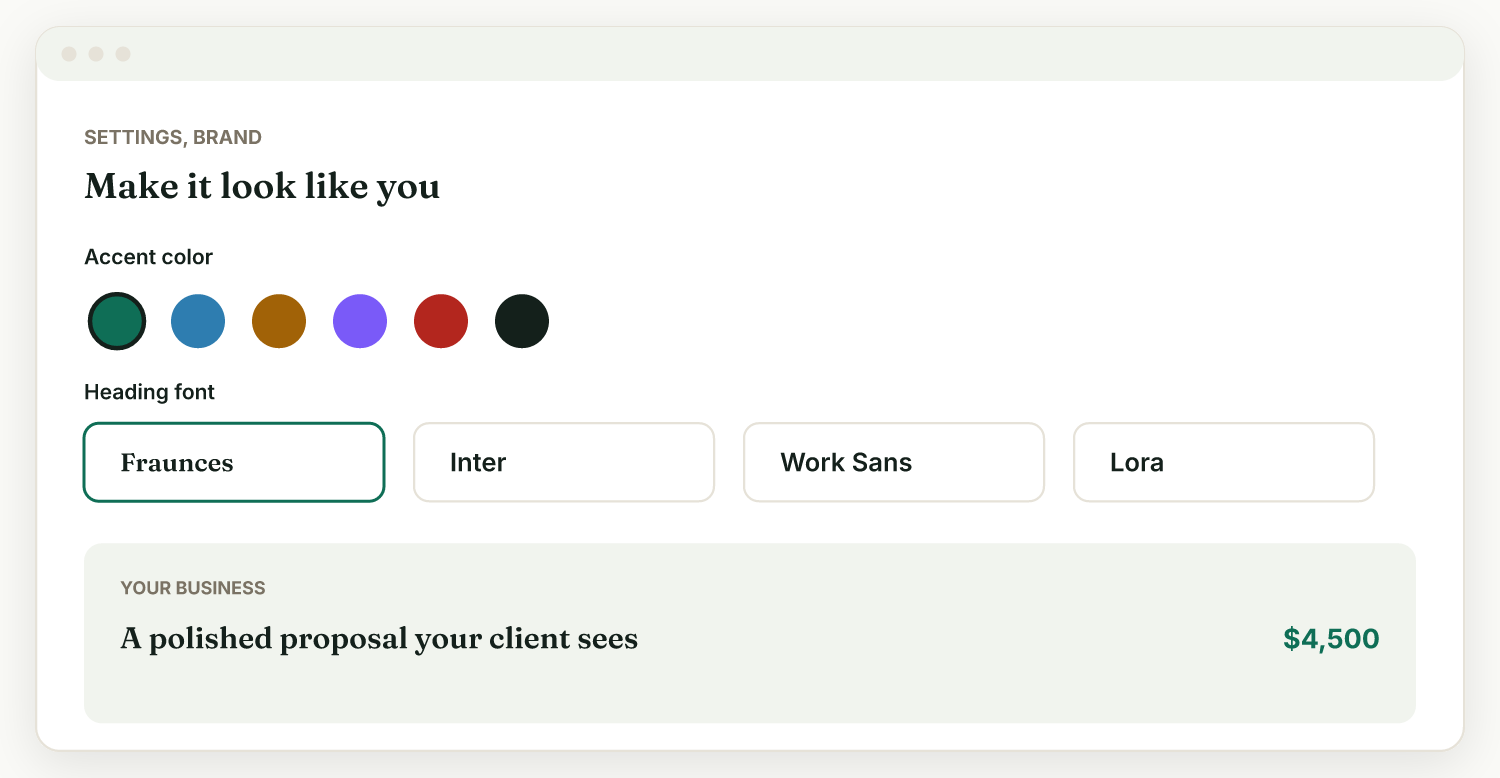
Set your brand once in Settings, Brand, and it styles all of your client pages: proposals, contracts, invoices, and the client portal.
Set it manually#
- Go to Settings, then Brand.
- Pick an accent color and a heading font.
- Choose a theme: Minimal, Bold, Editorial, Modern, Data-driven, or Warm.
- Add your logo, and you are branded everywhere in one step.
Match your brand from your website#
If you already have a website, let Raoura do the work.
- In Settings, Brand, paste your website address into Match my brand from my website and press Match my brand.
- Raoura reads your public site (its stylesheets and, when present, your SVG logo) and presets your accent color, font, and theme. Fonts are matched against 16 popular fonts, so it usually lands on the exact one your site uses. If Raoura spots a hero image, it suggests it as a proposal cover.
- Raoura tells you how confident the match is. If it could not find your color confidently, it asks you to pick one rather than guess.
- Nothing is saved until you review the result and press Save brand, so adjust anything first.
If you see "We can't fetch that address", use your public homepage URL. Raoura cannot read local, internal, or password-protected pages.
Related: What is Raoura? · Add your first client
Was this helpful?
Ready to try it yourself?
Raoura is one flat plan at $17/month, with a 14-day free trial and no credit card required.
Start free trial