The Invoice Email: What to Write When You Send the Invoice Itself
August 30, 2026
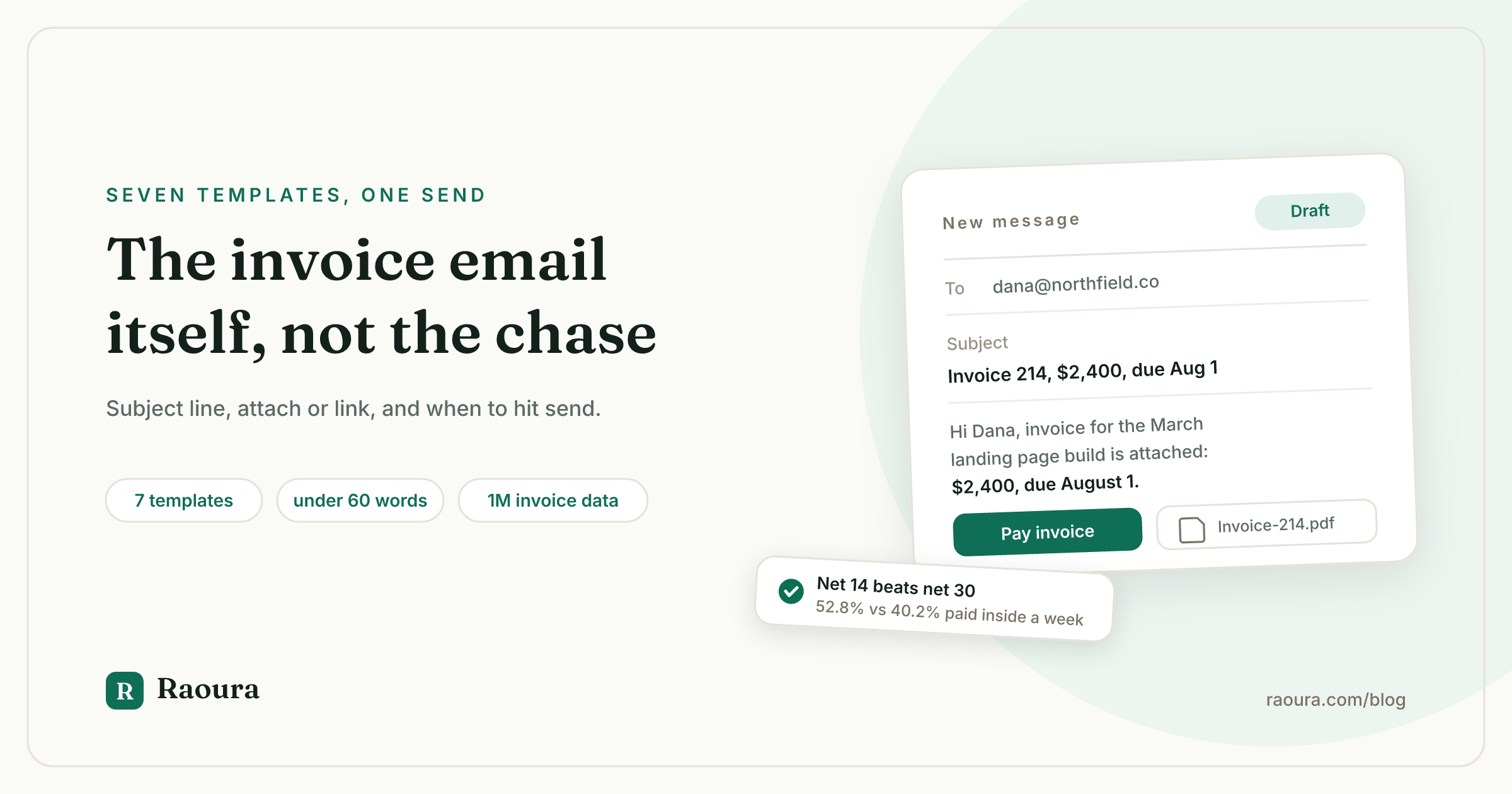
Search for an invoice email template and you get handed a debt collector.
We fetched the six pages ranking for this keyword and its variants in July 2026. Five of them publish 19 templates between them, and only 9 are for the email that actually carries the invoice. The other 10 are chase emails, written for the moment things have already gone wrong. Stripe's page, the strongest of the six, publishes four templates and every single one is a follow-up.
And not one of the six tells you when to hit send.
That is backwards. The chase email is damage control. The invoice email is the send that decides whether you ever need one, and it is the only email in the sequence you are guaranteed to write on every single project.
This page is that email. Seven templates for seven real situations, the subject line formula, the attach-or-link decision nobody explains, when to send, and what the wording data actually says.
If the invoice is already late, you want the payment reminder templates instead. If you are not sure what belongs on the invoice document itself, start with how to write an invoice.
What goes in an invoice email#
An invoice email needs seven things, and it should take the client under 15 seconds to read all of them.
The client should never have to open the PDF to know what this is, what it costs, and what to do next. The attachment is the record. The email is the instruction.
- A subject line with the invoice number and the amount. Both, because the number makes it findable later and the amount makes it triageable now.
- One line naming the work. "The March landing page build," not "the project we discussed."
- The amount, in the body. Written out, not only in the attachment.
- The due date, as an actual date. "Due August 1" beats "due in 14 days" every time, because the second one makes the reader do arithmetic and readers do not do arithmetic.
- One payment action. A link, or bank details, or both, but visually one thing to do.
- The attachment, named properly. `Invoice-214-YourName.pdf`, not `invoice_final_v2.pdf`.
- A thank you. FreshBooks found this correlates with getting paid, which we will get to, and it costs you three words.
What does not belong: an apology, a paragraph of project recap, a second ask ("also, could you review the mockups?"), or any sentence that begins "just following up."
The invoice email is not a conversation. It is a handoff.
Seven invoice email templates#
Every template below assumes an attachment plus a payment link. Swap in your own terms. The bracketed parts are the only bits you should be editing.
1. The standard send#
Use this for a client who has paid you before and knows the drill. Ninety percent of your invoices are this email.
Subject: Invoice 214 from [Your Name], $2,400, due August 1
Hi [Name],
Invoice for the [March landing page build] is attached: $2,400, due August 1.
You can pay it here: [Pay invoice]
Thanks as always,
[Your Name]
Thirty-four words. That is not laziness, that is respect for a person who has to forward this to someone else.
2. The first invoice to a new client#
The first invoice is the one that teaches the client how you work. It is worth thirty extra words to set the process expectation once, so you never have to set it again.
Subject: Invoice 001 from [Your Name], $1,800, due August 1
Hi [Name],
Great working with you on [the brand refresh]. First invoice is attached: $1,800, due August 1 (net 14, per our agreement).
Pay by card or bank transfer here: [Pay invoice]
If your team routes invoices through an accounts payable inbox or needs a PO number on them, let me know and I will send future ones straight there in the right format.
Thanks,
[Your Name]
That last paragraph is the highest-value sentence in this entire article. Asking about AP routing on invoice one prevents the single most common cause of a mysteriously unpaid invoice: it landed in a person's inbox instead of a payables queue and quietly died there.
3. Project completion, final invoice#
Subject: [Project] complete, final invoice 214, $3,150, due August 1
Hi [Name],
[The site is live and the handoff folder is in the portal.] It has been a genuinely good project.
Final invoice attached: $3,150, due August 1. [This is the balance after your $1,350 deposit.]
Pay here: [Pay invoice]
If anything comes up in the next couple of weeks, just email me. And if you know anyone who needs [similar work], I have room in September.
Thanks [Name],
[Your Name]
The referral line belongs here and nowhere else in the sequence. You are at peak goodwill and the work is fresh. Never put it in a chase email.
4. Milestone or progress invoice#
Subject: Invoice 215, milestone 2 of 4, $1,500, due August 1
Hi [Name],
[Milestone 2 (design system and templates) is approved and delivered], so invoice 215 is attached: $1,500, due August 1.
Pay here: [Pay invoice]
Next up is [milestone 3, build], starting [Monday]. Remaining after this one: 2 milestones, $3,000.
Thanks,
[Your Name]
Naming what is left does two jobs: it reassures the client that the budget is on track, and it quietly reminds them that work continues only while invoices clear. More on structuring this in milestone billing.
5. Deposit invoice, before work starts#
Subject: Deposit invoice 216, $1,350, due before we start
Hi [Name],
Contract is signed, so here is the deposit invoice: $1,350 (50%), due before the start date.
Pay here: [Pay invoice]
Once it clears I will send the kickoff questionnaire and we are on for [August 4].
Looking forward to it,
[Your Name]
The mechanism is in the last line, not the ask. The deposit is not a bill, it is the thing that unlocks the calendar slot. See how much deposit to charge.
6. The recurring or retainer invoice#
Subject: Invoice 217, [August] retainer, $2,000, due August 1
Hi [Name],
[August] retainer invoice attached: $2,000, due August 1. Same as always, no action needed if you are on autopay.
[Quick note on July: we shipped the two campaign pages and the reporting dashboard, and used 31 of the 40 hours.]
Thanks,
[Your Name]
The usage line is the entire reason a retainer client stays a retainer client. Send it every month, even in the months where the number flatters you less than you would like. Retainer invoicing covers the rest of the setup.
7. The invoice you are sending late#
You forgot. It happens. Do not over-explain it, and above all do not silently move the due date to make it look like you did not.
Subject: Invoice 218 (for [June] work), $2,400, due August 1
Hi [Name],
Apologies, this one should have reached you a few weeks ago. Invoice for [June's work] is attached: $2,400.
Since it is late from my end, the due date is August 1, so you get the full net 30 from today.
Pay here: [Pay invoice]
Thanks for your patience,
[Your Name]
Giving them the full terms from the send date rather than the invoice date is the correct move and costs you nothing you had a real claim to. It also removes their best excuse for paying whenever they feel like it.
The subject line#
Put four things in the subject line: the word "invoice", the number, the amount, and the due date.
Every ranking page tells you subject lines matter, and several cite open-rate statistics to prove it. We tried to verify those numbers and could not. No invoicing or email platform we checked (Xero, FreshBooks, QuickBooks, Chaser, Sage, HubSpot) has published data testing invoice subject line composition. The figures circulating are marketing-campaign benchmarks borrowed from an unrelated context, or decade-old survey lines with no live source.
So here is the honest version. The case for a loaded subject line is not open rates, it is retrieval and triage.
Your invoice email gets forwarded. It gets searched for six weeks later by someone who was not on the original thread. It gets scanned in a payables queue against forty others. "Invoice 214, $2,400, due Aug 1" survives all three of those journeys. "Invoice attached" survives none of them.
| Subject line | Problem |
|---|---|
| Invoice attached | Unsearchable, unsortable, tells the reader nothing |
| Invoice for your project | No number, no amount, no date |
| Following up | This is a chase email subject on a first send |
| Invoice 214 | Findable, but not triageable |
| **Invoice 214 from Dana Reed, $2,400, due Aug 1** | **Findable, triageable, forwardable** |
Add your own name if the client works with several freelancers, which most do.
Attach the PDF, send a link, or both?#
Send both, because the attachment and the link serve two different people.
Every ranking page picks a side or ducks the question. Neither is right, because the decision is not about your preference. It is about who is actually paying you.
The link serves the decision maker: your contact, on a phone, who wants this off their plate in one tap. The PDF serves the process: the bookkeeper, the AP system, the accountant at year end, and the client's own record keeping. Send one and you have served half the chain.
| Situation | What to send | Why |
|---|---|---|
| Solo client or small business owner pays you directly | Link first, PDF attached | They will tap the link; the PDF is their receipt trail |
| Client has a bookkeeper or accountant | Both, PDF named properly | The bookkeeper needs a file, not a webpage |
| Client uses an AP portal or requires a PO | PDF, plus ask where to upload | A link can strand a payables team entirely |
| International client paying by bank transfer | PDF with full bank details in the body too | They may be keying details into a banking app manually |
| Client is on autopay or a card on file | Link optional, PDF for the record | Nothing to action, everything to file |
One warning that no ranking page mentions: a bare "Invoice" subject line with an attachment and a link is a decent impression of a phishing email, and corporate spam filters know it. Sending from your own domain rather than a free Gmail address, naming yourself in the subject, and writing an actual sentence of context all help you land in the inbox. If a client says they never received an invoice, junk folder is the first place to have them look, and it is right more often than you would think.
When to send it#
Send the invoice the moment the triggering event happens, and set the shortest payment terms your client will accept.
This is the section none of the six ranking pages has. Here is why they might be nervous: the popular advice ("send Tuesday at 10am") traces back to a single blog post with an invented anecdote and no data, and the one real analysis anybody cites contradicts it.
FreshBooks, citing an analysis of 300,000 invoices by a now defunct company called Vistr, reported that businesses invoicing weekly or fortnightly that sent invoices on weekends got paid ten days faster than those sending Tuesday, Thursday, and Friday, and that monthly invoicers sending on the 1st were paid in 30 days versus 38 for the 30th. The underlying analysis is no longer retrievable and has never been replicated, so treat that as a curiosity, not a rule.
What is well supported is the thing under your control anyway: the terms.
FreshBooks scanned payment terms across more than a million small business invoices over a year. Invoices saying "7 days" were paid within a week 58.05% of the time; "30 days" managed only 40.22%, and 27.56% of those net-30 invoices dragged past 30 days. Intuit's 2026 Small Business Late Payments Report found the same shape from the other direction: 55% of businesses on net-30 terms have overdue invoices, against 26% of those on immediate terms.
| Terms on the invoice | Paid within 7 days | Still unpaid after 30 days |
|---|---|---|
| 7 days | 58.05% | 16.51% |
| 14 days | 52.84% | 17.73% |
| 30 days | 40.22% | 27.56% |
Source: FreshBooks analysis of 1,393,062 net-30 invoices and comparable samples for other terms. Note that this is correlation across real invoices, not a controlled test: freelancers who set tight terms probably run tighter operations generally.
So the practical timing rules:
- Send on the triggering event, same day. Milestone approved, project delivered, month ended. Delay makes the work feel less recent and the bill less urgent.
- Default to net 14, not net 30. The gap between 14 and 30 costs you almost nothing in client goodwill and buys you 12 points of week-one payment rate.
- Do not send Friday afternoon. Not for a data reason. It sits over the weekend, gets buried under Monday, and quietly loses three days.
- If your client is monthly-cycle, send on the 1st. Payables runs are calendar driven, and missing the run costs you a full cycle.
For the full terms discussion, including due-on-receipt and when it backfires, see payment terms that get you paid in days not months.
The words that correlate with getting paid#
Invoices containing any stated payment terms were paid 88% of the time, against 78.62% for invoices overall.
The same FreshBooks study measured which words appear on invoices that get paid. The effects are not enormous, but they are free.
| Wording on the invoice | Paid |
|---|---|
| All invoices (baseline) | 78.62% |
| "Please" | 88.07% |
| Any stated payment term | over 88% |
| "Thank you" | 89.61% |
| "14 Days" | 91.51% |
| "Interest" | 92.15% |
"Interest" scoring highest is the one that surprises people, and it is worth reading carefully. It does not mean you should threaten clients. It means invoices from freelancers who have a late fee written into their contract get paid, because those are freelancers with contracts, terms, and a documented consequence. The clause does the work long before the fee ever applies. Late fee and deposit clauses has the exact wording, and freelance late fees covers what is actually legal where you are.
So: say please, say thank you, state the terms, and have a late fee clause you rarely need to mention.
What to do after you hit send#
The average US small business invoice is paid in 28.8 days and lands 9.0 days late, so plan the follow-up before you need it.
Those are Xero's Small Business Insights figures for the March 2026 quarter, and both got worse, not better, from the December quarter's 28.3 days and 8.4 days late. Nine days late is not a client problem. It is the market baseline.
Which means the correct posture after sending an invoice is neither anxiety nor hope. It is a schedule.
Tie the follow-up spacing to your terms rather than to a generic calendar:
| Your terms | First nudge | Second | Escalate |
|---|---|---|---|
| Due on receipt | Day 3 | Day 7 | Day 14 |
| Net 7 | Day 5 (pre-due) | Day 10 | Day 21 |
| Net 14 | Day 11 (pre-due) | Day 17 | Day 30 |
| Net 30 | Day 27 (pre-due) | Day 34 | Day 45 |
The pre-due nudge in column two is the highest-leverage email in the whole sequence and the one freelancers skip most. It is not a chase. It is a heads-up that arrives while the client can still act without embarrassment, and it eliminates the "I never got it" conversation permanently.
The exact wording for each of those sends is in the payment reminder templates, and the reasoning behind the intervals is in the payment reminder cadence.
One more signal worth watching, which no ranking page discusses. If your invoicing tool tells you an invoice was viewed but not paid, that is a different problem from an invoice never opened. Viewed and unpaid means it reached the right person and stalled on process or on a decision, so your follow-up should ask about the process ("is there a PO or an AP inbox this needs to go through?"). Never opened means it never reached the right person at all, so your follow-up should ask about routing, not payment.
The email nobody sends: the one after payment#
When the money lands, send two sentences.
Subject: Payment received, thank you (invoice 214)
Hi [Name],
Payment for invoice 214 came through this morning. Receipt attached for your records.
Thanks for being quick about it, it genuinely helps.
[Your Name]
Not one of the six ranking pages includes this email. It takes twenty seconds, it gives the client's bookkeeper the record they will otherwise email you for in November, and "thanks for being quick about it" is the single cheapest piece of behavioral conditioning available to a freelancer.
Clients who get thanked for paying fast keep paying fast.
Making the send unskippable#
The invoice email you never have to write is the one your invoicing tool sends for you, in your voice, from your domain.
Everything above is a system, and systems that depend on you remembering to do them at the end of a long delivery day are systems that leak. The parts worth automating are exactly the parts with no judgment in them: the send itself, the pre-due nudge, and the payment receipt.
This is how we built invoicing in Raoura. You create the invoice, the email goes out with the amount, the due date, the PDF, and a payment link already in it, and the reminder schedule attaches to the invoice rather than to your memory.
Raoura is client and project management for solo freelancers, one flat plan at $17/mo, with invoicing, proposals, contracts, and a client portal. Payments run through your own Stripe account at Stripe's own rates (2.9% plus 30 cents for US cards, 0.8% capped at $5 for ACH, per Stripe's pricing page), so the money never touches us and there is no markup added to your invoice. (Disclosure: Raoura is our product.)

The seven parts of the invoice email, assembled once: amount, due date, PDF, and payment link all come from the invoice record rather than from you retyping them.
And this is what the other end looks like, which is the half most invoice-email advice ignores entirely. Your client gets one link, one amount, one button.
!The Raoura client payment screen showing an invoice amount, due date, and a single pay button

The payment link in every template above resolves to this: one action, no login, no account for the client to create.
You do not need software to run any of this. A calendar reminder and this page will do. The tool just makes the boring half unskippable.
Verified July 2026. Payment terms and invoice wording effects (7 days 58.05% paid within a week vs 30 days 40.22%; 27.56% of net-30 invoices unpaid past 30 days; baseline 78.62%; please 88.07%; thank you 89.61%; 14 Days 91.51%; interest 92.15%) are from FreshBooks' analysis of payment terms across more than one million small business invoices, updated November 2025, checked on the live study page this month. Overdue rates by terms (55% of net-30 businesses vs 26% on immediate terms) and the 59% of businesses carrying invoices 30+ days overdue are from Intuit QuickBooks' 2026 Small Business Late Payments Report, published July 2026. Average days to payment (28.8 days, 9.0 days late, March 2026 quarter, up from 28.3 and 8.4) is from Xero Small Business Insights, US series, released April 2026. Stripe's US rates (2.9% plus 30 cents for domestic cards, 0.8% ACH capped at $5) are from stripe.com/pricing, checked this month. The Vistr day-of-week analysis is reported second hand by FreshBooks; the original is not retrievable and we flag it as unreplicated rather than treating it as fact. We could not verify any published data on invoice subject lines affecting open rates, so we make no claim that they do. The ranking-page audit (six pages fetched, 19 templates across five of them, 9 for the initial send, zero pages covering send timing, the viewed-but-unpaid signal, or a post-payment email) is our own review of the pages ranking for "invoice email template" and its variants, July 2026.
Frequently asked questions
What do you write in an email when sending an invoice?
Name the work in one line, state the amount and the due date as an actual date, give one payment action, attach the PDF, and say thank you. Under 60 words is fine and usually better. The client should not need to open the attachment to know what this is.
What should the subject line of an invoice email be?
"Invoice [number] from [your name], [amount], due [date]." No platform has published data on invoice subject line open rates, despite what several ranking pages claim, but a loaded subject line survives being forwarded, searched for months later, and triaged in a payables queue. "Invoice attached" survives none of those.
Should you attach the invoice as a PDF or just send a link?
Both. The link serves the person deciding to pay, usually on a phone. The PDF serves the bookkeeper, the accounting system, and the year-end record. Link-only emails can strand an accounts payable team that needs a file to process.
When is the best time to send an invoice?
Send it the same day as the triggering event: delivery, milestone approval, or month end. Avoid Friday afternoons, since the email sits over the weekend and is buried by Monday. If your client runs a monthly payables cycle, send on the 1st. The popular "Tuesday at 10am" rule has no verifiable data behind it.
Do shorter payment terms actually get you paid faster?
The correlation is strong. FreshBooks found invoices specifying 7 days were paid within a week 58.05% of the time versus 40.22% for 30 days, and QuickBooks' 2026 report found 55% of businesses on net-30 terms carry overdue invoices against 26% on immediate terms. Neither is a controlled experiment, but net 14 is a reasonable default for a solo.
How long should an invoice email be?
Between 30 and 80 words for a repeat client. First invoices to a new client run longer, up to about 120 words, because they are also setting up how you will work together. Anything past that is a project recap wearing an invoice email's clothes.
Should you follow up if the invoice has not been paid yet?
Yes, and the first follow-up should arrive before the due date, not after. With US small business invoices averaging 9.0 days late, a pre-due heads-up is not pushy, it is the difference between a nudge and a chase. The full sequence is in the payment reminder templates.
What if the client says they never received the invoice?
Check three things in order: the junk folder (invoice emails with attachments and links trip corporate spam filters), whether the address should have been an accounts payable inbox rather than your contact's, and whether a PO number was required. Ask about AP routing on the first invoice to a new client and you will rarely have this conversation again.
Do you need to send an email at all if your tool sends the invoice automatically?
No, provided the automated email contains the seven parts above and comes from your own domain. What automation should never replace is the first invoice to a new client, which is doing relationship work as well as billing work.
---
Run your client work in one place
Send a proposal, get it signed, invoice, and get paid, with a branded portal your clients will actually use. One flat plan at $17/month, and we never take a cut of your payments.
Try Raoura free for 14 daysNo credit card required. Set up in minutes.
Keep reading
Is Upwork Worth It in 2026? A Break-Even Test for Your Situation
Upwork is worth it when its fee costs less than finding the client yourself, and that is true far more often for a first project than for a repeat client. Here is the break-even math with 2026 numbers: the 0 to 15% fee, Connects, the shrinking client base, and when to wait out the 24-month rule instead of paying to leave.
The Virtual Assistant Contract: 24 Clauses, Scored Against Every Template Ranking for This Search
We scored the four pages that publish actual virtual assistant contract text against 24 clauses a VA agreement needs. Twenty-four of 96 possible slots were filled. The best single template managed 7 out of 24. Twelve clauses appear in none of them, including every clause about the thing that makes VA work different from other freelance work: you are holding your client's passwords and running their inbox. One popular template also tells you a contract fixes your independent contractor status, then mandates client-set 9 to 5 weekday hours in the same document. Here is the clause-by-clause version, with the classification test the DOL is actually applying in 2026, the data protection terms nobody drafts, and the retainer mechanics that decide whether unused hours roll over.
Stripe vs PayPal for Freelancers: Every Fee Verified (2026)
Every page ranking for this comparison either prints in-person retail rates, contradicts itself, or skips the numbers freelancers actually pay. We read the current Stripe and PayPal pricing pages line by line, ran a $3,000 invoice through every rail, and found a $1,764 per year gap between the cheapest setup and the default one.