Client color labels
Use color labels to tell clients apart at a glance in your clients list.
Color labels give each client a visual marker so you can tell them apart at a glance as your list grows.
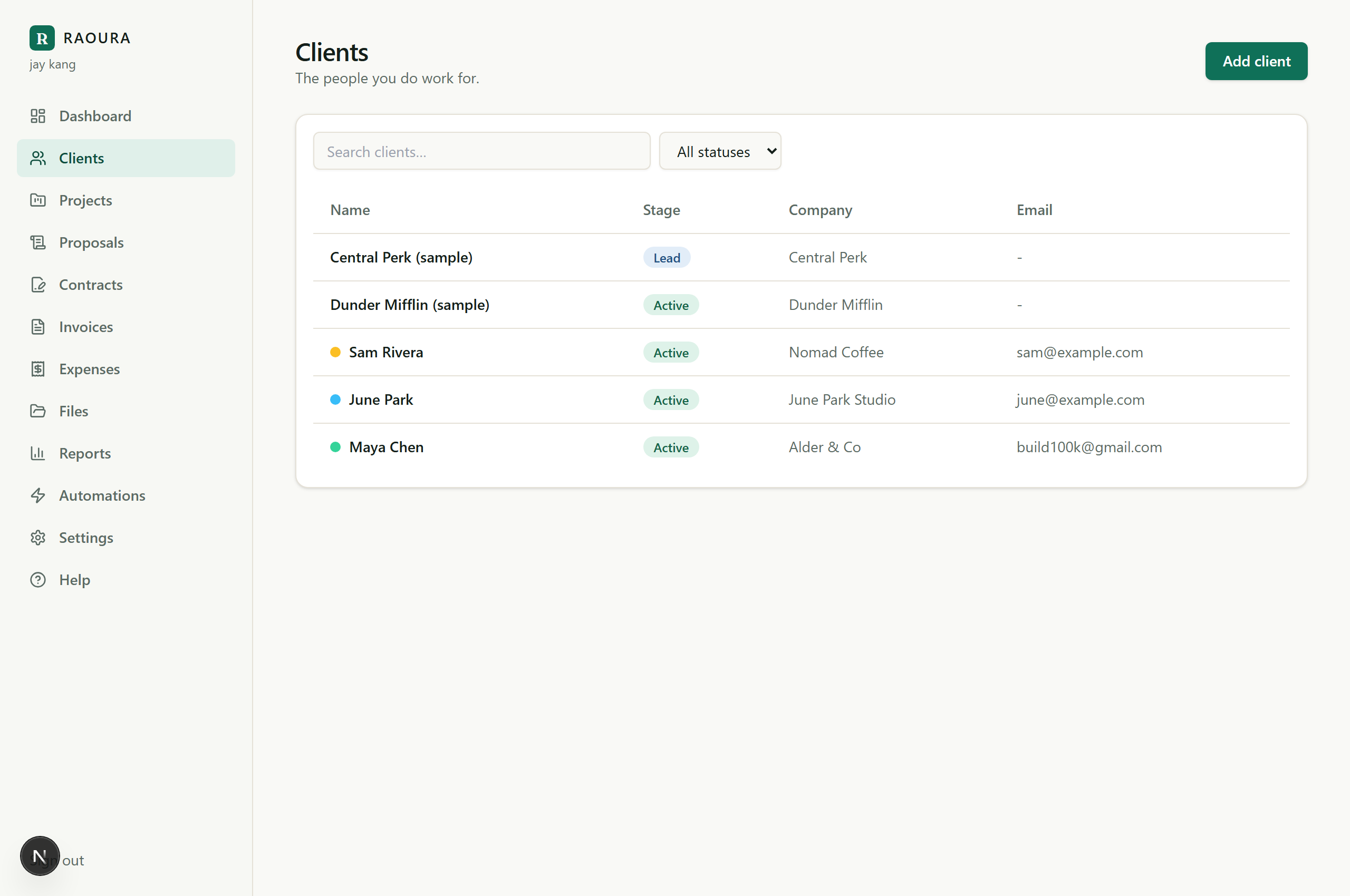
Set a client's color#
- Go to Clients and open the client.
- Pick a color for them and save.
The color appears alongside the client in your clients list, so scanning for the right client is faster than reading every name.
How people use them#
There is no fixed meaning: the label means whatever helps you. Common patterns for solo freelancers:
- By status: one color for active clients, another for past clients, another for leads.
- By type of work: design clients in one color, retainer clients in another.
- By priority: a standout color for the clients you touch every week.
Pick one scheme and stick to it; the value is consistency.
Good to know#
- Color labels are for you. They are an internal organizing tool in your workspace, not something that changes the client's portal. The look of client-facing pages comes from your brand settings (Settings, Brand), which apply to every client the same way.
- You can change a client's color anytime from their page.
Related: Add and edit clients · The client portal link
Was this helpful?
Ready to try it yourself?
Raoura is one flat plan at $17/month, with a 14-day free trial and no credit card required.
Start free trial