Retainers and recurring invoices
Bill a client the same amount on a schedule, as drafts for review or sent automatically.
For clients on a monthly or quarterly retainer, Raoura can create the invoice for you on schedule.
Set up a retainer#
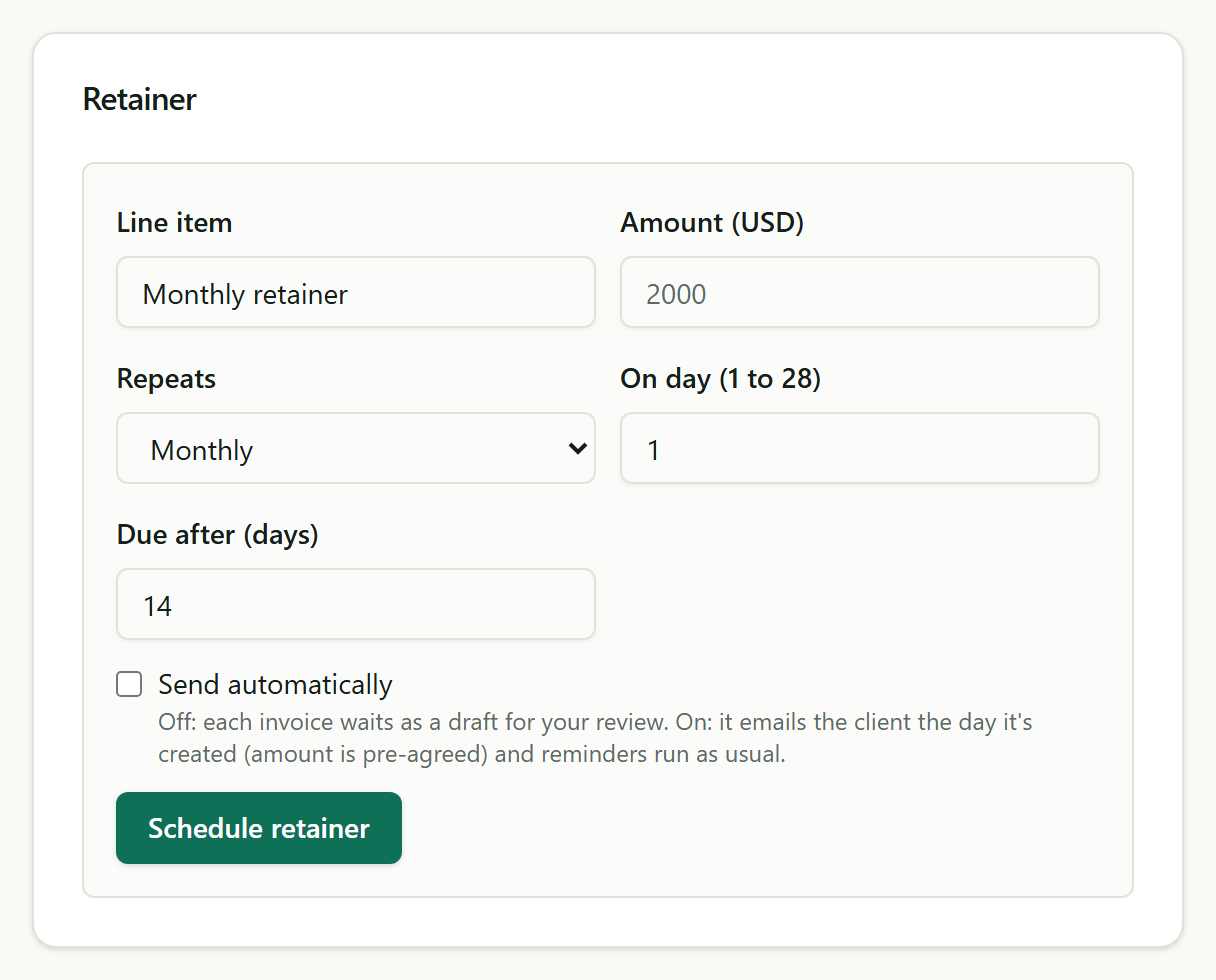
Open the client from your Clients list and find the Retainer card. Enter the line item, the amount, how often it repeats, the day of the month (1 to 28), and how many days the client has to pay.
Drafts by default, auto-send if you choose#
With Send automatically off, each invoice is created as a draft and waits for your review; you'll see it in your Invoices list on the scheduled day. With it on, the invoice is emailed to your client the day it is created, since the amount is pre-agreed, and the usual payment reminders take over from there.
Pausing and stopping#
Pause a retainer anytime from the same card; resume when the engagement picks back up. Deleting a retainer stops future invoices and leaves every invoice it already created untouched.
Was this helpful?
Related
Ready to try it yourself?
Raoura is one flat plan at $17/month, with a 14-day free trial and no credit card required.
Start free trial