Escape Your Dubsado Setup: a Weekend Migration Guide
August 30, 2026
Escape Your Dubsado Setup: a Weekend Migration Guide#
There is a specific kind of guilt that comes with leaving Dubsado. You did not just use this tool; you built it. The workflows, the canned emails, the forms with your brand colors, the trigger logic you finally understood on the third YouTube tutorial. Walking away feels like abandoning a house mid-renovation.
So let's name the thing directly: you built a machine you never finished configuring. The half-built workflows are not an asset you would be throwing away. They are the reason you are reading a migration guide.
Sunk cost is not a reason to stay; it is just the receipt for what staying has already cost you.
Dubsado is a genuinely powerful tool for studios that finish the build. If you never did, and your business ran fine on the 20 percent you actually used, then the migration ahead is much smaller than your setup was. That is the good news that shapes this whole guide.
What you can and cannot export from Dubsado#
Credit where due: Dubsado is better than most competitors about letting your data leave. Verified against Dubsado's own documentation, as of mid-2026.
You can export:
- Clients and leads as CSV. From the address book or leads view, you can export your entire client and lead list, choosing which fields to include (Dubsado Help Center).
- Projects as CSV. Project data exports to CSV with selectable fields, including custom-mapped fields (Dubsado Help Center).
- Invoices and transactions as CSV. You can filter transactions and export the list, and export invoices to CSV as well (Dubsado Help Center).
- Profit and loss reporting. Bookkeeping data exports as a CSV for a date range, which covers your accountant.
- Individual signed contracts as PDFs. Open each contract and save the PDF, one at a time.
You cannot export:
- Workflows. Trigger logic, delays, and sequencing exist only inside Dubsado. There is no export format.
- Forms and questionnaires as reusable structures. The content is visible to you, but the form itself cannot be exported to another tool. Copy-paste is the migration path.
- Canned emails as files. Same story: open each one you use and copy the text out.
- Packages and schedulers. Service definitions and scheduler configurations stay behind.
The standalone takeaway: Dubsado exports clients, leads, projects, invoices, and transactions as CSV files, but workflows, forms, canned emails, and packages cannot be exported and must be copied out by hand, as of mid-2026.
Pre-migration checklist (do this before Saturday)#
- Keep Dubsado active until the end. Nothing gets canceled until your data is out and unpaid invoices have cleared.
- Audit what you actually used. Open your workflows and be brutally honest: which ones ran correctly in the last three months? Most people find the real list is two or three, not fifteen. Only those earn a rebuild.
- List in-flight work. Active projects, unsigned proposals, unpaid invoices, and any client mid-payment-plan.
- Set up the destination first. Branding, one proposal template, one test invoice, working before Saturday.
- Do not announce the move. Clients should experience continuity, not a systems update memo.
The Saturday plan#
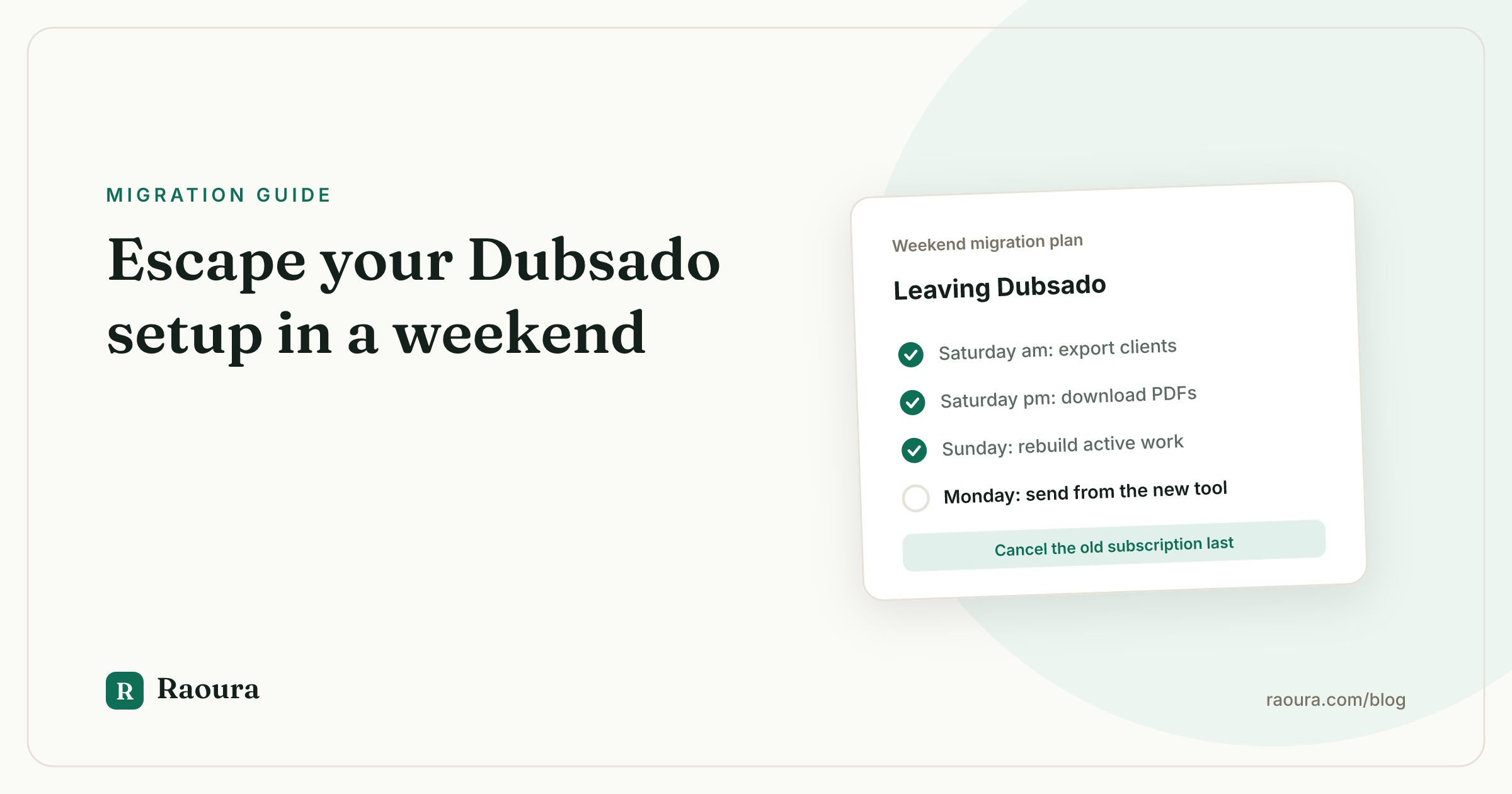
- 9:00 - Export the CSVs. Clients and leads from the address book, projects, invoices, and transactions, plus a profit and loss export for the current and previous tax year (how-to here). Fifteen minutes, and the irreplaceable data is safe. Everything after this is convenience.
- 9:30 - Download signed contracts as PDFs. Every active project's contract, plus anything completed in the last 24 months. One at a time, one folder per client. Tedious but bounded.
- 10:30 - Copy out your form and email content. Open each form, questionnaire, and canned email that survived your audit and paste the text into a single reference doc. Include the questions, the field types, and the email copy. Screenshot any workflow whose logic you want to remember. This doc is the only thing that preserves your configuration work, so do it properly.
- 12:30 - Lunch. Everything Dubsado will release is now on your drive.
- 13:30 - Recreate active clients and projects only. In the new tool, enter the clients with live work and rebuild those projects with their next milestone. Your CSV is the archive for everyone else; do not re-enter your entire address book history on principle.
- 15:30 - Rebuild your one real proposal and contract. Not five templates. The one you send most, using the copy from your reference doc.
- 16:30 - Send something real. An invoice, a proposal, a portal invite. A migration is complete when a client has touched the new system, not before.
In-flight projects and unpaid invoices#
Money finishes where it started.
A client halfway through a Dubsado payment plan should finish paying in Dubsado; forcing a re-setup mid-plan creates confusion and late payments. Keep the subscription running until final payments clear, then cancel.
Active projects move at a seam: the next milestone, phase, or deliverable begins in the new tool. Signed contracts remain valid as the PDFs you downloaded; nothing needs re-signing because your software changed.
Every new client starts in the new system from today, because each new project you start in Dubsado is another month of paying for two tools.
What you'll rebuild by hand (the honest section)#
- Workflows do not move, and mostly should not. The two or three automations that genuinely ran your business get rebuilt as simpler processes in the new tool. The other twelve get deleted by default, and you will not miss them. If you cannot live without deep automation, be honest with yourself: the answer might be finishing your Dubsado setup, not leaving it.
- Forms and questionnaires get rebuilt from your reference doc. Expect an hour for the ones that matter.
- Canned emails become templates in your email client or your new tool. Rewriting them is usually an upgrade; you are a better writer than you were when you set up Dubsado.
- Packages and pricing get re-entered wherever your proposals now live.
Total honest estimate: two to four hours of rebuild beyond the Saturday plan, scaled to how much of your Dubsado build you actually used.
If you're moving to Raoura#
We make Raoura, so here is the plain-spoken version of how this lands there.
Raoura is the opposite architecture to Dubsado: no workflow builder, no lead pipeline, no scheduling, no team seats, on purpose. It covers the core loop for a solo freelancer:
- Proposals. Templates plus an AI draft, or upload your own PDF and e-sign it with a name, timestamp, and IP audit record.
- Invoicing. Deposits, partial payments, payment plans, multi-currency, and automatic overdue reminders.
- Projects. Client-approvable milestones.
- Client portal. A branded portal your clients open with a magic link.
Brand matching pulls your colors and logo from your website, so the portal looks finished in minutes rather than after a branding session.

The finished portal, no configuration project required: your branding on top, and your client one magic link away from everything.
The honest part: Raoura has no automated Dubsado importer yet. Your exported CSV becomes a checklist, not an upload. Client entry is deliberately fast, under a minute each, so a typical solo roster moves in an evening with the CSV open in the next window.
If you are coming from Dubsado specifically, notice what is missing from the setup list: there are no workflows to configure, which means there is no version of Raoura that sits half-built.
It is one flat plan at $17 per month, and the 14-day trial requires no credit card, so you can run this entire migration inside the trial and decide with your own data on screen.
First-week checklist in the new tool#
- [ ] All active clients entered, emails verified against the CSV
- [ ] Active projects rebuilt with their next milestone defined and visible to the client
- [ ] Next three invoices drafted, with deposits or payment plans configured where relevant
- [ ] One proposal template and one contract rebuilt from your reference doc and test-sent to yourself
- [ ] Client portal checked on mobile with a real magic-link login
- [ ] Dubsado CSVs and contract PDFs backed up in two places
- [ ] List of unpaid Dubsado invoices pinned somewhere visible, subscription alive until they clear
- [ ] Calendar reminder to cancel Dubsado after the last payment lands, so you do not pay for a ghost town
Frequently asked questions
How do I export my data from Dubsado?
Dubsado exports clients and leads, projects, invoices, and transactions as CSV files with selectable fields, plus bookkeeping data for a date range, per Dubsado's own help center. Signed contracts download as individual PDFs, one at a time.
Can I export my Dubsado workflows to another tool?
No. Workflow trigger logic, delays, and sequencing exist only inside Dubsado, with no export format. Screenshot the workflows you actually use and rebuild only those; most people find they need far fewer than they built.
Can I export Dubsado forms and canned emails?
Not as reusable structures. The content is visible to you, so the migration path is copy-paste: open each form and canned email you still use and paste the text into a reference doc before you cancel.
Do clients need to re-sign contracts after I switch from Dubsado?
No. Signed contracts remain valid regardless of the software they were signed in. The PDFs you downloaded are your legal records; only new work needs contracting in the new tool.
How long does leaving Dubsado take?
One Saturday for the exports and rebuilding active work, plus a few hours to recreate the forms and emails that earned their place. The CSV exports themselves take under an hour; the per-contract PDF downloads are the slowest part.
The machine you built in Dubsado was never the business. The clients, the contracts, the invoices: that is the business, and all of it exports.
One Saturday to pack, a few hours to rebuild only what earned its place, and you are running lighter.
If you want the destination to be a tool with nothing left to configure, start Raoura's 14-day free trial at raoura.com, no credit card required.
Run your client work in one place
Send a proposal, get it signed, invoice, and get paid, with a branded portal your clients will actually use. One flat plan at $17/month, and we never take a cut of your payments.
Try Raoura free for 14 daysNo credit card required. Set up in minutes.
Keep reading
Is Upwork Worth It in 2026? A Break-Even Test for Your Situation
Upwork is worth it when its fee costs less than finding the client yourself, and that is true far more often for a first project than for a repeat client. Here is the break-even math with 2026 numbers: the 0 to 15% fee, Connects, the shrinking client base, and when to wait out the 24-month rule instead of paying to leave.
The Virtual Assistant Contract: 24 Clauses, Scored Against Every Template Ranking for This Search
We scored the four pages that publish actual virtual assistant contract text against 24 clauses a VA agreement needs. Twenty-four of 96 possible slots were filled. The best single template managed 7 out of 24. Twelve clauses appear in none of them, including every clause about the thing that makes VA work different from other freelance work: you are holding your client's passwords and running their inbox. One popular template also tells you a contract fixes your independent contractor status, then mandates client-set 9 to 5 weekday hours in the same document. Here is the clause-by-clause version, with the classification test the DOL is actually applying in 2026, the data protection terms nobody drafts, and the retainer mechanics that decide whether unused hours roll over.
Stripe vs PayPal for Freelancers: Every Fee Verified (2026)
Every page ranking for this comparison either prints in-person retail rates, contradicts itself, or skips the numbers freelancers actually pay. We read the current Stripe and PayPal pricing pages line by line, ran a $3,000 invoice through every rail, and found a $1,764 per year gap between the cheapest setup and the default one.