Is Upwork Worth It in 2026? A Break-Even Test for Your Situation
October 19, 2026
Most answers to "is Upwork worth it" are a pros and cons list and a shrug. Upwork's own version concludes yes, for most people, if you are persistent. Several of the other pages ranking for this question still quote the old flat 10% fee, which Upwork replaced in May 2025.
None of them give you a way to answer the question for yourself. So this article does.
The idea is simple. Upwork sells you one thing: a client you did not have to find. The fee is the price of that service. Upwork is worth it whenever its fee is lower than what it would cost you, in time or money, to find the same client on your own. That one test explains why the platform is a bargain for some freelancers and a slow leak for others, and why the answer usually changes as your business grows.
The short version: in 2026, Upwork is worth it for landing your first clients and for in-demand AI and technical work, and stops being worth it on repeat clients, where you keep paying up to 15% for work the platform no longer finds for you.
The short answer, by situation#
For most freelancers, Upwork is worth it for the first project with a client and gets worse with every repeat project after that. Your category, your stage, and where you live change how fast that happens.
Here is where common situations land, based on the math in the rest of this article.
| Your situation | Is Upwork worth it? | Why |
|---|---|---|
| Brand new, no network, no portfolio | Yes, with a Connects budget | Demand you cannot generate yet, plus payment protection on hourly work |
| AI, data, or technical specialist | Usually yes | Upwork reports AI-related work volume up more than 22% in a year |
| General writing, basic VA, simple web tasks | Marginal | Crowded categories, and Upwork's CEO says lower-complexity work is shifting toward automation |
| Established, mostly repeat clients | Not for those clients | You pay 0 to 15% on relationships the platform no longer adds value to |
| Earning in a non-USD currency | Worse than it looks | Bank transfer fees plus an unpublished currency conversion markup |
| You have a referral pipeline already | Only as a top-up channel | Your cost of finding clients is already near zero |
The rest of this article shows the numbers behind each row so you can place yourself honestly.
What changed on Upwork in 2026#
Upwork had 763,000 active clients at the end of June 2026, down 4% from 796,000 a year earlier, while the average client spent more than ever. Those two numbers, from Upwork's Q2 2026 results, describe the marketplace you are actually competing in now.
Fewer clients are buying, but the ones who stay spend more: gross services volume per active client hit a record $5,230, up 5% year over year. Total work volume fell 4% to $966.4 million for the quarter. Put plainly, the platform is moving toward fewer, bigger buyers.
That cuts two ways. If you can win larger, more complex projects, the buyers are there and spending more. If you compete on small, quick jobs, there are fewer of them to go around.
A few other 2026 changes matter if you are deciding now:
- AI work is the growth category. Upwork says GSV from AI-related work grew more than 22% year over year in Q2, and its AI Strategy and Consulting subcategory grew more than 50%.
- Simple work is under pressure. In the same release, CEO Hayden Brown said lower-complexity work "continues to shift toward automation."
- The company is cutting costs. Upwork announced a restructuring in May 2026 and booked $13.8 million in related costs in Q2.
- Specialized profiles are gone. Upwork removed them on May 28, 2026. Your job history moved to your main profile, but specialized titles and overviews did not, so if you relied on them, your main profile now has to do that work.
One more number is worth knowing. Upwork's Q2 revenue of $191.7 million against $966.4 million of work volume means the platform kept 19.8 cents of every dollar that moved through it, counting fees from both freelancers and clients. That is our calculation from the reported figures, and it matches the take rate in Upwork's own investor materials.
The break-even test: is the fee cheaper than finding the client yourself?#
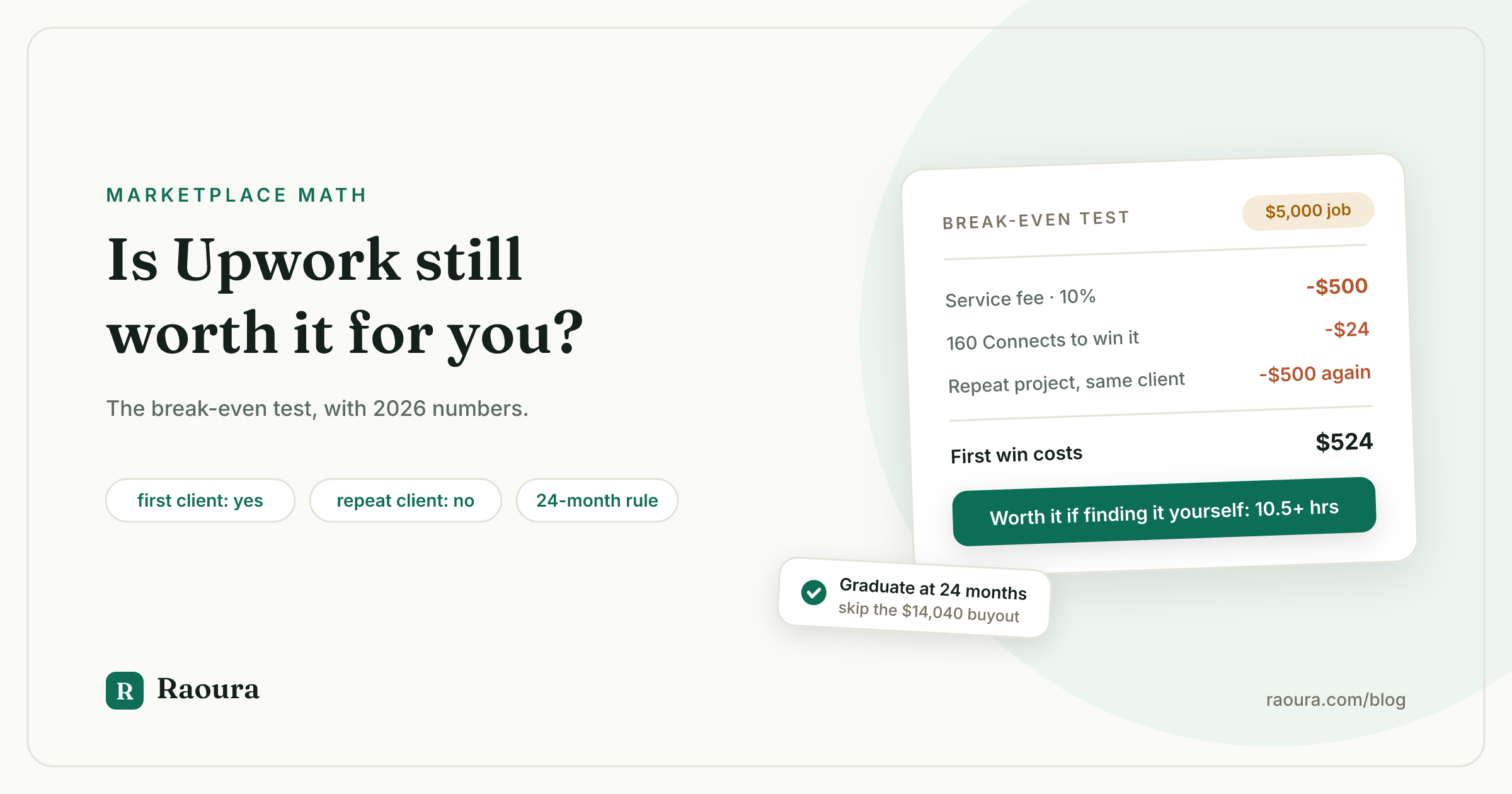
On a $5,000 project at a 10% service fee, Upwork costs you about $524 including Connects, so it is worth it if finding that client yourself would take more than about 10 hours of your time at $50 an hour. That is the whole test. Everything else is plugging in your own numbers.
Here is how to run it.
- Find your service fee. Upwork's freelancer service fee is 0% to 15%, set per contract. You see it before you submit a proposal or accept an offer, and it locks for the life of that contract.
- Add your bidding cost. Connects cost $0.15 each, and the number per proposal varies by job. Multiply the Connects you typically spend per proposal by the proposals it takes you to win one contract. Connects are not refunded when you lose.
- Estimate your direct acquisition cost. How many hours would it take you to land a comparable client through referrals, outreach, or your own site? Multiply by what your time is worth.
- Compare. If step 1 plus step 2 is smaller than step 3, Upwork is worth it for this project.
Here is the test run on a $5,000 project, assuming 10 proposals per win at 16 Connects each (160 Connects, or $24).
| Service fee on the contract | Fee on $5,000 | Plus Connects | Total cost | Worth it if finding the client yourself takes more than |
|---|---|---|---|---|
| 5% | $250 | $24 | $274 | 5.5 hours at $50/hr |
| 10% | $500 | $24 | $524 | 10.5 hours at $50/hr |
| 15% | $750 | $24 | $774 | 15.5 hours at $50/hr |
For someone with no network, no portfolio, and no inbound leads, landing a $5,000 client independently can easily take more than 15 hours. For a new freelancer, Upwork passes this test even at the top of the fee range.
For someone with a steady referral stream, the direct cost might be one coffee and a follow-up email. Then the same fee buys almost nothing.
Where the math flips: repeat clients#
A client paying you $20,000 a year through Upwork at a 10% fee costs you $2,000 in year one and another $2,000 in year two, even though Upwork found that client exactly once. This is the point where most freelancers stop getting their money's worth.
The break-even test works on a first project because the fee buys something real. On a repeat project, there is nothing left to buy. You already have the client, the trust, and the working relationship. The fee keeps running anyway, at the same rate, for as long as the work stays on the platform.
Compare what that same client costs you each year on Upwork versus invoicing directly through your own payment processor.
| Payment route for a $20,000/year client | Your annual cost | Share of the work |
|---|---|---|
| Upwork at 15% | $3,000 | 15% |
| Upwork at 10% | $2,000 | 10% |
| Upwork at 5% | $1,000 | 5% |
| Direct, card via Stripe (2.9% + $0.30, 12 invoices) | $584 | 2.9% |
| Direct, bank transfer via Stripe ACH (0.8%, capped at $5) | $60 | 0.3% |
Your client pays too. Upwork's client marketplace fee is up to 7.99% of payments, or 3% for eligible US clients paying from a bank account. On $20,000 a year, that is up to $1,598 coming out of your client's budget on top of your rate.
That matters when you eventually talk about working directly. You are not asking the client to do you a favor. You are both paying a toll that stopped earning its keep. We go through the full cost of every layer in the real cost of Upwork, and the card versus bank transfer math in card vs ACH vs wire for freelance payments.
Should you wait out the 24 months or pay the conversion fee?#
Paying Upwork's conversion fee to move a client early only makes sense if that client would otherwise pay more in fees than the buyout during the rest of the two years, and for a $50 an hour freelancer at a 10% fee, that means the client would have to spend more than $140,400 in that time. For almost everyone, waiting is cheaper.
Upwork's terms require you to keep work and payments with a client on the platform for the first two years. Moving earlier costs a conversion fee of 13.5% of your hourly rate multiplied by 2,080 hours. Upwork's own examples put that at $8,424 at $30 an hour and $14,040 at $50 an hour. After two years, Upwork says "only a small fee applies," and it also applies discounts based on fees the client has already paid, without publishing the amounts.
Run the comparison for our $20,000 a year client at $50 an hour:
| Option | What it costs you |
|---|---|
| Stay on Upwork for the full 24 months at 10% | $4,000 in service fees |
| Stay on Upwork for the full 24 months at 15% | $6,000 in service fees |
| Pay the conversion fee on day one | $14,040 (before any discount Upwork shows you) |
To find your own break-even, divide the conversion fee by your service fee rate. At $14,040 and 10%, a client has to spend $140,400 during the remaining months before buying out wins. At 15%, the line is $93,600.
Do not try to move a client off the platform quietly before the two years are up. Upwork treats that as a terms violation, and the risk is losing your account along with every other client on it. We walk through the legal routes in how to move Upwork clients to direct contracts.
The practical move is to note the start date of every client relationship you want to keep and plan the switch for the anniversary.
Is Upwork worth it for beginners?#
Yes, for most beginners Upwork is worth it, as long as you treat Connects as a marketing budget and set a limit before you start. It is one of the few places where clients with money arrive already looking to hire, and hourly contracts come with payment protection that a new freelancer working direct does not have.
The cost of entry is real, though. Upwork says some freelancers may receive 10 free Connects a month, so free Connects are no longer guaranteed. Proposals cost a varying number of Connects per job, and boosting a proposal into one of the four top slots means bidding extra Connects in an auction on top of the base cost.
If you plan to apply seriously, Freelancer Plus costs $19.99 a month and includes 100 Connects, which is $15 of face value. It also drops the fee on Direct Contracts from 5% to 0%.
Three rules keep the beginner phase from getting expensive:
- Set a monthly Connects cap, say $20 to $40, and track how many Connects each win actually costs you.
- Apply narrowly. Only bid on jobs where you can show matching work, and write proposals that answer the client's specific problem. Our guide to writing a freelance proposal that wins covers what clients respond to.
- Screen the posting before you pay to apply. Vague scope, a brand-new account with no payment method verified, and "quick test task" requests are the same warning signs we list in our client red flags guide.
Signs Upwork is no longer worth it for you#
If more than half of your Upwork income comes from clients you have worked with before, you are paying the platform mostly for relationships you already own. That is the clearest signal that the balance has tipped.
Other signs worth watching:
- You win more work from referrals than from proposals.
- Your Connects spend per win keeps climbing while your win rate stays flat.
- Your contracts are consistently landing at the high end of the 0 to 15% fee range.
- You have one or more client relationships approaching the two-year mark.
- You get paid in a non-USD currency and the conversion markup is eating into every withdrawal.
- You spend more time bidding than delivering in a typical week.
None of these mean you should delete your account. They mean Upwork has moved from being your business to being one channel in it.
How to use Upwork without letting it own your business#
The freelancers who get the most from Upwork treat it as a place to find clients, not a place to keep them. Win the first project there, deliver well, and build the direct relationship over the two years you are required to keep the work on the platform.
In practice, that means running two things in parallel:
- Keep Upwork for discovery. Bid selectively in the categories where you win, and let the platform do what it is good at: putting new buyers in front of you.
- Build your direct pipeline at the same time. Referrals, a simple portfolio site, and steady outreach to your niche. Our guide on how to get clients without Upwork lays out the channels that work for solo freelancers.
- Graduate clients on schedule. As each relationship reaches its two-year mark, move it to direct contracts and invoices, so you stop paying a percentage for a client you already have.
- Do not rage-quit. If you are ready to leave for good, do it in stages so your income does not drop to zero in the middle. Our 90-day plan for leaving Upwork is built for exactly that.
When a client moves off the platform, you need to replace what Upwork was quietly doing for you: a professional proposal, a signed contract, invoices with a pay button, and one place where the client can see everything. (Disclosure: this is our product. Raoura handles all of that for solo freelancers at a flat $17 a month. Payments go through your own Stripe account straight to your bank, and we never take a percentage of what you earn.)
Verified October 2026 against Upwork's help center, pricing pages, and Q2 2026 financial results (released August 2026). The 19.8% figure is our calculation from reported Q2 2026 revenue ($191.7M) and gross services volume ($966.4M). Connects per proposal vary by job; the 16-Connect figure in our break-even table is an illustrative assumption, so plug in your own.
Frequently asked questions
Is Upwork worth it in 2026?
For finding first clients and for AI and technical work, usually yes. Upwork's AI-related work volume grew more than 22% year over year in Q2 2026. For repeat clients, usually no, because you keep paying a 0% to 15% service fee for a relationship the platform no longer helps you build.
How much does Upwork take from freelancers?
The freelancer service fee is 0% to 15%, set per contract and locked when the contract starts. You also pay $0.15 per Connect to submit proposals. Across the whole marketplace, Upwork's Q2 2026 revenue equaled 19.8% of the work volume on the platform, counting fees on both sides.
Is Upwork worth it for beginners with no experience?
Usually yes, because it gives you access to clients who are already looking to hire, which is the hardest thing to create on your own early on. Set a monthly Connects budget, apply only to jobs that match work you can show, and expect your first wins to take a while.
Is Upwork getting harder in 2026?
For small, simple jobs, the data points that way. Active clients fell 4% year over year to 763,000 in Q2 2026, and Upwork's CEO said lower-complexity work is shifting toward automation. Meanwhile, spending per client hit a record $5,230, so larger and more specialized projects are holding up better.
Is Freelancer Plus worth $19.99 a month?
If you apply regularly, usually yes: the 100 included Connects are worth $15 on their own, and Plus drops the Direct Contracts fee from 5% to 0%. If most of your work comes from repeat clients and you rarely bid, it is $240 a year you can drop.
Can I take my Upwork clients off the platform?
Yes, legally, by paying the conversion fee (13.5% of your hourly rate times 2,080 hours, so $14,040 at $50 an hour) or by waiting until the relationship is two years old, after which Upwork says only a small fee applies. Moving a client off quietly before that risks losing your account.
What is a good alternative to Upwork?
For most established freelancers, the best alternative is not another marketplace but direct clients from referrals, outreach, and your own site, invoiced through your own payment processor. That route costs about 0.3% to 3% of what you bill in processing fees, with no commission.
Run your client work in one place
Send a proposal, get it signed, invoice, and get paid, with a branded portal your clients will actually use. One flat plan at $17/month, and we never take a cut of your payments.
Try Raoura free for 14 daysNo credit card required. Set up in minutes.
Keep reading
The Virtual Assistant Contract: 24 Clauses, Scored Against Every Template Ranking for This Search
We scored the four pages that publish actual virtual assistant contract text against 24 clauses a VA agreement needs. Twenty-four of 96 possible slots were filled. The best single template managed 7 out of 24. Twelve clauses appear in none of them, including every clause about the thing that makes VA work different from other freelance work: you are holding your client's passwords and running their inbox. One popular template also tells you a contract fixes your independent contractor status, then mandates client-set 9 to 5 weekday hours in the same document. Here is the clause-by-clause version, with the classification test the DOL is actually applying in 2026, the data protection terms nobody drafts, and the retainer mechanics that decide whether unused hours roll over.
Stripe vs PayPal for Freelancers: Every Fee Verified (2026)
Every page ranking for this comparison either prints in-person retail rates, contradicts itself, or skips the numbers freelancers actually pay. We read the current Stripe and PayPal pricing pages line by line, ran a $3,000 invoice through every rail, and found a $1,764 per year gap between the cheapest setup and the default one.
The Pause Clause: How to Stop Work When an Invoice Goes Overdue
Stopping work is the strongest move a freelancer has against a late-paying client, and the least understood. Here is the legal doctrine that lets you pause even without a clause, the exact clause to add so you never have to rely on doctrine again, the day-by-day timing, and the two emails that keep the pause professional. Verified against primary sources in July 2026.