Change Order Template for Freelancers (Plus the Email That Introduces It)
August 30, 2026
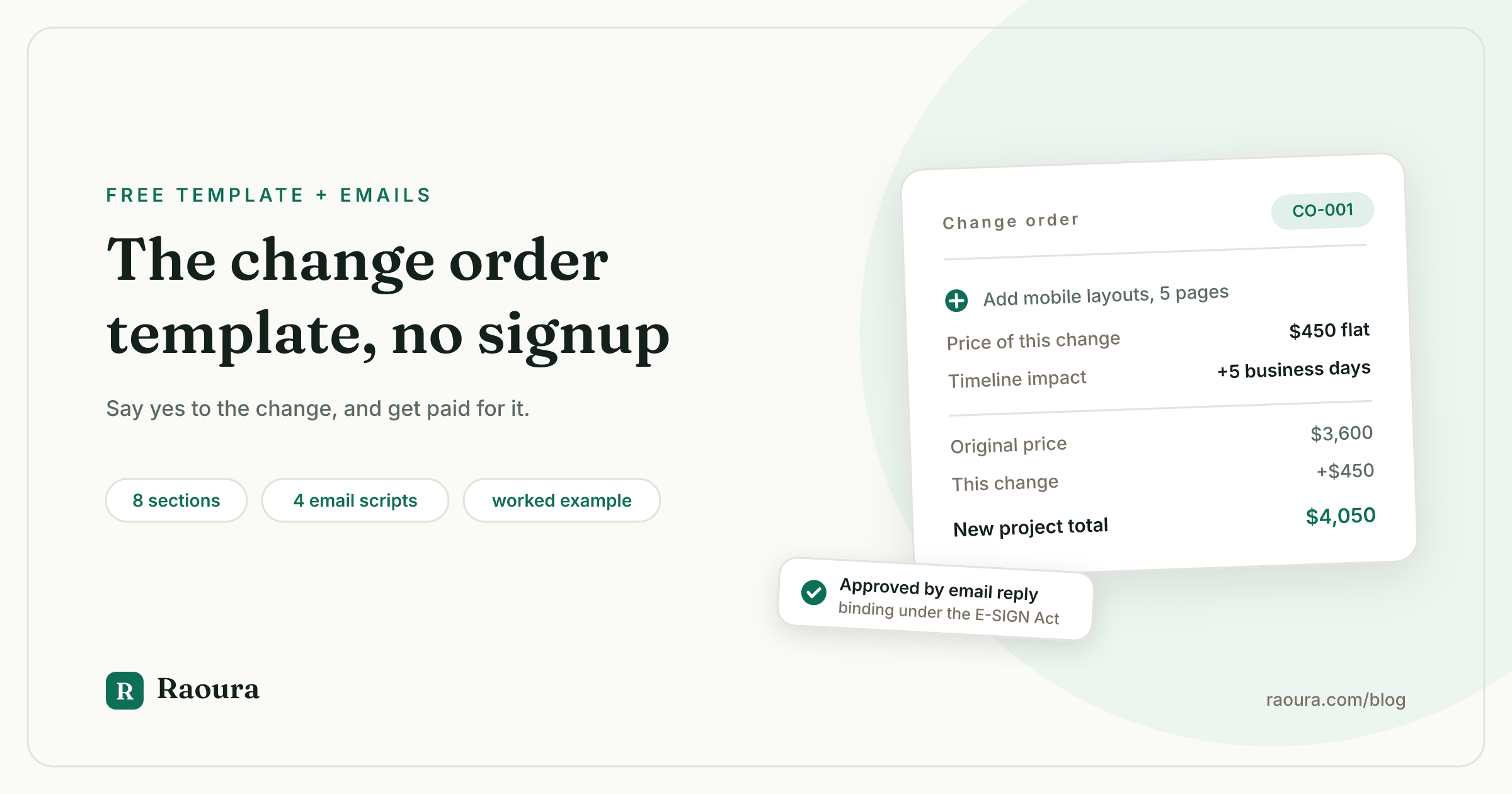
Search for a change order template and you land on a construction site. We fetched the top-ranking pages for this keyword while researching this article, and every single one is written for contractors: owner and architect fields, materials and labor line items, mechanics lien warnings. One of the four requires an account signup to use the form at all, and exactly zero include what a freelancer actually needs at the moment a client says "can we also add...", which is the words. Not one ranking page contains a single email script for introducing a change order to a client.
So this page is two templates, not one. The document is below: 8 sections, built for design, development, writing, and consulting work instead of drywall, with the running budget math construction forms do well and freelance advice skips. And after it, the four emails: the one that introduces your first change order to an existing client, the "yes, happily, here is what it costs" reply, the approval nudge, and the recap that turns a phone call request into something you can bill. If you want the full theory (pricing changes, rush fees, the client who wants the work but not the signature), that lives in the change order guide. This article is the part you paste.
Why you need this template at all#
Half of all projects change after kickoff: 52% experienced scope creep or uncontrolled changes in PMI's survey of 5,402 project professionals, up from 43% five years earlier. That is PMI's Pulse of the Profession data, and those are trained project managers with change control boards behind them. For freelancers, community surveys put the number higher still.
Construction solved this decades ago by making the change order a boring, standard, expected document. How standard? The industry's official form, the AIA G701 Change Order, sells for $59.99 for a single use, and contractors pay it, because an unsigned change is a dispute waiting to happen. AIA's own analysis of 892,457 change orders across 18,229 completed projects found that even the smallest projects it measured carry 1.7 change orders on average, and change orders typically move the final price by 3 to 5 percent of project value.
Run that percentage on freelance numbers: on a $5,000 project, 3 to 5 percent is $150 to $250 of changes per project. If you absorb them, that is money you donated. Across 20 projects a year, the donation is $3,000 to $5,000. The template below is free, and it exists to stop exactly that.
The template: 8 sections, ready to paste#
The change order template below has 8 sections and takes under 5 minutes to fill in. Paste it into a Google Doc, save a copy as your master, and fill one out whenever work appears that is not in your scope of work. It works as an attachment to your contract, an e-signature document, or, for small changes, the body of an email.
```text CHANGE ORDER
Change order no.: [CO-001, numbered per project] Date: [date] Project: [project name] Client: [client name and company] Freelancer: [your name and business name] Amends: [agreement or proposal name and date this change order modifies]
- ORIGINAL SCOPE REFERENCE
This change order modifies the scope defined in [document name], section [x]. All other terms of that agreement stay unchanged.
- DESCRIPTION OF CHANGE
[Exactly what is being added, removed, or altered, as countable deliverables. Example: "Add responsive mobile layouts for the five page designs listed in section 2 of the scope of work."]
- REQUESTED BY
[Client contact name] on [date], via [email / call / meeting].
- PRICE OF THIS CHANGE
[$X flat / X hours at $Y per hour, estimated $Z total]
- PAYMENT TERMS FOR THIS CHANGE
[e.g. "50% ($X) due on approval of this change order; remainder added to the final invoice." Small changes: "added to the next scheduled invoice."]
- TIMELINE IMPACT
[e.g. "Final delivery moves from March 14 to March 21 (+5 business days)." Write "No change" if none; never leave it blank.]
- RUNNING PROJECT TOTAL
Original agreement price: [$A] Previously approved change orders: [$B] This change order: [$C] New project total: [$A + B + C]
- NOT INCLUDED IN THIS CHANGE
[Anything a reasonable person might assume rides along but does not. Example: "Mobile layouts for pages added to the site later."]
APPROVAL Work on this change begins after approval and any approval payment. A reply of "approved" to the email delivering this document counts as approval.
Client: [name, signature or typed approval, date] Freelancer: [name, signature, date] ```
Two fields deserve a note, because they are the ones the construction forms get right and freelance habits miss.
Field 7, the running total, is borrowed from contractor forms that show original contract value against adjusted value: it means neither of you is ever surprised by the final invoice, because every approved change updated the number in writing.
Field 6 forces a timeline answer even when the answer is "no change", because silent schedule slip is how a $300 addition turns into a missed deadline argument.
A filled-out example, with the math shown#
Here is the template on a real project shape: a $3,600 website design that grows a mobile layout request in week three. Bracketed abstractions hide mistakes; numbers expose them.
Change order no.: CO-001, February 19, 2026
Project: Marketing site redesign
Amends: Signed proposal and scope of work dated January 28, 2026
Description of change: Add responsive mobile layouts for the five page designs in scope section 2, delivered as Figma files alongside the desktop versions.
Requested by: Dana R., February 17, by email.
Price of this change: $450 flat.
Payment terms: $225 (50%) due on approval; $225 added to the final invoice.
Timeline impact: Final delivery moves from March 13 to March 20 (+5 business days).
Running project total:
Original agreement price: $3,600
Previously approved change orders: $0
This change order: $450
New project total: $4,050
Not included in this change: Mobile layouts for any pages added to the site after this date; development or implementation of any layout.
Notice what the example does quietly. The change is priced flat, not hourly, because the freelancer can estimate it confidently; hourly with a cap is the fallback for murkier work, and the pricing rules are in the guide.
The 50% approval payment makes the yes real: a client who approves with money attached has actually approved.
And the "not included" line closes the next gap before it opens, which is the same job the exclusions section does in your scope of work.
The email that introduces it (4 scripts)#
A change order is introduced in 4 sentences: enthusiasm for the idea, the statement that it is outside the current scope, the price and timeline, and the one-line approval ask. No ranking template page includes any of this, and it is the part freelancers actually get wrong, because the fear was never the document. It is the moment of sending it.
Script 1: the first change order you ever send this client. Use when a mid-project request arrives and you have never used a change order with them before.
Love this idea, and it would genuinely improve the result. It sits outside the scope we agreed on January 28, so I've written it up as a quick change order, attached: $450, and it moves final delivery by five business days. This is just how I keep the budget visible for both of us, so nothing on the final invoice is ever a surprise. Reply "approved" and I'll fold it in.
Script 2: the request came on a call. Verbal requests evaporate; recap them the same day, before any work happens.
Great call today. Capturing what we discussed: you'd like to add [the change]. I've attached a change order with the price ($X) and the new timeline. Once you reply "approved", I'll get started.
Script 3: the nudge. The change order has sat unapproved for three or four days and the deadline it affects is approaching.
Quick nudge on the change order I sent Tuesday. I've held off starting that piece until it's approved, and I want to protect the March 20 date. If the plans changed, no problem at all, we simply carry on with the original scope.
Script 4: declining to start without approval. The client says "go ahead, we'll sort the paperwork later." Warm on the surface, immovable underneath.
Happy to jump on it the moment the change order is approved, and approval is just a one-word reply to this email. I've been burned by "we'll sort it later" before (not by you!), so I hold this line with everyone. It protects your budget as much as my time.
The tone in all four does the real work: the change order is presented as a bookkeeping habit that protects the client, not as a defensive legal maneuver. If you need the harder scripts, for the client who pushes back on the whole concept, that is a scope creep conversation before it is a paperwork one.
Is a reply of "approved" legally binding?#
Yes: under the federal E-SIGN Act, a contract or signature "may not be denied legal effect, validity, or enforceability solely because it is in electronic form" (15 U.S.C. 7001). An emailed "approved" in response to a document that states price, scope, and terms is an electronic acceptance, and the statute has said so since 2000. You can read the operative sentence on the U.S. Code itself.
That is why the approval block in the template names the email reply as a valid approval method. For larger changes, or clients with procurement departments, use a proper e-signature; for a $450 addition, demanding DocuSign ceremony adds friction that costs you the yes. What matters is that scope, price, and timeline were in writing before the "approved" arrived.
One more legal footnote worth knowing: in New York, Illinois, and California, freelance payment laws require written agreements above certain project values, and a written change order keeps the amended price inside that protection. Details in freelance payment laws by state.
Change order, revision, or new proposal?#
The 25% rule decides it: a change under roughly 25% of the original project price is a change order; beyond that, or when the goal itself changes, write a new proposal. Not every request needs the same document, and reaching for the wrong one either buries you in paperwork or underprices a whole new project.
| The request is... | Send this | Why |
|---|---|---|
| Feedback within your included revision rounds | Nothing, just do it | Already priced into the project |
| A small addition or swap, same project goal | Change order | Amends the agreement without renegotiating it |
| Several accumulated small requests | One combined change order | One approval beats five micro-documents |
| Work above ~25% of the original price | New proposal | At this size it deserves its own scope, deposit, and timeline |
| A different goal ("actually, we also need an app") | New proposal | A change order amends a scope; it cannot replace one |
| The same request, but "due Friday" | Change order with a rush fee | Speed is scope; price it explicitly |
The revision row matters most, because it is where clients test the boundary innocently. If your scope says two rounds of consolidated revisions, round two is free and round three is a change order, and that distinction only holds if your contract defines a round.
The 25% threshold is our own working rule from freelance practice, not a law: the logic is that a $900 addition to a $3,600 project still fits the original agreement's payment and timeline structure, while a $2,000 one deserves its own deposit and milestones, structured like any milestone-billed project.
Keeping track when there is more than one#
AIA's data says the average project in its smallest measured band carries 1.7 change orders, so plan for the second one before it exists. Numbering (CO-001, CO-002) and the running total field are the whole tracking system at small scale: the latest approved change order always shows the current project price, and the final invoice becomes a lookup instead of an archaeology dig.
The system strains at volume, not concept. Three change orders across four simultaneous projects means twelve documents, twelve approval states, and one freelancer's memory holding which "approved" arrived where. This is the point where tooling earns its keep. (Disclosure: Raoura is our product.)
In Raoura, a change goes out as a small addendum the client approves and pays in their portal, the approval is timestamped, the project total updates on both sides automatically, and the approval payment from field 5 is collected at the moment of the yes, through your own Stripe account, with no commission taken. $17 a month flat.
The template above works fine from your inbox, and you should start there today; the software removes the bookkeeping, not the need for the document.

A change sent through Raoura is approved and paid in the client's portal, so the timestamped yes and the updated project total keep themselves.
Verified July 2026. The scope creep figure (52%, up from 43%) is from PMI's Pulse of the Profession 2018 survey of 5,402 project professionals, checked against the primary PDF this month. Change order frequency (1.7 per project in the smallest band, 38% of projects with at least one) and cost impact (3 to 5 percent of project value) are from AIA Contract Documents' analysis of 892,457 change orders on 18,229 completed projects. The E-SIGN Act text was confirmed at the U.S. Code (15 U.S.C. 7001), and the AIA G701 price ($59.99 single use) against the live AIA Contract Documents store. The top-page audit (4 of 4 ranking pages construction-focused, 1 of 4 signup-gated, 0 with client email scripts) is our own review of the ranking pages for "change order template", July 2026. The 25% new-proposal threshold is our own working rule, marked as such above.
Frequently asked questions
Do I need a change order for tiny changes?
Below about 30 minutes of work, most freelancers absorb it and say so out loud: "happy to include that one, no charge." The saying-so matters, because silent absorption teaches the client that additions are free. If the tiny requests keep coming, batch them into one combined change order before the pattern sets.
What if the client refuses to sign it?
A refusal to approve is an answer: the work does not happen. Hold the line from script 4 and keep delivering the original scope on schedule, so the refusal costs them nothing except the addition. If the relationship turns adversarial over it, the problem was never the form.
Can I send a change order for work I already did?
Legally it is weak, because your leverage left with the deliverable. Relationally you can flag the pattern and reset it going forward, and the change order guide covers the retroactive case with the exact script.
Should it be Word, PDF, or a web form?
Draft in a Google Doc or Word file, send as PDF or paste into the email body for small changes. The signed or approved version should be frozen (PDF or a timestamped portal approval), and both parties keep a copy. Avoid web form builders that require the client to create an account; every step of friction delays the yes.
Does a change order need both signatures?
It needs both parties' assent in writing, which under 15 U.S.C. 7001 can be electronic, including a reply email. Two formal signatures are the ceremony, not the substance. Match the ceremony to the money: typed approval for a $450 change, e-signature for a $4,000 one.
How many change orders is too many?
Construction data averages 1.7 per project even at the small end, so two or three across a long project is normal, not a failure. Five or more usually means the original scope was guessed, not defined, and the fix is a better scope of work on the next project, or pausing to re-propose this one.
---
Run your client work in one place
Send a proposal, get it signed, invoice, and get paid, with a branded portal your clients will actually use. One flat plan at $17/month, and we never take a cut of your payments.
Try Raoura free for 14 daysNo credit card required. Set up in minutes.
Keep reading
Is Upwork Worth It in 2026? A Break-Even Test for Your Situation
Upwork is worth it when its fee costs less than finding the client yourself, and that is true far more often for a first project than for a repeat client. Here is the break-even math with 2026 numbers: the 0 to 15% fee, Connects, the shrinking client base, and when to wait out the 24-month rule instead of paying to leave.
The Virtual Assistant Contract: 24 Clauses, Scored Against Every Template Ranking for This Search
We scored the four pages that publish actual virtual assistant contract text against 24 clauses a VA agreement needs. Twenty-four of 96 possible slots were filled. The best single template managed 7 out of 24. Twelve clauses appear in none of them, including every clause about the thing that makes VA work different from other freelance work: you are holding your client's passwords and running their inbox. One popular template also tells you a contract fixes your independent contractor status, then mandates client-set 9 to 5 weekday hours in the same document. Here is the clause-by-clause version, with the classification test the DOL is actually applying in 2026, the data protection terms nobody drafts, and the retainer mechanics that decide whether unused hours roll over.
Stripe vs PayPal for Freelancers: Every Fee Verified (2026)
Every page ranking for this comparison either prints in-person retail rates, contradicts itself, or skips the numbers freelancers actually pay. We read the current Stripe and PayPal pricing pages line by line, ran a $3,000 invoice through every rail, and found a $1,764 per year gap between the cheapest setup and the default one.