How to Migrate from Bonsai (Before or After the Zoom Changes)
August 30, 2026
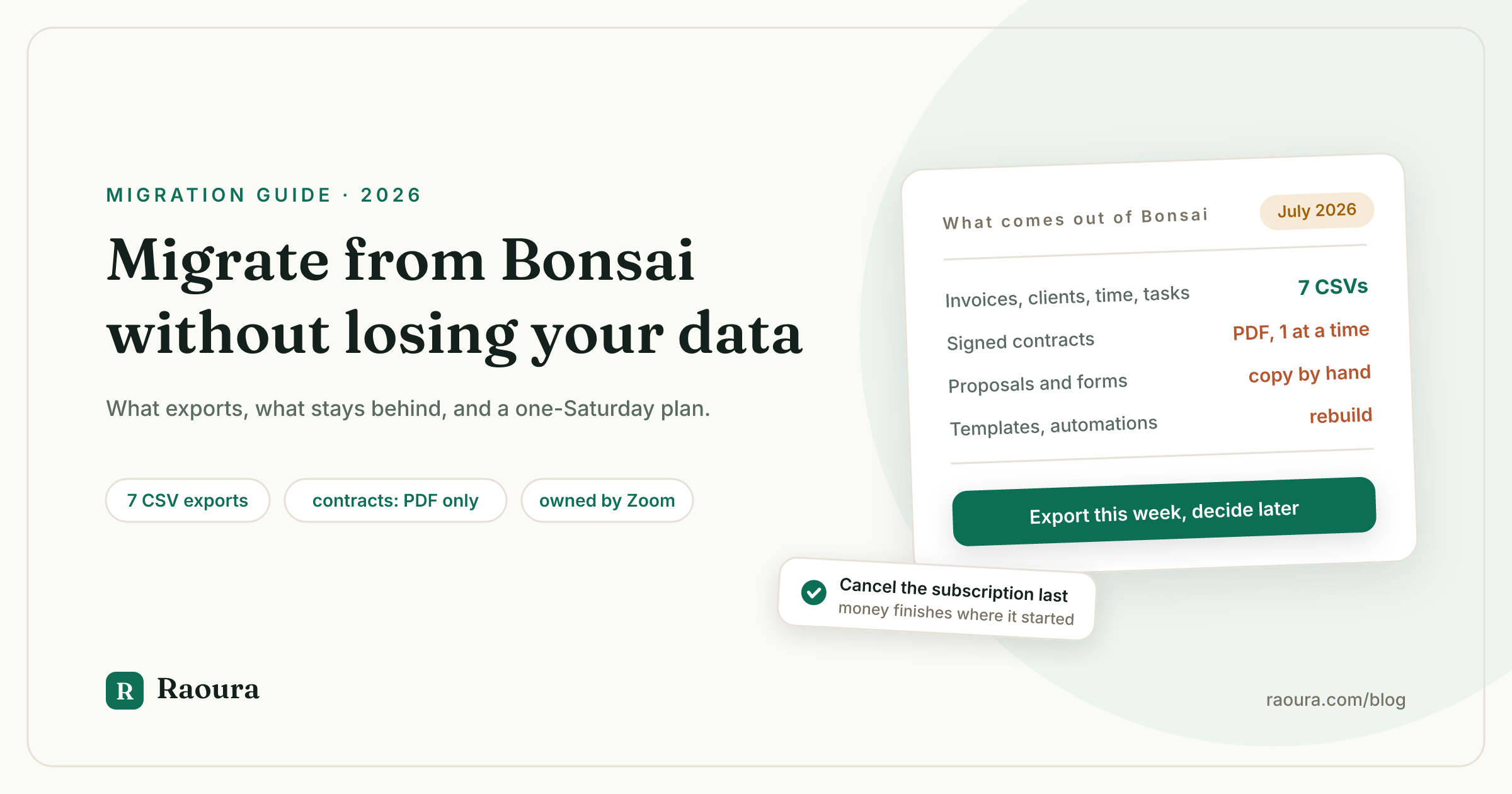
Bonsai is not an independent company anymore. Zoom announced the acquisition on November 5, 2025, and the deal closed in December 2025, per Zoom's own announcement, which says Bonsai "will remain a standalone platform, retaining the Bonsai brand," while Zoom looks forward to "incorporating Bonsai's capabilities directly into Zoom" over time.
Whether you are leaving because of that sentence or you were already halfway out the door, the mechanics of the move are the same, and nobody publishes them honestly.
We checked the search results for "switch from bonsai" in July 2026 and the state of the advice is bleak: the top result for the exact phrase is a programmatic page that renders empty, the most detailed personal migration story was last updated in 2018, and Bonsai's own export article never mentions that your contracts are not in the export.
This guide fixes that.
It covers exactly what Bonsai lets you take, what stays behind, what the Zoom deal has actually changed so far, and a weekend plan to get out with your client relationships intact.
One framing note before we start: your goal is not to replicate your Bonsai account somewhere else. Your goal is to keep serving clients without interruption. Those are very different amounts of work, and confusing them is why people stay in tools they dislike for years.
What you can and cannot export from Bonsai#
Bonsai's built-in export covers exactly 7 datasets, each as a separate CSV file, and signed contracts and proposals are not among them.
Everything below is verified against Bonsai's own documentation as of July 2026. The official export path is your profile icon, then Company Settings, then Data, then the "Download Data CSV" section (Bonsai Help Center).
| Your data | Exports? | Format | How |
|---|---|---|---|
| Invoices (records) | Yes | CSV | Company Settings > Data |
| Projects | Yes | CSV | Company Settings > Data |
| Tasks | Yes | CSV | Company Settings > Data |
| Expenses | Yes | CSV | Company Settings > Data |
| Companies (clients) | Yes | CSV | Company Settings > Data |
| Company addresses | Yes | CSV | Company Settings > Data |
| Time tracked | Yes | CSV | Company Settings > Data |
| Signed contracts | One at a time | Open each contract, Download PDF | |
| Proposals | No documented export | none | Copy content out by hand |
| Forms and questionnaires | No documented export | none | Copy questions out by hand |
| Templates and automations | No | none | Screenshot and rebuild |
The two facts that matter most:
- There is no bulk document export. Contracts come out as individual PDFs, one contract at a time, via each contract's Download PDF option (Bonsai Help Center). If you have 40 signed contracts, that is 40 downloads.
- Bonsai's own terms put the backup burden on you. Section 12.3 of the Bonsai Terms of Service says you are "solely responsible for retaining copies of any User Content," because on termination "you may lose access rights" to it. Section 12.4 reserves the right to "modify or discontinue all or any portion of the Service at any time... without notice to you," and tells you to retain copies for exactly that case. That is not us being dramatic. It is their document.
Standalone fact worth keeping: Bonsai exports 7 structured datasets as CSVs (invoices, projects, tasks, expenses, companies, addresses, time tracked), but signed contracts must be downloaded as individual PDFs and there is no documented export for proposals or forms, as of July 2026.
What the Zoom acquisition has actually changed (so far)#
In the 12 months since the November 5, 2025 announcement, Bonsai's pricing has not changed, but the blog has published nothing except the acquisition post since March 2025, and billing for Zoom-purchased subscriptions has already moved out of Bonsai's hands.
Here is the verified record, so you can calibrate urgency without the panic takes:
- What Zoom said. Bonsai "will remain a standalone platform, retaining the Bonsai brand," and over time Zoom plans on "incorporating Bonsai's capabilities directly into Zoom" (Zoom announcement, November 5, 2025). Nothing in the announcement promises existing plans are grandfathered, despite what some commentary claims.
- What has visibly changed. The footer now reads "Bonsai, a Zoom company." There is a new Sign in with Zoom option, Bonsai is listed as a Zoom product, and subscriptions bought through Zoom cannot be cancelled or refunded by Bonsai support at all; those run through the Zoom billing portal (Bonsai Help Center).
- What has not changed. Pricing is still $15 to $59 per user per month on monthly billing ($9 to $49 annual), with no free plan and a 7-day trial that then asks for a card (Bonsai pricing). No feature sunset has been announced as of July 2026.
- The editorial pulse. Aside from the acquisition announcement, Bonsai's blog has not published since March 13, 2025. Sixteen months of silence is not proof of anything, but it tells you where the attention is.
Why this matters at all: the freelance tool graveyard has a fresh headstone. Fiverr acquired AND.CO in 2018, rebranded it Fiverr Workspace, and shut it down on March 1, 2026 with all user data permanently deleted after a one-month export window (we documented the full arc, with the timeline, in our Fiverr Workspace post mortem). Nobody is saying Zoom will do that to Bonsai.
The lesson is narrower: when your tool gets acquired, the export you take today is the only insurance policy you control. Bonsai's own terms, quoted above, agree.
So the "before or after" question in this article's title has a boring answer: take the full export now, this week, whether or not you plan to leave. Deciding where to go can happen on your own schedule.
The weekend migration plan#
For a solo freelancer with a normal client load, the full move takes about one Saturday: roughly 30 minutes of CSV exports, 1 to 2 hours of PDF downloads, and an afternoon setting up live work in the new tool.
Do these before Saturday:
- Do not cancel yet. Keep Bonsai active until every step below is done. Canceling first is the one unrecoverable mistake, because Section 12.3 means your access can end with your subscription.
- List your in-flight work. Every active project, unsigned proposal, unpaid invoice, and running retainer. This list drives everything.
- Pick your destination and set it up. Branding, one proposal template, one test invoice, before migration day. If you have not chosen yet, our Bonsai alternatives roundup compares 7 options with verified 2026 pricing, and our Raoura vs Bonsai comparison covers the head-to-head.
- Check how you pay for Bonsai. If you subscribed through Zoom, cancellation happens in the Zoom billing portal, not in Bonsai, and Bonsai support cannot help (Bonsai Help Center). Find that setting now, not on cancellation day.
Then the Saturday itself:
- 9:00 - Run all 7 CSV exports. Company Settings, Data, Download Data CSV, once per dataset: invoices, projects, tasks, expenses, companies, company addresses, time tracked. Open the companies CSV and sanity-check names and emails while it is easy to fix them in a spreadsheet.
- 9:30 - Download contract PDFs. This is the tedious part, so scope it ruthlessly: every signed contract for an active project, plus contracts for anything completed in the last 24 months (your records, your accountant). One contract, one Download PDF click, per Bonsai's process. File into one folder per client.
- 11:00 - Rescue what has no export. Open each proposal, form, and questionnaire you actually reuse and copy the text into a doc. Screenshot automations, including trigger logic and email copy. There is no documented export for any of this, so the doc is the backup.
- 12:00 - Lunch. You now hold everything Bonsai will give you. Back the folder up in two places, local plus cloud.
- 14:00 - Recreate active work only. In the new tool, create the clients and projects currently in motion. The CSVs and PDFs are your archive; the new tool is for live work. Do not rebuild 2022.
- 16:00 - Send one real thing. The migration is not done until a client has received something from the new system: an invoice, a proposal, a portal link. Send whatever is due next.
In-flight money: invoices, retainers, and the fee math#
The cleanest rule is that money finishes where it started, and every invoice you move off Bonsai stops paying Bonsai's fee stack, which runs 2.9% + $0.30 on cards and adds a 1% platform fee even when you use your own Stripe.
If a client has an unpaid invoice or an active payment plan in Bonsai, let them finish paying it there, then cancel. Asking a client to re-enter card details mid-plan is friction you do not need. Switch active projects at a natural seam: a milestone boundary, a new phase, the next deliverable.
Signed contracts stay valid; they are the PDFs you downloaded, and they do not need re-signing because your software changed.
The fee math is a real, quantifiable reason to hurry new work into the new system. Per Bonsai's own fee documentation, card payments through Bonsai Payments cost 2.9% + $0.30 (3.25% + $0.30 for Amex), ACH costs 1% with a $1 minimum, instant payouts add 1.5%, and, the line most people miss, using your own Stripe or PayPal instead of Bonsai Payments triggers "an additional 1% platform fee."
On a $5,000 invoice paid by card through your own Stripe, that is roughly $145.30 to Stripe plus $50 to Bonsai, about 3.9% total. The 1% is rent Bonsai charges for not using its processor.
Our position on that pattern is a whole article: why your client tool should never touch your money.
When staying is the right call#
Honesty section. Bonsai is a polished, broad product, and nothing verified above says it is dying. Staying makes sense if you use its full breadth (tax tooling, banking, time tracking, subcontracting) and the per-user pricing still fits, especially on annual billing at $9 to $49 per user per month.
If that is you, do the export anyway, set a calendar reminder to re-export quarterly, and watch two tripwires: any pricing or packaging announcement, and any feature migrating from "Bonsai" to "requires Zoom." If either fires, you already own your data and this guide becomes a Saturday, not a crisis.
If you're moving to Raoura#
Disclosure: Raoura is our product, so read this section knowing that.
Raoura is client and project management for solo freelancers: proposals, contracts, invoicing, milestones, and a white-label client portal, one flat plan at $17 per month, no per-user math. There is no automated Bonsai importer yet, and we will not pretend a magic button exists.
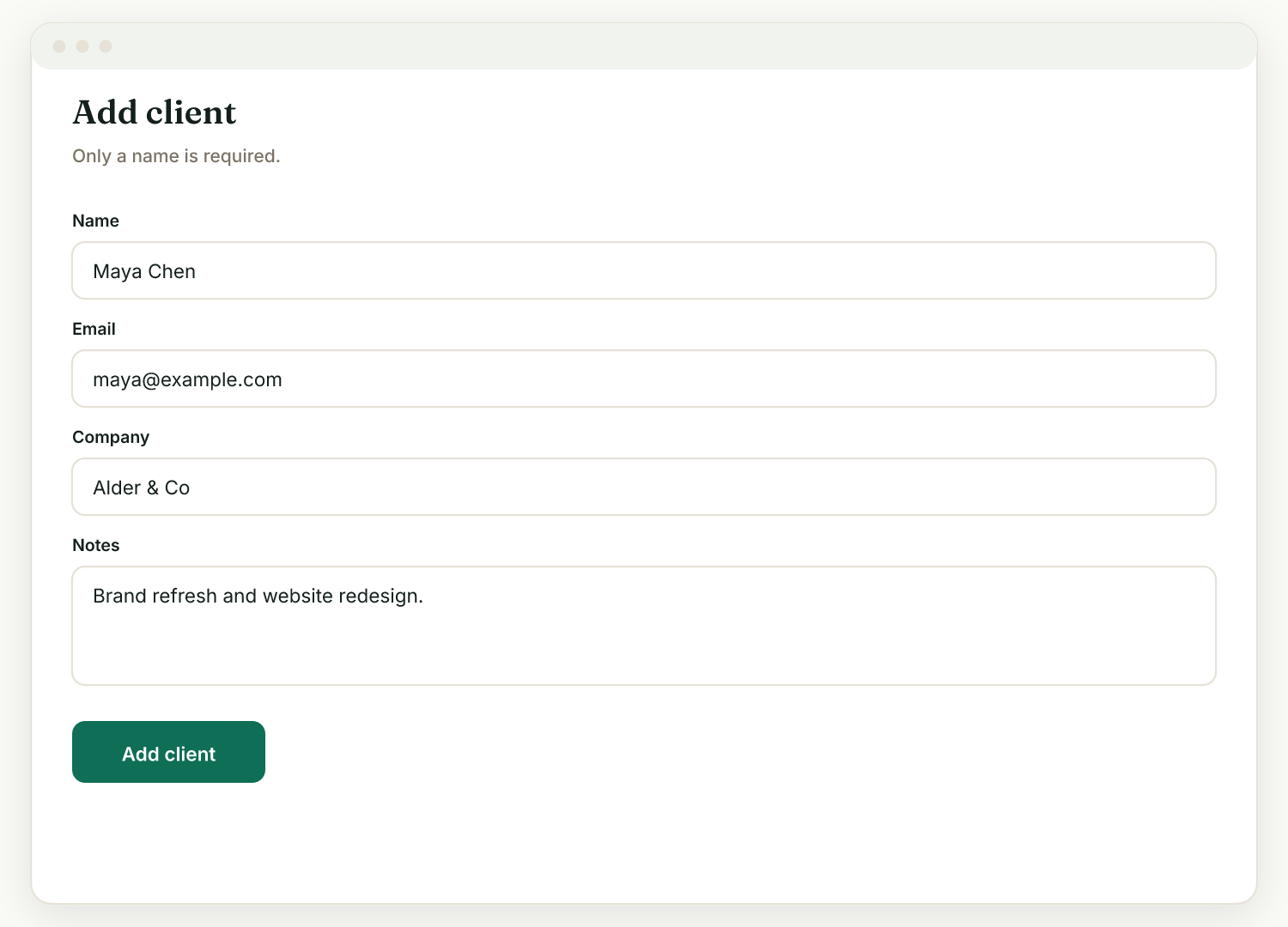
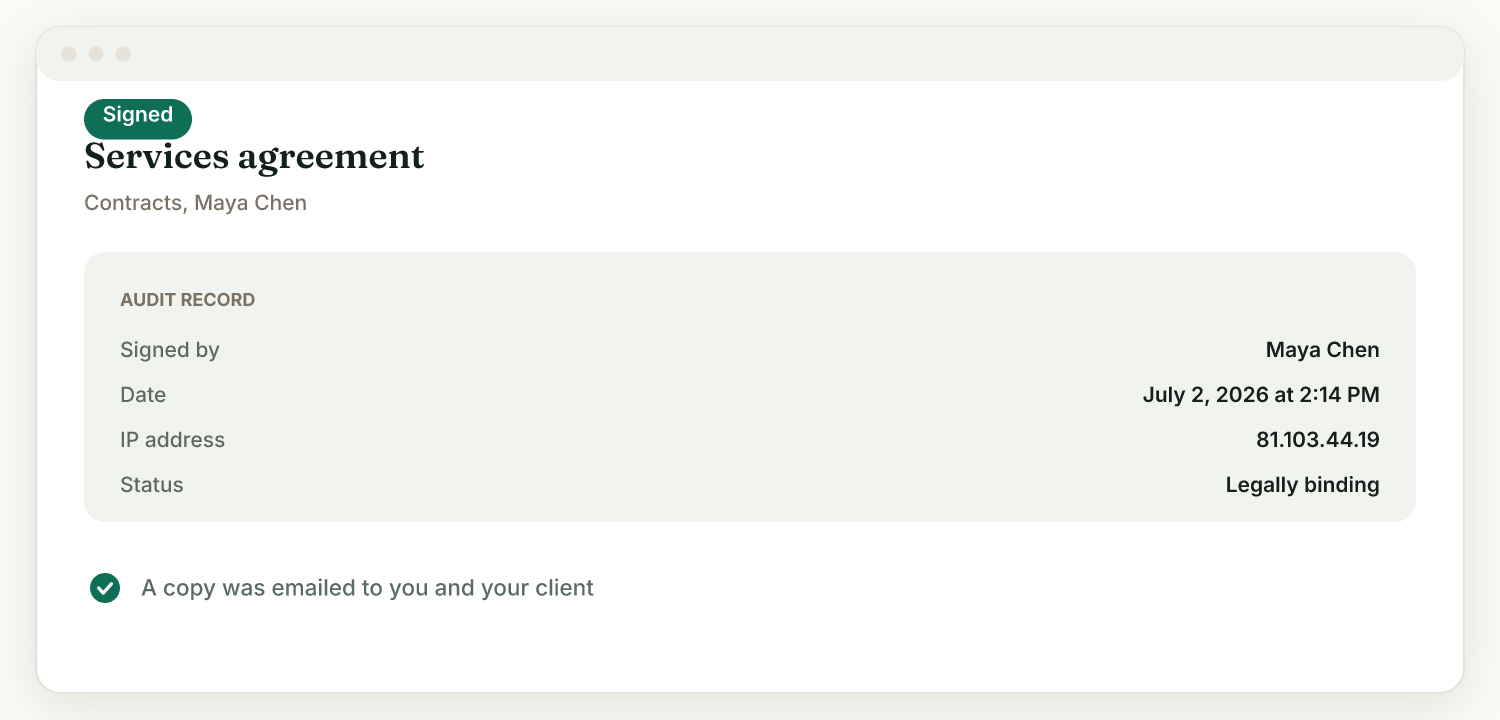
What the move actually looks like: your companies CSV is an evening of fast manual entry (adding a client takes under a minute), your contract PDFs upload directly and can carry e-signatures with a full audit trail, and payments run through your own Stripe account, where Raoura adds no platform fee on top, so the 1% rent stops on day one.
Retainer clients need one extra step, and the order matters. In Raoura, open the client, add a retainer with the same amount and billing day as the Bonsai one, and choose monthly or quarterly. If the client was on a Bonsai subscription invoice, send them Raoura's autopay link; they save a card with Stripe once and Stripe charges it each period on your own account. Only after they have confirmed autopay, or paid the first Raoura retainer invoice, cancel the Bonsai subscription invoice. Done in that order, no month bills twice and no month goes unbilled. Our retainer invoicing guide has the contract wording to send with it.
The 14-day trial needs no credit card, which means you can run the entire Saturday plan against Raoura before paying anything: raoura.com.
If you want to see the same weekend plan for other tools, we keep guides for leaving HoneyBook and leaving Dubsado too.
Once your data is out, follow the exact steps in how to cancel Bonsai so the subscription does not renew behind you.
Frequently asked questions
How do I export all my data from Bonsai?
Go to your profile icon, then Company Settings, then Data, and use the Download Data CSV section. Bonsai exports 7 datasets, each as its own CSV: invoices, projects, tasks, expenses, companies, company addresses, and time tracked. Contracts must be downloaded one at a time as PDFs from each contract's Download PDF option.
Does Bonsai export my signed contracts?
Not in the CSV export. Each signed contract can be downloaded individually as a PDF, and there is no bulk document export documented as of July 2026. Budget 1 to 2 hours if you have a normal contract history.
Is Bonsai shutting down after the Zoom acquisition?
No shutdown has been announced. Zoom said Bonsai remains standalone while it plans to fold Bonsai's capabilities into Zoom over time. Pricing and features are unchanged as of July 2026, but Bonsai's terms let it modify or discontinue the service without notice, so keep a current export either way.
What happens to my Bonsai data if I cancel?
Deactivating archives your account, and Bonsai says some data may not be recoverable if you later restore it. Permanent deletion requires emailing support and is irreversible (Bonsai Help Center). Either way, Bonsai's terms make you responsible for keeping your own copies, so export before you touch the cancel button.
How do I cancel a Bonsai subscription I bought through Zoom?
Through the Zoom billing portal, not through Bonsai. Bonsai support states it cannot cancel, refund, or change billing for subscriptions purchased through Zoom.
The short version#
Bonsai gives you 7 CSVs and makes you click for every contract PDF; proposals and forms come out only by hand. The Zoom deal has changed billing plumbing and branding so far, not pricing, but Zoom's stated plan is absorption over time and Bonsai's terms tell you, in writing, to keep your own copies.
So take the export this week regardless, and if you are leaving, it is one Saturday: CSVs at 9:00, PDFs at 9:30, live work rebuilt by dinner, money finishing where it started.
Facts, pricing, and export steps verified July 2026 against Bonsai's help center, terms of service, pricing page, and Zoom's announcement, all linked above. If you spot something out of date, tell us and we will fix it.
Run your client work in one place
Send a proposal, get it signed, invoice, and get paid, with a branded portal your clients will actually use. One flat plan at $17/month, and we never take a cut of your payments.
Try Raoura free for 14 daysNo credit card required. Set up in minutes.
Keep reading
Still Invoicing From PayPal? What It Costs You Each Year
PayPal invoicing is free to send and expensive to get paid through, but the cost depends almost entirely on which button your client clicks. On $60,000 a year, the same 24 invoices cost you $2,106 through PayPal checkout or $240 through PayPal's own Pay by Bank. Here is the annual math, plus the costs that never show up on the fee page: holds, refunds, and disputes PayPal will not cover for service work.
Raoura vs Hello Bonsai (2026): One Flat Plan vs Four Per-Seat Tiers, Now Under Zoom
Bonsai's useful plan costs $228 a year plus a 1% fee if you keep your own Stripe. Raoura is $204 flat, with retainers, time tracking and expenses on the one plan. Where each wins, with every price checked against the vendor pages.
Is Upwork Worth It in 2026? A Break-Even Test for Your Situation
Upwork is worth it when its fee costs less than finding the client yourself, and that is true far more often for a first project than for a repeat client. Here is the break-even math with 2026 numbers: the 0 to 15% fee, Connects, the shrinking client base, and when to wait out the 24-month rule instead of paying to leave.