How to Cancel Bonsai (And What the Free Limited Plan Keeps)
August 30, 2026
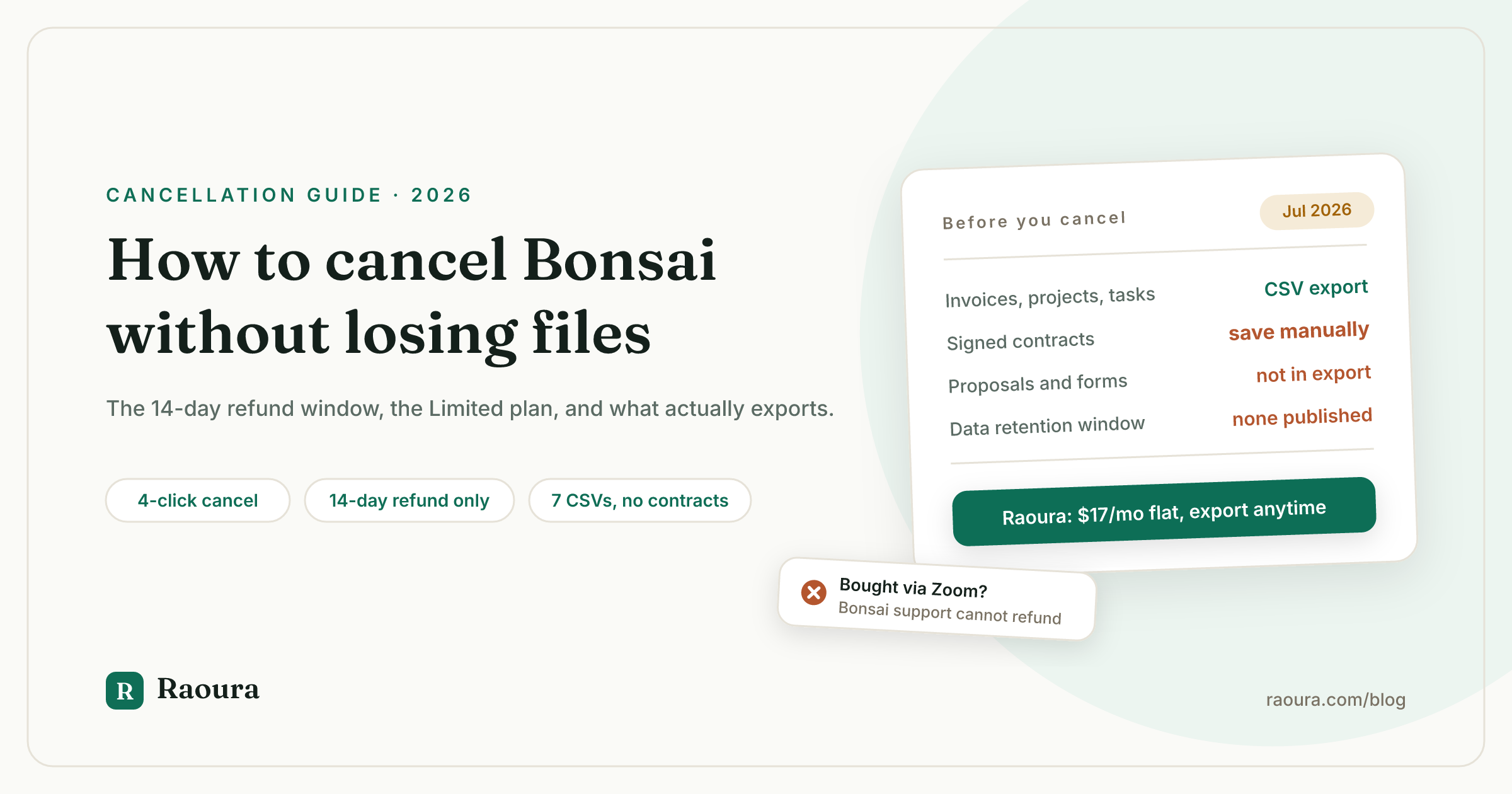
Cancelling Bonsai is easy. Leaving Bonsai is not the same thing, and the gap between those two sentences is where people lose money and files.
Cancelling stops the billing. It does not delete your account, it does not export your contracts, and it does not tell you that the refund window closed nine days ago. Meanwhile Bonsai's help center documents your profile icon in three different corners of the screen across three different current articles, calls the free plan "view-only" and then lists six things you can create on it, and publishes a 14-day refund promise that its own Terms of Service flatly contradicts.
So this is the full exit guide. The exact click path for cancelling, pausing, deactivating, and deleting, what each one does to your data, the refund math on an annual plan, and the seven data types the CSV export actually covers.
Every claim below links to the Bonsai page we checked in July 2026. Where Bonsai does not document something, we say so instead of guessing, because most of the pages competing for this search are guessing.
How to cancel a Bonsai subscription#
Cancelling Bonsai takes four steps from inside the app: profile icon, Subscription, "cancel your subscription", then confirm.
Per Bonsai's cancellation help article:
- Log in to your Bonsai account.
- Click your profile icon in the bottom left-hand corner.
- Select Subscription. (Direct link: app.hellobonsai.com/settings/subscription.)
- Select "cancel your subscription" and confirm.
Bonsai's own wording: "you can cancel or pause your monthly subscription at any time without penalty. Once cancelled, you'll still be able to log in and view all your documents, client details and projects."
Two things worth catching in that sentence.
It says monthly. Bonsai does not document what happens when you cancel an annual plan, and we come back to that gap below.
And "you'll still be able to log in" is doing a lot of work, because what you can log in to is a different plan entirely.
The 24-hour shortcut nobody else mentions#
If you are cancelling within 24 hours of being charged, Bonsai's confirmation flow offers a combined option. In Bonsai's words: "If you are cancelling within 24 hours of a charge, you will have the option to Cancel and Refund your latest charge simultaneously after selecting a reason for cancelling."
That is one click instead of an email to support. None of the third-party "how to cancel Bonsai" pages we checked mentions it exists.
Pause instead, if you are between clients#
The same confirmation screen offers a pause. You can pause "for 1, 2 or 3 months and it will automatically renew on the date selected."
Pausing is the right call if your gap is seasonal rather than permanent, because it keeps document sending alive on your return date without a new signup. If your gap is that work dried up in general, the pause is a band-aid, and the actual problem is covered in our guide to fixing the feast or famine cycle.
Cancel, deactivate, or delete: three different things#
Cancelling stops billing but keeps your account alive, deactivating archives everything and can lose data on restore, and permanent deletion is irreversible and requires emailing support.
These are genuinely three separate mechanisms in Bonsai, in three separate places in the UI, and picking the wrong one is how people either keep paying or lose their records.
| Action | Where | What happens to your data | Reversible |
|---|---|---|---|
| Cancel subscription | Profile icon (bottom left) > Subscription | Account moves to the free "Limited" plan, documents stay viewable | Yes, resubscribe anytime |
| Pause subscription | Same screen, at confirmation | Nothing changes, billing resumes on your chosen date | Yes, by design |
| Deactivate account | Profile picture (top right) > My Account > De-activate Account | All projects, proposals, contracts, invoices "are archived", subscription stopped | Partly. Support can restore login, but "some of your data may not be recoverable" |
| Permanently delete | Email support@hellobonsai.com or the in-app chat | "All data is permanently removed and cannot be restored" | No |
Sources: pausing or cancelling and how to deactivate or delete your account, the latter dated April 23, 2026.
One caveat Bonsai states plainly and most people will not expect: "Some accounts may not be eligible for full deletion due to legal or operational requirements." If you are deleting for privacy reasons rather than budget reasons, that sentence is the one to read twice.
Our advice: cancel first, export second, and only deactivate or delete once you have confirmed your files are safely somewhere else. Deactivation archives your documents, and Bonsai's own restore language does not promise you get all of them back.
An original observation: the icon is in three corners#
We checked three current Bonsai help articles in the same session. The cancellation article puts your profile icon in the bottom left. The deactivation article puts your profile picture in the top right. The data export article, updated June 12, 2026, puts your profile icon in the top left.
All three are first-party, all three are live, and at most one of them can be right for any given screen. Budget an extra minute of hunting, and use the direct settings links in this article instead.
What the free "Limited" plan actually keeps#
Bonsai's Limited plan is described as "view-only" but grants creation rights across six feature areas, and the single restriction Bonsai actually states is that you cannot issue new invoices or documents to clients.
Here is the contradiction in Bonsai's own words. First: "you will be unable to issue new invoices or documents to your clients, however, you will retain a 'view-only' access to your account."
Then the page lists what "view-only" includes:
| What Bonsai lists | Is it actually view-only? |
|---|---|
| "Create and Manage Projects, including creation of tasks and time tracking" | No, that is creating and editing |
| "Add Documents and send messages from within the Project" | No, that is creating and sending |
| "Viewing all existing documents (Proposals, Contracts, Invoices)" | Yes |
| "Add expenses and income from the Bookkeeping page" | No, that is data entry |
| "Viewing the Services & Forms Library" | Yes |
| "Managing Client records and new leads" | No, that is editing |
| "Edit account settings including exporting/importing account data and managing integrations" | No, that is editing and exporting |
Five of the seven bullets grant write access. Only two are genuinely view-only.
So the accurate description of free Bonsai is not "view-only archive." It is a working project tracker, time tracker, bookkeeping ledger, and CRM that cannot bill anyone. That is considerably more useful than the SERP suggests, and it is a real option for the months between clients, as long as you understand the one thing it will not do.
The billing block is the whole point. Bonsai has removed exactly the feature you pay for and left everything else running, which is smart retention design and worth naming as such.
Three things the Limited page does not say, which we are flagging rather than filling in:
- Whether Limited access ever expires. No time limit appears anywhere. Unstated is not the same as unlimited.
- Whether your client portal stays live. Not mentioned.
- What happens to recurring or scheduled invoices. Not documented.
The Limited article is also the only subscription page in this set with no visible date, showing just "Updated over a week ago" while Bonsai refreshed its cancellation, refund, trial, export, and deletion articles between April and June 2026. Treat the "view-only" framing as possibly stale, and verify against your own account before relying on it.
The Bonsai refund policy, and the contradiction in the Terms#
Bonsai's help center promises a no-questions-asked refund within 14 days of any charge, while Bonsai's Terms of Service state that all fees are non-refundable except as required by law.
Both of these are live Bonsai pages. Here they are side by side.
The refund policy article, dated April 23, 2026:
"If you are charged for a subscription, you may request a refund within 14 days." Refunds "are issued for both monthly and yearly plans" and "are granted with no questions asked within the eligibility period."
The Terms of Service, last updated August 5, 2025, Section 4:
"Unless otherwise specifically provided for in these Terms, all fees are in U.S. Dollars and are non-refundable, except as required by law."
In practice the help center governs day to day, because that is what support agents work from, and the more generous policy is the one customers actually get. But if a refund is ever disputed, the contract is the document that carries legal weight. Screenshot the help page before you ask.
Refund requests go to support@hellobonsai.com. After the 14 days, Bonsai's line is clear: "the subscription remains active for the current billing cycle, but can still be cancelled to avoid future charges."
What missing the window costs on an annual plan#
Bonsai bills annual plans upfront and offers no pro-rated refund after day 14. Using the tier prices on Bonsai's pricing page, verified this month, here is what is stranded if you cancel on day 15 of an annual term:
| Plan | Annual rate | Charged upfront | Value of 14 days used | Unrecoverable if you cancel on day 15 |
|---|---|---|---|---|
| Basic | $9/user/mo | $108 | $4.14 | $103.86 |
| Essentials | $19/user/mo | $228 | $8.75 | $219.25 |
| Premium | $29/user/mo | $348 | $13.35 | $334.65 |
| Elite (3 user minimum) | $49/user/mo | $1,764 | $67.66 | $1,696.34 |
Daily value is the annual charge divided by 365, multiplied by 14. The Elite row assumes the three user minimum stated on the pricing page.
Set a calendar reminder for day 12 of any annual Bonsai term. That reminder is worth up to $1,696.
If you bought Bonsai through Zoom, cancel through Zoom#
Bonsai Support cannot cancel or refund a subscription purchased through Zoom, and every billing change has to happen in the Zoom billing portal instead.
Zoom acquired Bonsai in late 2025, and the footer now reads "Bonsai, a Zoom company." That ownership change created a second billing path, and it is the one most likely to waste your time, because emailing Bonsai about it goes nowhere.
Per Bonsai's Zoom subscription article, dated May 21, 2026: "If your Bonsai subscription was purchased through Zoom, all subscription management is handled from your Zoom account."
The path: open your Plan & Billing tab in settings, then click the Zoom billing portal link to reach your subscription inside Zoom.
Bonsai states the limits in bold on its own page: "Bonsai Support is not able to cancel, refund, or make billing changes for subscriptions purchased through Zoom." Asked directly whether support can help with a refund, the answer given is "No. Refunds and billing adjustments for subscriptions purchased through Zoom are handled by Zoom."
If you are wondering what an acquisition usually means for the tool underneath it, we wrote the pattern up, including the AND.CO precedent, in what happens when your freelance tool gets acquired.
One thing to note about app store billing: several third-party pages tell you to cancel Bonsai through the iOS App Store or Google Play. Bonsai publishes no help article documenting in-app purchase or app store cancellation, so we cannot confirm that path exists. Check your card statement or receipt for the biller before assuming it does.
Export your data before you cancel#
Bonsai's documented CSV export covers seven data types, and proposals, contracts, and signed agreements are not among them.
This is the single most expensive thing to get wrong, so do it while your subscription is still active.
Per the data export article, updated June 12, 2026, the export path is:
- Click your profile icon (the article says top-left corner).
- Select Company Settings.
- Navigate to Data. (Direct link: app.hellobonsai.com/settings/data.)
- Find the Download Data CSV section.
- Choose the data type you want.
- Download.
Bonsai notes that "each dataset is exported separately as its own CSV file" and that "each export contains only one data type at a time." So this is seven downloads, not one.
| Documented CSV export | Not on the documented export list |
|---|---|
| Invoices | Proposals |
| Projects | Contracts and signed agreements |
| Tasks | Forms and the services library |
| Expenses | Client messages |
| Companies | File attachments and deliverables |
| Company Addresses | Client portal content |
| Time Tracked |
To be precise about what we are claiming: Bonsai does not state that the right-hand column cannot be exported. It states what the CSV export includes, and those items are absent from that list. Either way, the practical outcome is the same. Your signed contracts have no documented bulk export, so download them one by one as PDFs before you cancel.
The good news is that the Limited plan keeps "exporting/importing account data" available after cancellation, so you are not locked out on day one. The bad news is what the Terms say about relying on that.
The retention window Bonsai does not publish#
Bonsai publishes no number. Not in the Terms, not in the Privacy Policy, not in the help center. There is no "we keep your data for X days after cancellation" clause anywhere we could find.
What the Terms say instead, in bold in the original (Section 12.3):
"You are solely responsible for retaining copies of any User Content you Post to the Service since upon termination of your account, you may lose access rights to any User Content you Posted to the Service."
The Privacy Policy is similarly open-ended, committing only to delete personal information "when your Personal Information is no longer necessary for the purposes for which we process it," with the specific period depending on "various factors."
Compare that with Dubsado's cancellation policy, which commits to a number: "we are only responsible for keeping any content or info in our system for 90 days after the cancellation date. After 90 days, we can delete the content."
A published 90-day window is a worse deal than an unpublished one in theory and a better deal in practice, because you can plan around it. An unpublished window means the answer is whatever it turns out to be. Our full walkthrough of getting everything out and rebuilt elsewhere is in how to migrate from Bonsai.
How Bonsai's cancellation compares to the alternatives#
Bonsai and HoneyBook both let you keep logging in after you cancel, while Moxie disables your workspace and Dubsado deactivates your brand at the end of the billing cycle.
Verified against each vendor's own cancellation page in July 2026:
| Tool | Access after you cancel | Named free tier | Published data window | Refund window |
|---|---|---|---|---|
| [Bonsai](https://help.hellobonsai.com/en/articles/2683127-what-you-can-do-on-a-free-limited-subscription-plan) | Yes, keeps most features except client billing | "Limited" | None published | 14 days from charge |
| [HoneyBook](https://help.honeybook.com/en/articles/2584102-cancel-your-honeybook-membership-or-free-trial) | Yes, existing projects readable, no new files | Unnamed | None published | 60 days from membership start |
| [Dubsado](https://www.dubsado.com/legal/cancellation-policy) | No, brand deactivates at cycle end | No | 90 days, explicit | 14 days annual, one month max on monthly |
| [Moxie](https://www.withmoxie.com/pricing) | No, "workspace access will be disabled" | No | Not published | Not published |
Two things stand out from running these side by side.
HoneyBook's 60-day money-back guarantee is more than four times Bonsai's window, and HoneyBook describes its post-cancellation state more honestly than Bonsai does: read access to existing projects, no new files, projects, or messages. That is what "view-only" is supposed to mean.
Dubsado is the only one of the four that puts a number on data retention, and it also cascades cancellations, so cancelling a primary brand cancels every additional brand and add-on with it. Worth knowing before you click.
If you are cancelling because the per-seat tiers stopped making sense for a one-person business, the wider field is in Bonsai alternatives, and the two closest head-to-heads are Bonsai vs HoneyBook and Bonsai vs Moxie.
What to look for in whatever you move to#
Cancelling one subscription is a good moment to check the exit terms of the next one, before you have three years of client history inside it.
Four questions, in the order they will matter to you:
- Can you export signed contracts, not just invoice rows? This is where Bonsai's export falls short, and almost nobody checks it before signing up.
- Is there a published data retention window? A number you can plan around beats a policy that says "various factors."
- Does the price change when you add a seat, a brand, or a client? Per-seat pricing is what turns a $9 plan into a real bill.
- Does the tool take a cut of your payments? A platform fee on your own Stripe account is a permanent tax on revenue, and we argued the general case in why your client tool should never touch your money.
Disclosure: Raoura is our product, so weigh this section accordingly. We built it around those four answers deliberately. Contracts live as documents you can download individually or in bulk, including the signature record.

Signed contracts are the item missing from Bonsai's documented CSV export. In Raoura they download as PDFs with the signing record attached.
Pricing is one flat plan at $17 per month, with no per-seat multiplier and no tier that withholds invoicing. And payments run through your own Stripe account, so Raoura never sits between you and your money and takes no percentage of it.

No platform fee on top of Stripe's processing rate, which is the line item that quietly costs the most on a percentage-fee tool.
The feature-by-feature version of that comparison is in Raoura vs Bonsai, and the full tier and fee teardown of what you are leaving is in Bonsai pricing.
Frequently asked questions
How do I cancel my Bonsai subscription?
Log in, click your profile icon in the bottom left corner, select Subscription, then select "cancel your subscription" and confirm, per Bonsai's help center. You can go straight to app.hellobonsai.com/settings/subscription.
Does cancelling Bonsai delete my account?
No. Cancelling moves you to the free "Limited" plan and your account stays accessible. Deleting is a separate request you have to make by emailing support@hellobonsai.com, and Bonsai states that deletion is irreversible and that some accounts may not be eligible for it.
Can I get a refund from Bonsai?
Bonsai's help center offers a no-questions-asked refund within 14 days of a charge, on both monthly and yearly plans, by emailing support@hellobonsai.com. Bonsai's Terms of Service say fees are non-refundable except as required by law, so the two documents disagree. If you cancel within 24 hours of a charge, the cancellation flow offers a combined Cancel and Refund option.
What does the free Bonsai Limited plan include?
Per Bonsai's Limited plan article: creating and managing projects, tasks and time tracking, adding expenses and income to bookkeeping, managing client records and leads, viewing all existing proposals, contracts and invoices, viewing the services and forms library, and exporting or importing account data. The one stated restriction is that you cannot issue new invoices or documents to clients.
Does the Bonsai Limited plan expire?
Bonsai does not publish a time limit. The Limited plan article states no expiry, but it also does not promise indefinite access, so export your data rather than treating it as permanent storage.
How do I cancel Bonsai if I bought it through Zoom?
Through Zoom, not Bonsai. Open your Plan & Billing tab, click the Zoom billing portal link, and cancel there. Bonsai states that Bonsai Support cannot cancel, refund, or make billing changes for Zoom-purchased subscriptions.
What can I export from Bonsai?
Seven data types as separate CSV files: invoices, projects, tasks, expenses, companies, company addresses, and time tracked, per the export article. Proposals, contracts, forms, messages, and file attachments are not on that list, so download those manually before you leave.
How long does Bonsai keep my data after I cancel?
Bonsai does not publish a retention period in its Terms, Privacy Policy, or help center. Its Terms place the responsibility on you: "You are solely responsible for retaining copies of any User Content you Post to the Service." For comparison, Dubsado commits to 90 days.
Can I pause Bonsai instead of cancelling?
Yes. The cancellation confirmation screen offers a pause of 1, 2, or 3 months, after which the subscription renews automatically on the date you selected.
How do I cancel the Bonsai free trial without being charged?
Go to your Subscription page, click "Cancel your subscription," and confirm. Bonsai's trial article states the trial runs 7 days, requires payment information to activate, and that "billing starts immediately after the 7th day" unless you cancel. If you forget, you can request a full refund within 14 days of the charge.
What happens if I cancel an annual Bonsai plan mid-term?
Bonsai does not document this. Its cancellation article addresses monthly subscriptions specifically, and no page states whether annual plans keep paid access through the end of the paid year. Past the 14-day refund window there is no pro-rated refund, which on Essentials means roughly $219 of a $228 annual charge is unrecoverable.
The short version#
Cancel from the profile icon, Subscription, "cancel your subscription", confirm. You land on the free Limited plan, which keeps far more than "view-only" suggests and blocks exactly one thing: sending anything new to a client.
Ask for a refund within 14 days or not at all, and within 24 hours if you want it in one click. Export all seven CSVs and download your signed contracts as PDFs manually, because those have no documented bulk export and no published retention window protecting them. If you bought through Zoom, do all of it in Zoom.
Then, before you sign up for the next tool, read its cancellation page first. It tells you more about how a company sees you than its pricing page does.
Disclosure: Raoura is our product. It is one flat plan at $17 per month, with your own Stripe and no platform fee, and you can try it free for 14 days at raoura.com.
All steps, prices, quotes, and policies verified July 2026 against the linked primary sources. Bonsai's app store cancellation path, annual plan mid-term behavior, Limited plan expiry, client portal status after cancellation, and post-deletion retention period are not documented by Bonsai and are deliberately left as open questions rather than guessed at.
Run your client work in one place
Send a proposal, get it signed, invoice, and get paid, with a branded portal your clients will actually use. One flat plan at $17/month, and we never take a cut of your payments.
Try Raoura free for 14 daysNo credit card required. Set up in minutes.
Keep reading
Is Upwork Worth It in 2026? A Break-Even Test for Your Situation
Upwork is worth it when its fee costs less than finding the client yourself, and that is true far more often for a first project than for a repeat client. Here is the break-even math with 2026 numbers: the 0 to 15% fee, Connects, the shrinking client base, and when to wait out the 24-month rule instead of paying to leave.
The Virtual Assistant Contract: 24 Clauses, Scored Against Every Template Ranking for This Search
We scored the four pages that publish actual virtual assistant contract text against 24 clauses a VA agreement needs. Twenty-four of 96 possible slots were filled. The best single template managed 7 out of 24. Twelve clauses appear in none of them, including every clause about the thing that makes VA work different from other freelance work: you are holding your client's passwords and running their inbox. One popular template also tells you a contract fixes your independent contractor status, then mandates client-set 9 to 5 weekday hours in the same document. Here is the clause-by-clause version, with the classification test the DOL is actually applying in 2026, the data protection terms nobody drafts, and the retainer mechanics that decide whether unused hours roll over.
Stripe vs PayPal for Freelancers: Every Fee Verified (2026)
Every page ranking for this comparison either prints in-person retail rates, contradicts itself, or skips the numbers freelancers actually pay. We read the current Stripe and PayPal pricing pages line by line, ran a $3,000 invoice through every rail, and found a $1,764 per year gap between the cheapest setup and the default one.