Client Management for Virtual Assistants: The System, Then the Software
August 30, 2026
Search for help managing your VA clients and you will find a strange landscape. Before writing this guide we fetched every page on the first page of results in July 2026. All of them were software vendors recommending their own product, a VA tool company ranking itself sixth in its own listicle, or an affiliate site earning a commission on every recommendation. Not one neutral editorial page ranks.
Worse, the pricing tables on those pages are wrong: of the eight competitor prices we could check against the vendors' own pricing pages, five were stale or incorrect, including one page still quoting a 17hats tier that no longer exists.
So this guide does two things the ranking pages do not. It starts with the system, because client management is a set of jobs, not a subscription, and the jobs are the same whether you run them from a $0 spreadsheet or a $600-a-year suite. Then it gives you a tool table where every price was pulled from the vendor's own pricing page this month, including the limits the vendors bury.
What client management means when you are the assistant#
A virtual assistant's client management system has to do five jobs: intake, contract, hour tracking against a retainer, invoicing, and one tidy place per client where work and files live.
Client management advice written for freelancers in general misses what makes VA work distinct: you spend your working day inside other people's systems. You answer email in the client's inbox, schedule in their calendar, post from their accounts, and update their project board. That creates a split that most tools and most articles ignore:
Their systems are where you do the work. You will always have to meet clients where they live, and a client who runs on Asana is not moving to your tool because you asked.
Your system is where you run the business. Who signed what, how many retainer hours are left this month, which invoice is unpaid, where the onboarding questionnaire answers went. None of that belongs inside a client's workspace, because you lose access to a client's workspace the day the relationship ends, and because no client should ever see another client's anything.
The mistake that burns new VAs is conflating the two: running the whole business from inside client accounts and a personal inbox. Then a client offboards you, the login dies, and the record of what you agreed, delivered, and were owed dies with it. Whatever tools you pick, the business record has to live on your side of the fence.
The five jobs, in the order clients meet them#
A solo VA can run all five jobs for well under $25 a month, and three of the five are documents you create once and reuse forever.
1. Intake. A short questionnaire before the discovery call: what tasks they want to hand off, which tools they run on, what access you will need, who else touches the work, and their budget range. It qualifies leads and it doubles as your setup checklist on day one. The client onboarding system we published covers the full inquiry-to-kickoff sequence.
2. Contract. VAs handle inboxes, payments data, and passwords, so your contract needs confidentiality and access-handling language on top of the basics: scope, rate, payment terms, and termination. Written contracts are not optional paperwork, and in some states they are literally the law for freelance work above small thresholds ($250 in California, $500 in Illinois). Contract use is also associated with 13.7% higher freelance income. Start from our annotated freelance contract template and add the access clause.
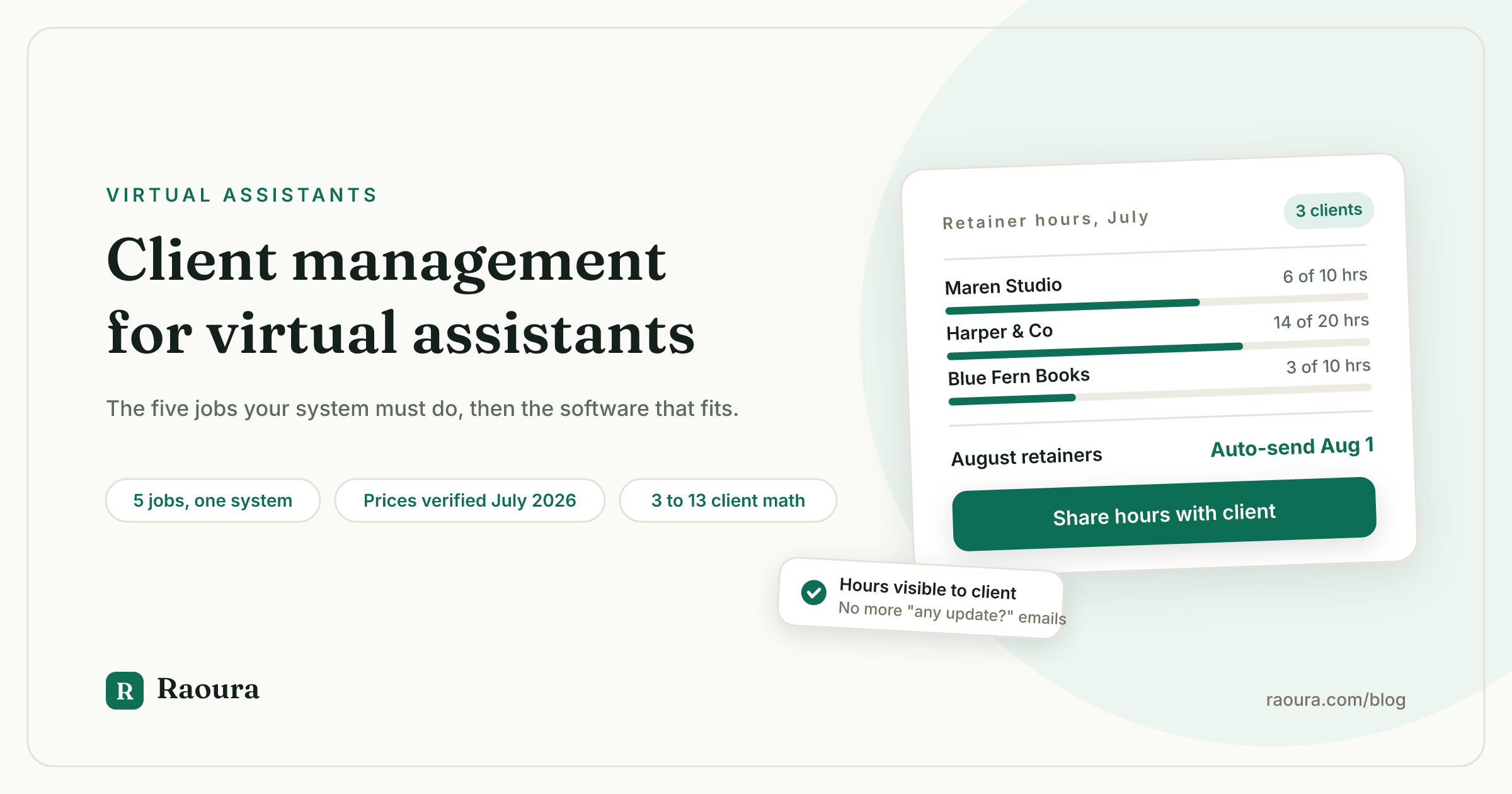
3. Hour tracking against the retainer. Most VA work sells as a monthly block of hours, which makes "how many hours are left" the single most common client question you will field. Your system needs a running answer per client, visible to the client without them asking, plus a written rule for what happens to unused hours and what happens when the block runs out. Our retainer agreement template has the rollover and overage wording.
4. Invoicing. Retainers should bill automatically on the first of the month, in advance, not in arrears. 29% of freelance invoices are paid at least a day late, and the fix for a VA is structural: invoice before the hours are worked, pause work when the block is unpaid, and let reminder emails go out on a schedule instead of from your guilt. If a tool processes payments for you, check who keeps the processing fee; the difference between paying Stripe directly and paying a platform markup is real money at volume, a point we unpack in why your client tool should never touch your money.
5. One place per client. A client portal, a shared folder, or at minimum a pinned thread: one URL where this client's files, approvals, and invoices live. The point is separation (no client ever sees another client's work) and survivability (you keep the record when the client's Slack access disappears). It is also the difference between looking like a competent business and looking like a busy inbox.
That is the whole system. Notice that none of it requires a CRM in the sales-pipeline sense; if you are choosing software, our position on what freelancers actually need instead of a CRM applies double to VAs, who rarely run 30-lead pipelines.
The software, with prices the vendors' own pages show this month#
Of the eight competitor prices we could check on the two vendor listicles ranking on page one for this keyword, five no longer matched the vendors' own pricing pages in July 2026.
The stale-price problem is not cosmetic. One ranking page quotes 17hats at "$15 to $60 a month" when 17hats now sells one all-inclusive plan at $60 a month, or $600 a year. Another quotes Dubsado at a monthly price that does not appear anywhere on Dubsado's pricing page, which now displays annual plans of $335 and $525. Here is the table with every number pulled from the vendor's own page this month:
| Tool | Plan that works for a solo VA | Cost | Client cap | Watch for |
|---|---|---|---|---|
| Moxie | Starter | $120/yr ($12 month to month) | None published | White-label portal and automations need Pro at $240/yr |
| Raoura | Flat plan | $204/yr ($17/mo) | Unlimited | Payments via your own Stripe, no platform commission |
| Plutio | Core | $228/yr ($19/mo) | 9 active clients per month | Unlimited clients requires Pro at $588/yr |
| Dubsado | Starter | $335/yr | Unlimited | Steep setup; scheduling and workflows need Premier at $525/yr |
| HoneyBook | Starter | $348/yr ($29/mo billed yearly) | Unlimited | Payments must run through HoneyBook: 2.9% + 25c cards, 1.5% ACH |
| 17hats | Single plan | $600/yr ($60/mo monthly) | Unlimited | 50% off first year promo, then full price |
| HubSpot | Free CRM | $0 | 1,000 contacts, 2 users | Contacts database only; contracts, hour tracking, and invoicing live elsewhere |
Prices checked against each vendor's public pricing page on July 10, 2026. Disclosure: Raoura is our product.
Three honest notes the listicles will not give you.
- Moxie's Starter tier is the cheapest real suite on this table. If the $120-a-year price fits your needs, it is a fair pick. Our Raoura vs Moxie comparison covers where the two differ.
- Plutio's $19 headline price carries a cap of 9 active clients a month that its own VA marketing page mentions only in passing. At the cap you are paying $2.11 per client slot, and client number ten forces a $49-a-month upgrade, a 158% jump.
- HoneyBook's price is only part of its cost. Because payments must run through its processor at 2.9% + 25 cents, a VA collecting $4,000 a month in retainers pays roughly $116 a month in card fees on top of the subscription, unless clients use its 1.5% ACH option.
Running your own Stripe account costs 2.9% + 30 cents for cards too, but ACH is cheaper and, more importantly, the account, the client records, and the payment history belong to you, not to the tool you might leave next year.
How many clients can one VA actually carry?#
No credible independent data exists on average VA client load, so ignore the vendor claims and do the math: your billable hours divided by your average retainer size, which for most full-time VAs lands between 3 and 12 clients.
The pages ranking for this keyword state "8 to 15 clients" or "5 to 10 clients" as fact. We looked for the source of those numbers and there is none; they are unsourced vendor copy. What does exist is arithmetic you can do on your own business:
A full-time VA has about 160 working hours a month. Surveys of freelancer time use consistently find around 6 hours a week going to unbillable admin, which leaves roughly 130 billable hours. Divide by your average retainer: at 40-hour retainers that is 3 clients, at 20 hours it is 6, at 10 hours it is 13.
The constraint that bites first usually is not hours anyway, it is context switching: thirteen 10-hour clients means thirteen inboxes, thirteen tool stacks, and thirteen people who all consider Monday morning theirs. Most experienced VAs we see drift toward fewer, larger retainers over time, then raise rates rather than add heads.
On rates, the citable numbers: ZipRecruiter's live salary data puts the US average virtual assistant rate at $24.40 an hour, with the bulk of listings between $11.54 and $33.89, and industry reporting puts experienced US-based VAs at $25 to $45+ an hour, with specialists above that. The same industry report, citing Fact.MR, sizes VA services at $5.3 billion in 2025 with a projected 23.4% annual growth rate through 2035.
Demand is not your problem, capacity is, which is exactly why the retainer-and-boundaries machinery above matters more than any lead pipeline.
The minimum viable setup, by stage#
A brand-new VA needs exactly $0 of software to manage clients properly, and the upgrade point arrives around client three, when hour tracking and invoicing start eating real time.
Starting out, with one or two clients: a contract PDF, a spreadsheet with a tab per client for hours, manual invoices, and a Google Drive folder per client covers all five jobs. It costs nothing and clients do not care. What it does not do is scale: every hour logged, every invoice sent, every "how many hours are left?" reply is manual, and manual admin is precisely the unbillable leak you sell your clients on fixing.
Around three or more retainer clients, the math flips. If your admin runs even 4 hours a month across hour tracking, invoicing, reminders, and status replies, that is roughly $100 of unbilled time at the average US VA rate, more than any tool on the table above costs.
This is the point where a suite that auto-bills retainers, shows each client their remaining hours in a portal, and chases late invoices for you pays for itself. That is the job Raoura was built for: proposals, contracts, retainer invoicing, and a white-label portal per client at a flat $17 a month with payments through your own Stripe account and no commission on what you earn. Disclosure: Raoura is our product, and the minimalist stack guide shows the same setup built from separate tools if you would rather assemble your own.
!The Raoura client portal home, the single link where one client's projects, invoices, and files live

One portal per client keeps status, files, and invoices behind a single link, so the quick-update emails stop landing in your inbox.
!Raoura's settings screen for automatic reminders on overdue invoices

Reminders for late retainer invoices go out on a schedule you set once, instead of from your guilt.
Whichever route you take, the sequence is the thing: system first, software second. A VA with a signed contract, a visible hours ledger, and an invoice that goes out on the first of the month is running client management properly from a spreadsheet. A VA with none of those is not managing clients, whatever the subscription says.
The contract job on that list has its own guide: a virtual assistant contract template with the clauses that matter for retainer hours.
Frequently asked questions
Do virtual assistants need a CRM?
Usually not in the sales sense. Most VA work arrives by referral, and a solo VA rarely runs enough simultaneous leads to need pipeline software; word of mouth accounts for 67% of freelance work. What VAs need is the record-keeping half, contacts, agreements, hours, and invoices in one place, which is a lighter and cheaper category than CRM. Our essay on what freelancers actually need instead of a CRM makes the longer argument.
Should I work in my client's tools or make clients use mine?
Both, with a clean line between them. Do the work wherever the client already lives; keep the business record, contract, hours, invoices, and deliverable history, in your own system. The one thing worth asking a client to adopt is a single shared link where they can see status, remaining hours, and invoices, because it eliminates the "quick update?" emails that eat your margin.
How should a VA charge: hourly, retainer, or packages?
Retainers, for anything recurring. Hourly caps your income and makes revenue unpredictable; monthly hour blocks paid in advance smooth your cash flow and the client's budget. Package pricing (a flat fee for a defined recurring deliverable) beats both once you know your speed, and the general tradeoffs are covered in our pricing models guide. Whatever the model, bill in advance and put overage and rollover rules in writing.
What happens to unused retainer hours?
Whatever your agreement says, which is why it must say something. The common options: hours expire monthly (cleanest for you), roll over one month with a cap (fairest feeling for clients), or convert to a small credit. Pick one before the first month ends, because retroactive policy-making is how retainer relationships sour.
What access should a VA get, and how?
Named access wherever possible (your own user seat, delegate access, or a role account) and a password manager for everything else. Never collect passwords over email or text, and make offboarding symmetrical: the contract should oblige you to hand back or destroy credentials, and the client to revoke them, on the last day.
---
Every price and statistic in this article was checked against a primary source in July 2026: each vendor's public pricing page (Plutio, HoneyBook, Dubsado, 17hats, Moxie, HubSpot, Stripe), ZipRecruiter's live VA salary data, the Wishup industry report citing Fact.MR, the ILR Review contract-income study, Bonsai's invoice dataset, and the Fiverr 2024 Freelance Economic Impact Report. Verified July 2026.
Run your client work in one place
Send a proposal, get it signed, invoice, and get paid, with a branded portal your clients will actually use. One flat plan at $17/month, and we never take a cut of your payments.
Try Raoura free for 14 daysNo credit card required. Set up in minutes.
Keep reading
Is Upwork Worth It in 2026? A Break-Even Test for Your Situation
Upwork is worth it when its fee costs less than finding the client yourself, and that is true far more often for a first project than for a repeat client. Here is the break-even math with 2026 numbers: the 0 to 15% fee, Connects, the shrinking client base, and when to wait out the 24-month rule instead of paying to leave.
The Virtual Assistant Contract: 24 Clauses, Scored Against Every Template Ranking for This Search
We scored the four pages that publish actual virtual assistant contract text against 24 clauses a VA agreement needs. Twenty-four of 96 possible slots were filled. The best single template managed 7 out of 24. Twelve clauses appear in none of them, including every clause about the thing that makes VA work different from other freelance work: you are holding your client's passwords and running their inbox. One popular template also tells you a contract fixes your independent contractor status, then mandates client-set 9 to 5 weekday hours in the same document. Here is the clause-by-clause version, with the classification test the DOL is actually applying in 2026, the data protection terms nobody drafts, and the retainer mechanics that decide whether unused hours roll over.
Stripe vs PayPal for Freelancers: Every Fee Verified (2026)
Every page ranking for this comparison either prints in-person retail rates, contradicts itself, or skips the numbers freelancers actually pay. We read the current Stripe and PayPal pricing pages line by line, ran a $3,000 invoice through every rail, and found a $1,764 per year gap between the cheapest setup and the default one.